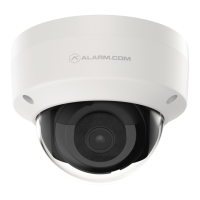
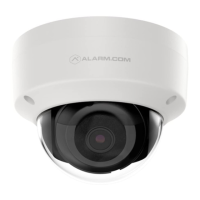
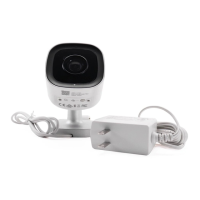
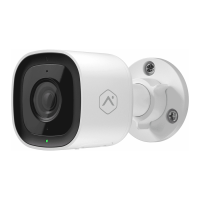
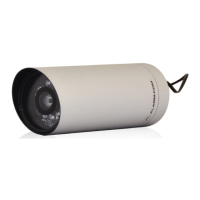
The 1080p Mini-Bullet Camera (ADC-VC727P) is a robust security camera designed for both indoor and outdoor surveillance, offering high-definition video capture and seamless integration with the Alarm.com ecosystem. This guide provides comprehensive instructions for its installation, configuration, and troubleshooting, ensuring optimal performance and reliability.
Function Description:
The ADC-VC727P is a compact, weather-resistant mini-bullet camera capable of recording video at 1080p resolution. It is primarily designed to be integrated into an Alarm.com security system, allowing users to monitor their premises remotely via the Alarm.com app or web interface. The camera supports both Power over Ethernet (PoE) and a 12 VDC power connection, offering flexibility in installation. Its primary function is to capture and transmit video footage, providing visual verification for security events, general surveillance, and remote monitoring. The camera features an LED indicator for status updates, a MicroSD card slot for local storage, and a reset button for factory default restoration. The ball joint mount allows for flexible positioning and aiming of the camera.
Important Technical Specifications:
- Resolution: 1080p high-definition video.
- Power Options:
- Power over Ethernet (PoE) for simplified wiring and power delivery.
- 12 VDC power connector (AC power adapter sold separately for non-PoE connections).
- Connectivity:
- RJ45 Ethernet interface for wired network connection.
- Requires a router with broadband Internet connection (Cable, DSL, or Fiber Optic) and an open Ethernet port.
- Storage: MicroSD card slot for local video storage (card not included).
- Mounting: Ball joint mount for flexible positioning.
- Environmental: Weather-resistant design, suitable for outdoor use.
- Installation Height: Recommended mounting at 8 feet or more above the ground.
- Grounding: Requires proper grounding according to Article 250 of the National Electrical Code (NEC).
- Operating Temperature: Not explicitly stated, but implied to be suitable for various environments due to weather-resistant design.
Usage Features:
The ADC-VC727P is designed for straightforward use within the Alarm.com platform.
- Remote Monitoring: Users can access live and recorded video footage through the Alarm.com MobileTech app or a web browser, providing real-time surveillance and event review.
- Easy Integration: The camera is added to an Alarm.com account either via the MobileTech app for service providers or by using a web browser and entering the camera's MAC address.
- Flexible Installation: Supports both PoE and traditional 12 VDC power, allowing for diverse installation scenarios. The weather-resistant RJ45 cap assembly ensures a secure and protected Ethernet connection for outdoor installations.
- Status Indicator: A multi-color LED indicator provides clear visual feedback on the camera's operational status:
- Off: Power off.
- Solid Green: Connected to Alarm.com.
- Blinking Green: Local network connection.
- Blinking Red and Green: Reverting to factory default settings.
- Blinking Red: Power on, camera booting.
- Solid Red: No local or Internet connection.
- Adjustable Positioning: The ball joint mount allows for precise aiming and adjustment of the camera's field of view after installation.
- Night Vision: The camera is designed for optimal night vision performance, with a recommendation to avoid obstructions near the camera that could degrade its effectiveness.
Maintenance Features:
The ADC-VC727P incorporates features that simplify maintenance and troubleshooting.
- Pre-installation Checklist: A detailed checklist ensures all necessary components and conditions are met before installation, minimizing potential issues. This includes verifying the presence of the camera, AC power adapter (if needed), router with broadband Internet, open Ethernet port, computer/mobile device with Internet access, Ethernet/Cat5e cable, and Alarm.com account credentials.
- Troubleshooting Guide: The manual provides clear steps for common issues:
- Connection Issues: If the camera fails to connect to the account, power cycling the camera is the first recommended step.
- Factory Reset: If issues persist, a factory reset can be performed by pressing and holding the Reset button until the LED flashes green and red (approximately 15 seconds). This restores the camera to its default settings.
- Account Re-installation: If the camera was previously installed on another Alarm.com account, it must be deleted from that account before it can be added to a new one.
- LED Reference: The comprehensive LED reference table allows users to quickly diagnose the camera's status and identify potential problems based on the LED's color and blinking pattern.
- Weather-Resistant Design: The camera's robust construction and weather-resistant RJ45 cap assembly reduce the need for frequent maintenance related to environmental exposure.
- Installation Instructions: Detailed mounting instructions, including drilling templates and grounding requirements, ensure a secure and correct installation, which is crucial for long-term reliability and minimal maintenance. The guide specifies using included M5x40mm screws for fastening and provides instructions for both drywall and solid surface mounting.
- Online Resources: Alarm.com provides additional resources such as "Academy Online" for training courses and "Tips & Tools Podcast" for expert advice, empowering users and technicians with knowledge to maintain and optimize their security systems.

 Need help?
 General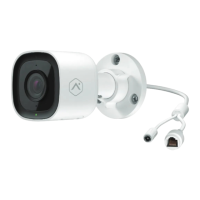

 To Next Page