29English
MENU: Short press to return to main menu.
: Long press to switch on/off the radio
/VOL-: Press to scroll down / press to decrease the output volume
/VOL+: Press to scroll up / press to increase the output volume
OK: Press to con rm your selection of a menu option
Favorites
: Press to display favorites list
◄: Press to go back to previous menu
►: Press to con rm your selection of an option and go to the submenu
MODE: Switch between Internet Radio, Media Center, FM, DAB+, AUX, Bluetooth, Information
Center and Con guration, My mediaU
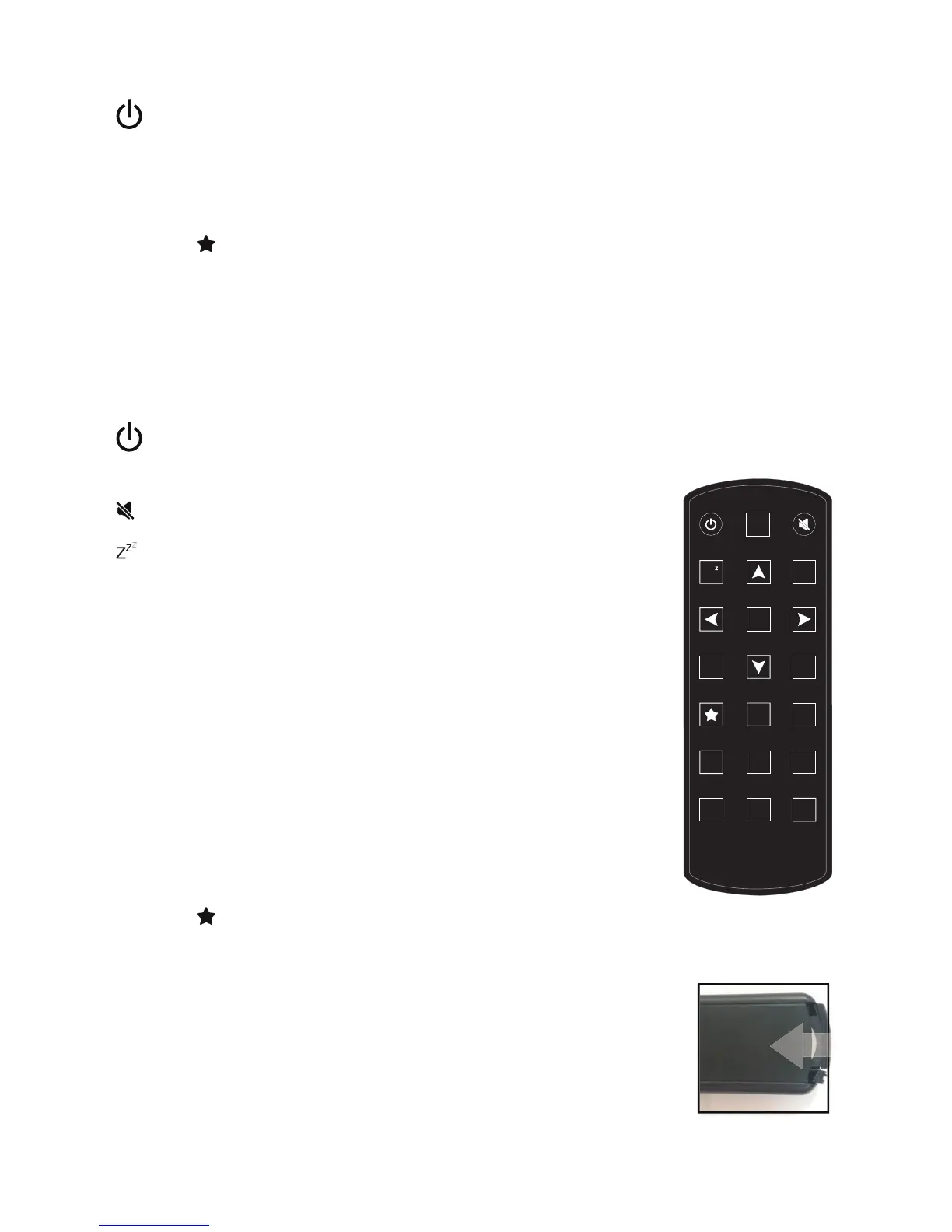
4.2. Remote Control
: Press to switch on/off the alarm clock radio
LIGHT: Press to switch between low/high screen brightness
: Press to mute the audio output
: Press to select the Sleep-Timer (symbol in top right of display)
Menu: Press to return to main menu. Long press to switch between color
and black/white display
: Press to scroll up or enter text
◄: Press to go back to previous menu
: Press to scroll down or enter text
►: Press to con rm your selection of an option and go to the submenu
OK: Press to con rm your selection of a menu option
ALARM: Press to enter Alarm settings
VOL+: Press to increase the audio output
VOL-: Press to decrease the audio output
Favorites
: Press to display favorites list
MODE: Switch between Internet Radio, Media Center, FM, DAB+, AUX, Bluetooth, Information
Center and Con guration, My mediaU
1~6: Press to recall a preset radio station
Battery: Before the rst use of the remote control you have to insert the
provided CR2025 Lithium battery, This type of battery should last many month
or even years when used on regular basis. The battery has to be inserted so
the + sign shows upwards.
ALARM
MENU
VOL+
1
2
3
4
5
6
MODE
VOL-
OK
Z
Z
Z
LIGHT



 To Next Page