— 36 —
This device has a feature that will automatically upload recorded video files from the cameras
MicroSD card to either Google Drive
®
or Dropbox
®
. To use this feature you must already have
an existing Google Drive or Dropbox account.
To sign up for a free account, go to:
www.google.com/drive
www.dropbox.com
There is no charge from ALC to use this feature. It is free!
Cloud Account Setup
u
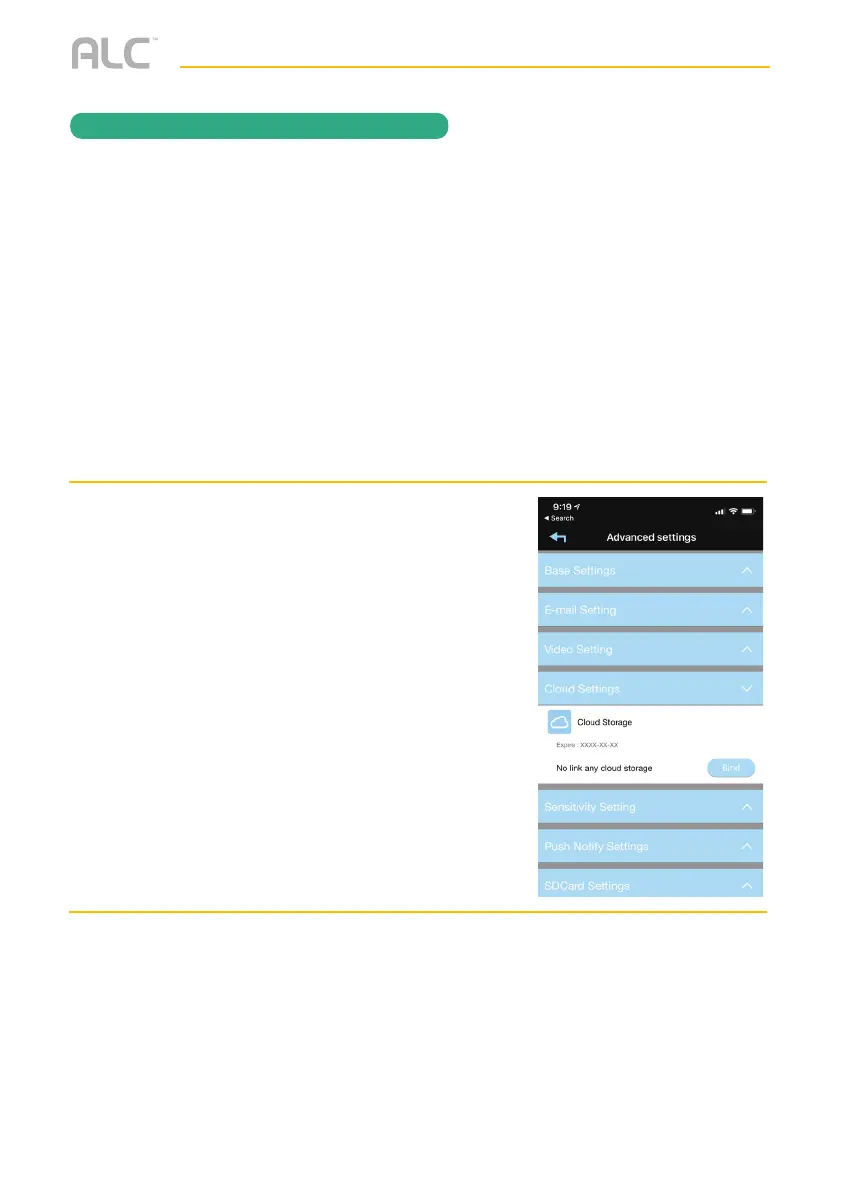
After setting up your Google Drive or
Dropbox account, you will need to
establish an ALC Cloud account. To
do this go into Advanced Settings as
shown on page 36.
v
Tap the Cloud Storage option.
w
Tap Bind.
REMOTE ACCESS


 To Next Page