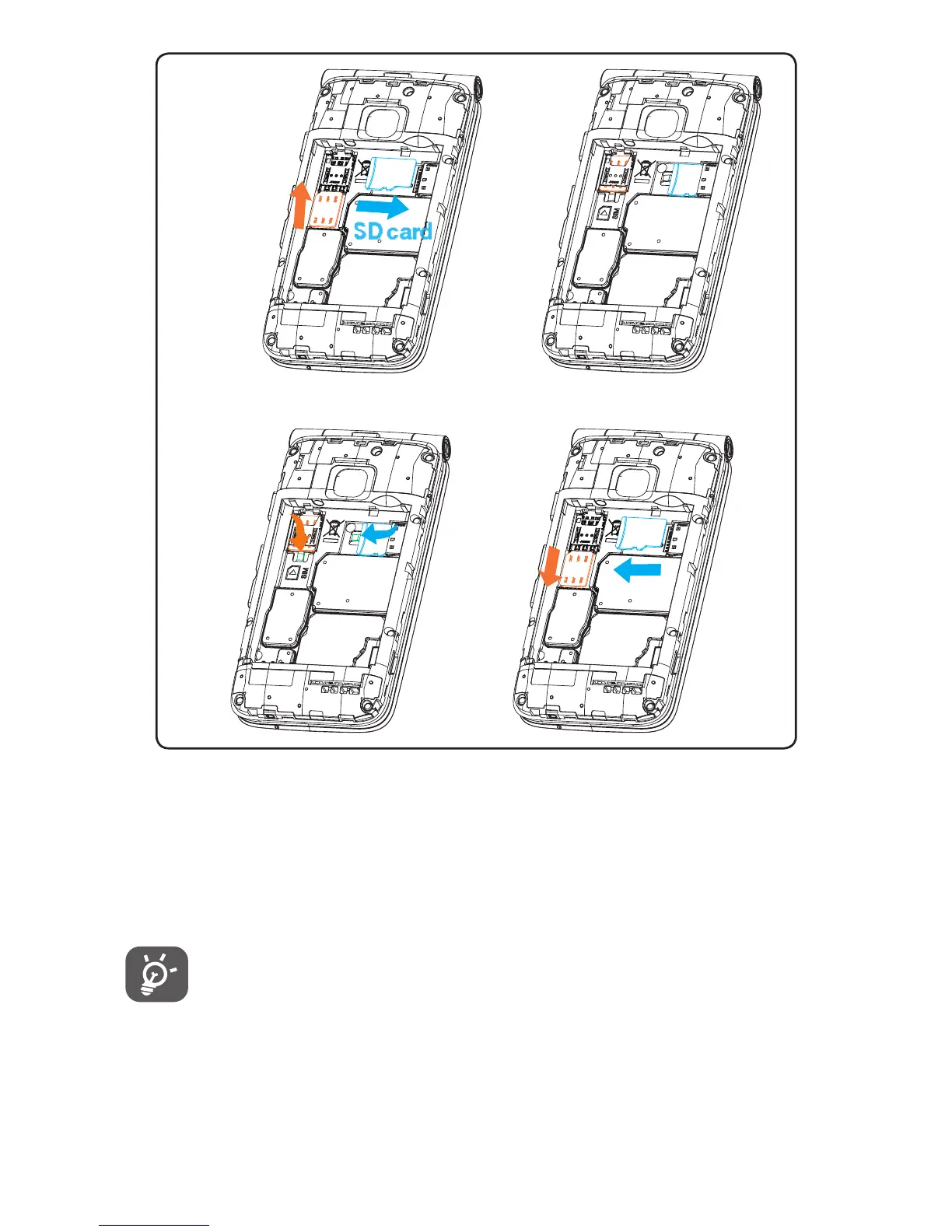
To insert Nano SIM or microSD card, push the Nano SIM or
microSD card into the corresponding card slot with
the gold-connectors facing down. To remove the SIM or
microSD card, push down on the plastic clip located
under card and push the SIM or pull microSD card out.
Your phone only supports Nano SIM card. Do not
attempt to insert Mini or Micro SIM card sizes or you
may damage your phone.
Plastic
clips













 To Next Page