87 88
Rate
Open the details screen for an application, touch the stars
under My review, touch the number of stars to award and confirm by
touching OK.
Flag
You can report an inappropriate application to Android Market by flagging
it. Open the details screen for the application, scroll to the bottom
and touch Flag as inappropriate, enter the reason and finally touch
Submit.
Multimedia applications
8
Camera8.1 .........................................................
Your mobile phone is fitted with a Camera and Camcorder for taking
photos and shooting videos.
Before using Camera or Camcorder, please ensure that a MicroSD card
where all pictures and videos are stored is correctly installed. Also, be
sure to open the protective lens cover before use to avoid it affecting
your picture quality.
To access this function, touch Application tab from Home screen and then
touch Camera.
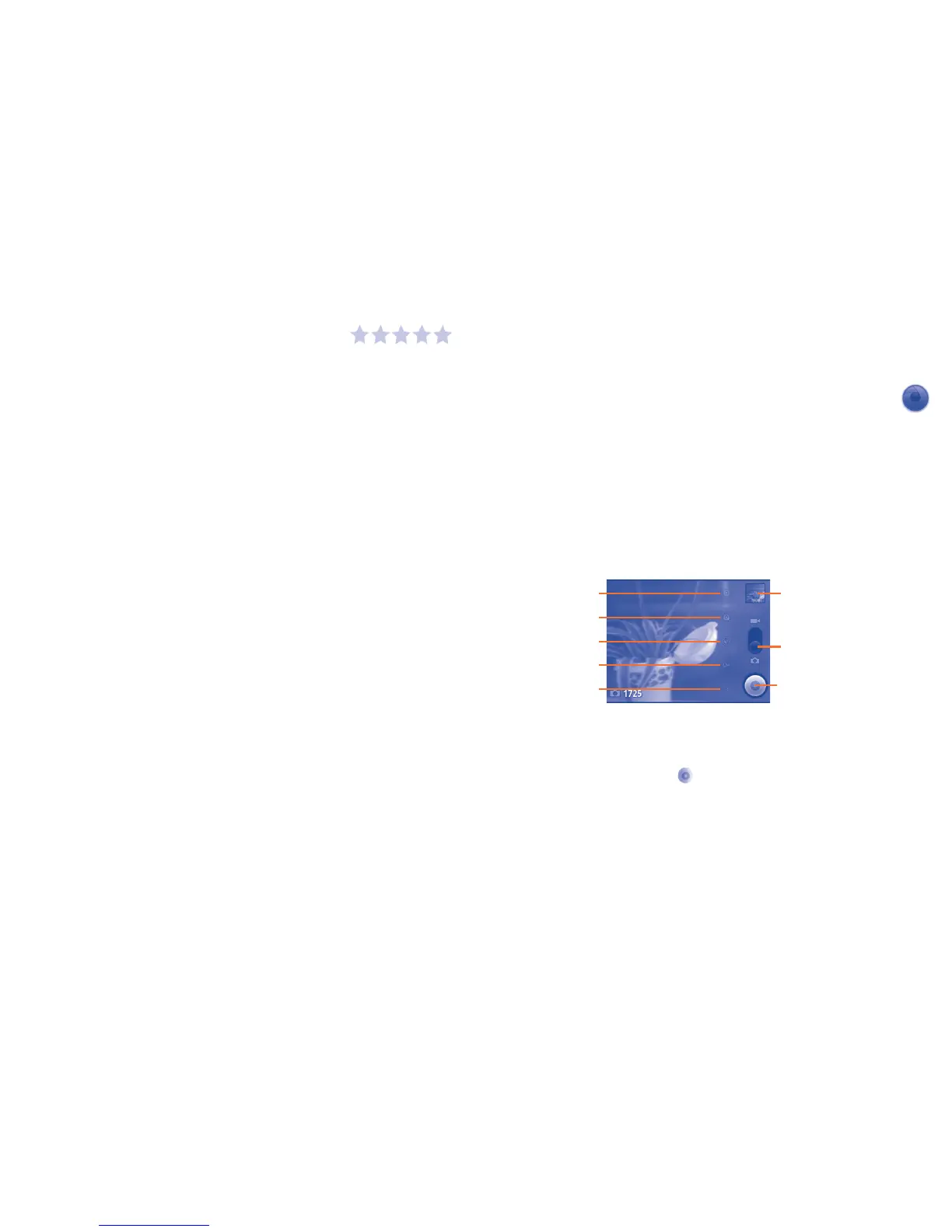
Touch to view pictures or
play video you have taken.
Drag up or down to switch
between Camera mode and
Video mode.
Touch to take a picture or
record a video.
White balance
Store location
Advanced settings
Settings
Zoom
To take a picture
The screen acts as the viewfinder. First position the object or landscape
in the viewfinder, and touch
icon to take the picture, which will be
automatically saved.








 To Next Page