60 61
Batch operation
Gallery provides a multi-select function, you can work with albums/pictures/
videos in batches.
On albums, pictures and videos list screen, touch
and then Select item to
activate batch operation mode (you can also long press one album/picture/
video), then touch videos/pictures you want to work on. Touch
to share
(only for pictures and videos), or
to delete selected items.
7.3 Mix ................................................................................
You can play music files stored on your phone or microSD card. Music files
can be downloaded from your computer to the phone or microSD card using
a USB cable.
To play your music, touch Mix from the Home screen. Touch
to expand
the Music screen.
You will find five categories in which all songs are classified: SONGS, ALBUMS,
ARTISTS, PLAYLISTS, GENRES. Touch their tabs to open the lists.
7.3.1 Playing music
Touch a song to play it.
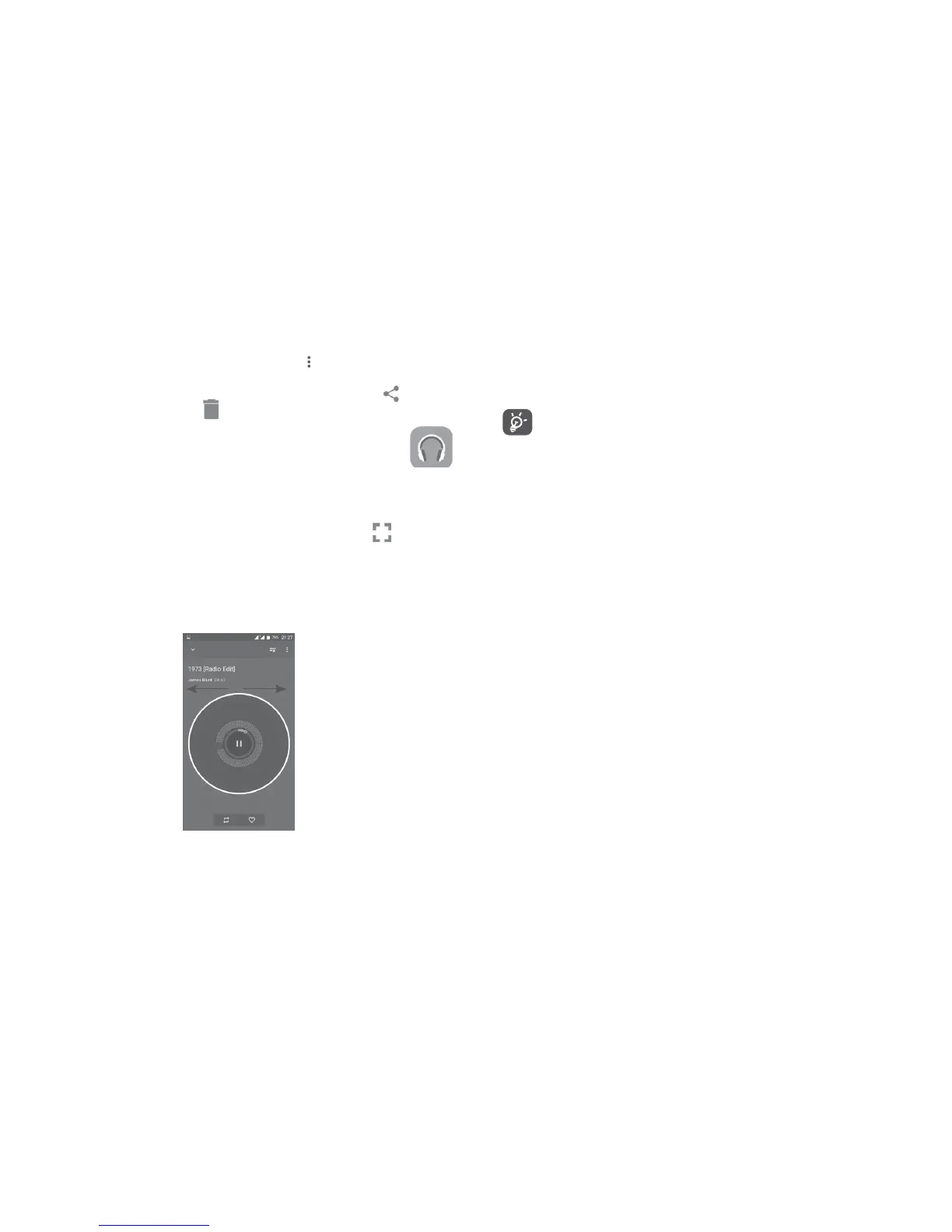
Hide the play screen.
Open the playing list.
Open options menu.
Play/pause.
Touch the icon to switch repeat modes: Repeating all songs, Repeating
current song, Repeat is off.
Set as favorites.
Swipe to right or left to skip to next or previous track in the album, playlist,
or shuffle.
While playing songs with Mix you can still Pause, Play or Skip your
music even if the screen is locked.











 To Next Page