14 15
General information .......................................
• Website: http://www.alcatelonetouch.us/
• Facebook: facebook.com/alcatel
• Twitter: twitter.com/alcatel
• Instagram: instagram.com/actalel
• Hot Line Number: In the United States, call 855-368-0829 for technical
support. In Canada, call 855-844-6058 for technical support.
• Electronic labeling path: Touch Settings\Regulatory & Safety or press *#07#,
you can find more information about labeling
(1).
On our Website you will find our FAQ (Frequently Asked Questions) section.
You can also contact us by e-mail to ask any questions you may have.
An electronic version of this user guide is available in English
and other languages according to availability on our server:
www.alcatelonetouch.us
Your device is a transceiver that operates on GSM in quad-band
(850/900/1800/1900 MHz) or UMTS in quad-band (B1/2/4/5), LTE in six-
band (B2/4/5/7/12/17).
Protection against theft
(2)
Your mobile phone is identified by an IMEI (mobile phone serial number) shown
on the packaging label and in the product’s memory. We recommend that you
note the number the first time you use your mobile phone by entering *#06#
and keep it in a safe place. It may be requested by the police or your carrier if
your mobile phone is stolen.
Disclaimer
There may be certain differences between the user manual description and the
mobile phone’s operation, depending on the software release of your mobile
phone or specific carrier services.
TCL Communication Ltd. shall not be held legally responsible for such
differences, if any, nor for their potential consequences, which responsibility
shall be borne by the carrier exclusively.
(1)
May not be available in all countries.
(2)
Contact your network carrier to check service availability.
1
Your mobile ..............................................
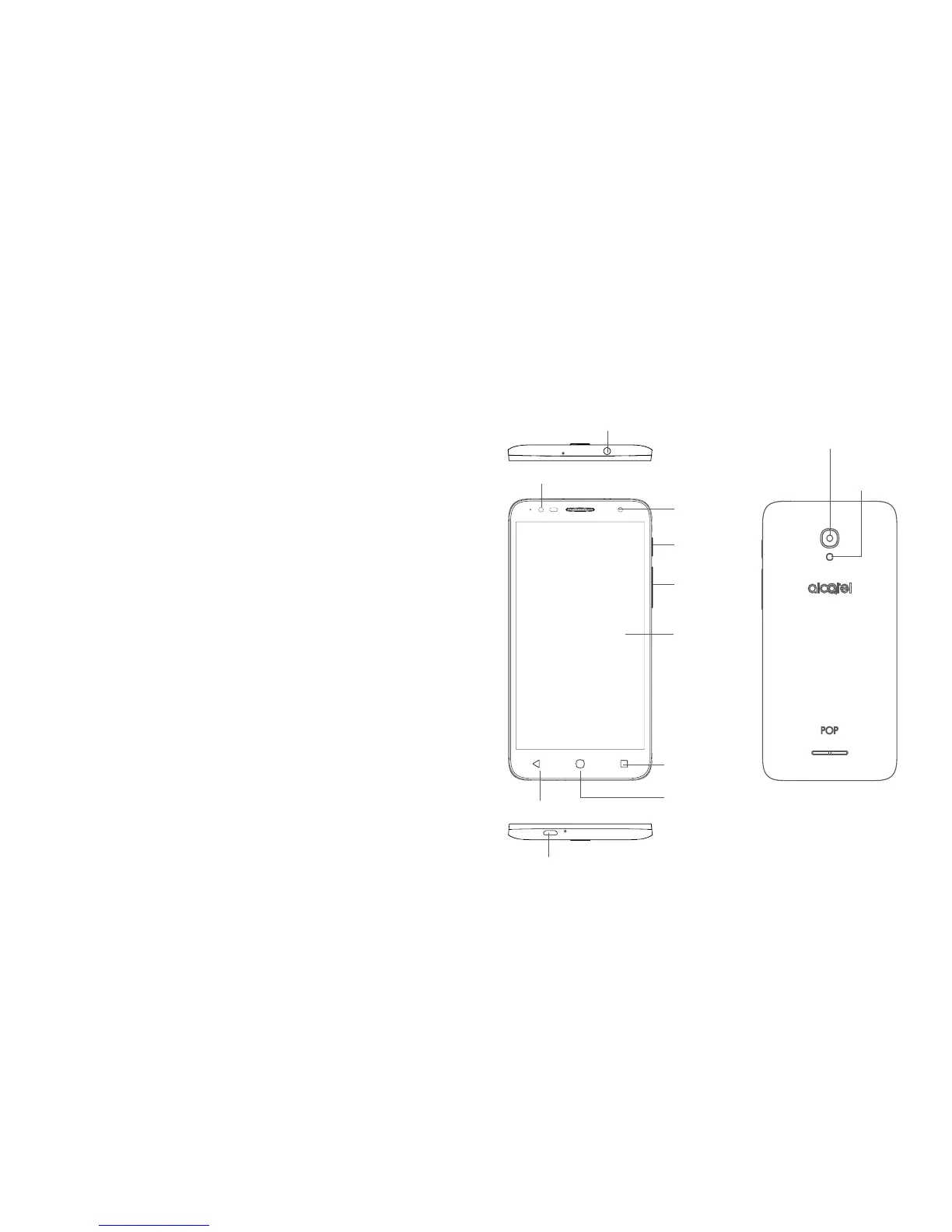
1.1 Keys and connectors
Micro-USB Connector
Headset connector
Front Camera
Touch screen
Home key/
Fingerprint
sensor
Back key
Overview key
Volume key
Power key
Camera
Camera Flash/
Flashlight
Front flash











 To Next Page