30 31
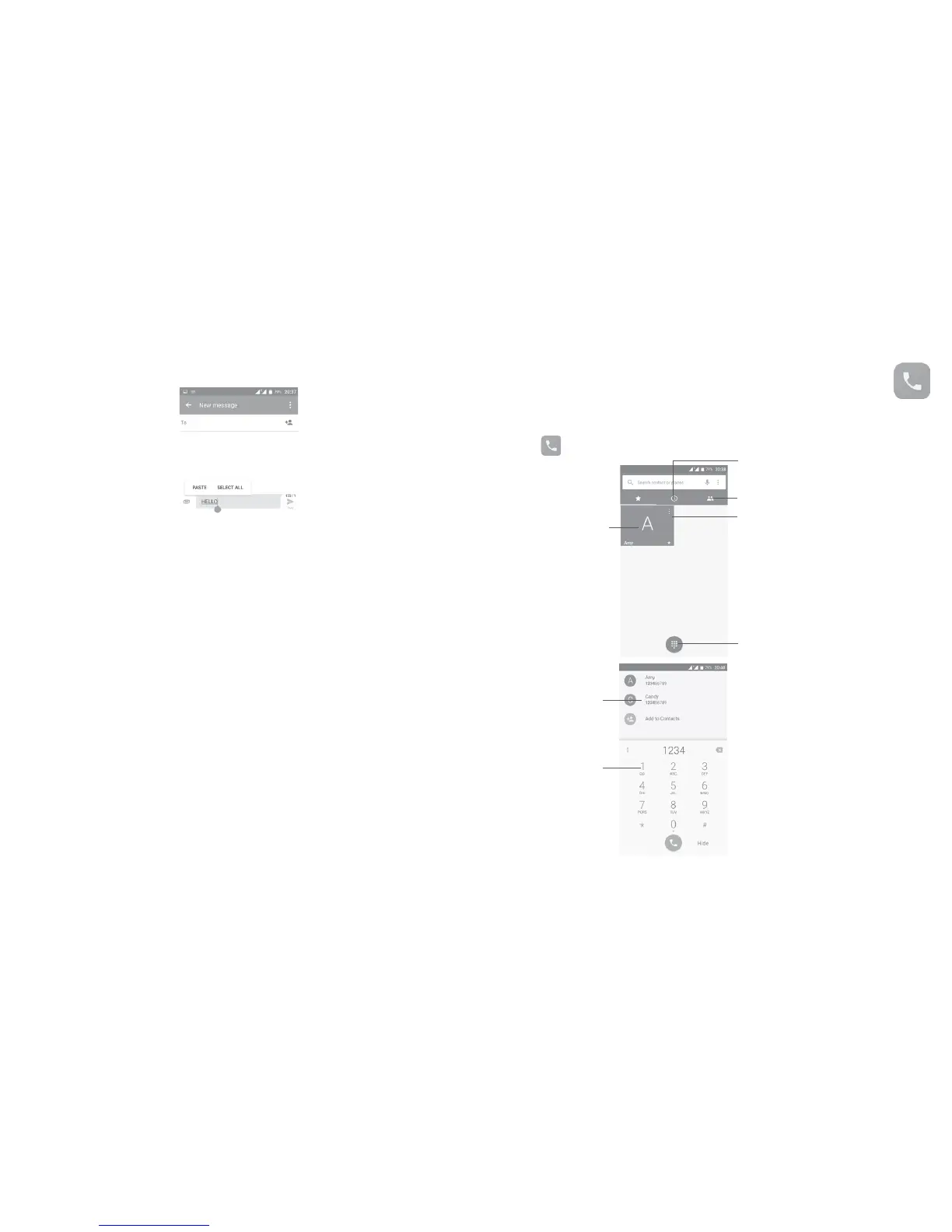
You can also insert new text
•Touch where you want to type, or long press a blank space, the cursor will
blink and the tab will show. Drag the tab to move the cursor.
•If you have cut or copied any text, touch the tab to show the icon
which allows you to paste any text you have previously copied.
3
Call, Call log and Contacts ....................
3.1 ......................................................................
3.1.1 Making a call
To make a call when the phone is on, go to the Home screen and touch the
Phone
icon in the Favourites tray.
Touch to view the contact’s
detailed information. You can
also edit, delete, share the
contact, or send a message to
the contact.
Touch to call the
previewed number
Show the dial pad
Call log
Contacts
Display
suggested
numbers
Long press to
access voicemail




 To Next Page