42 43
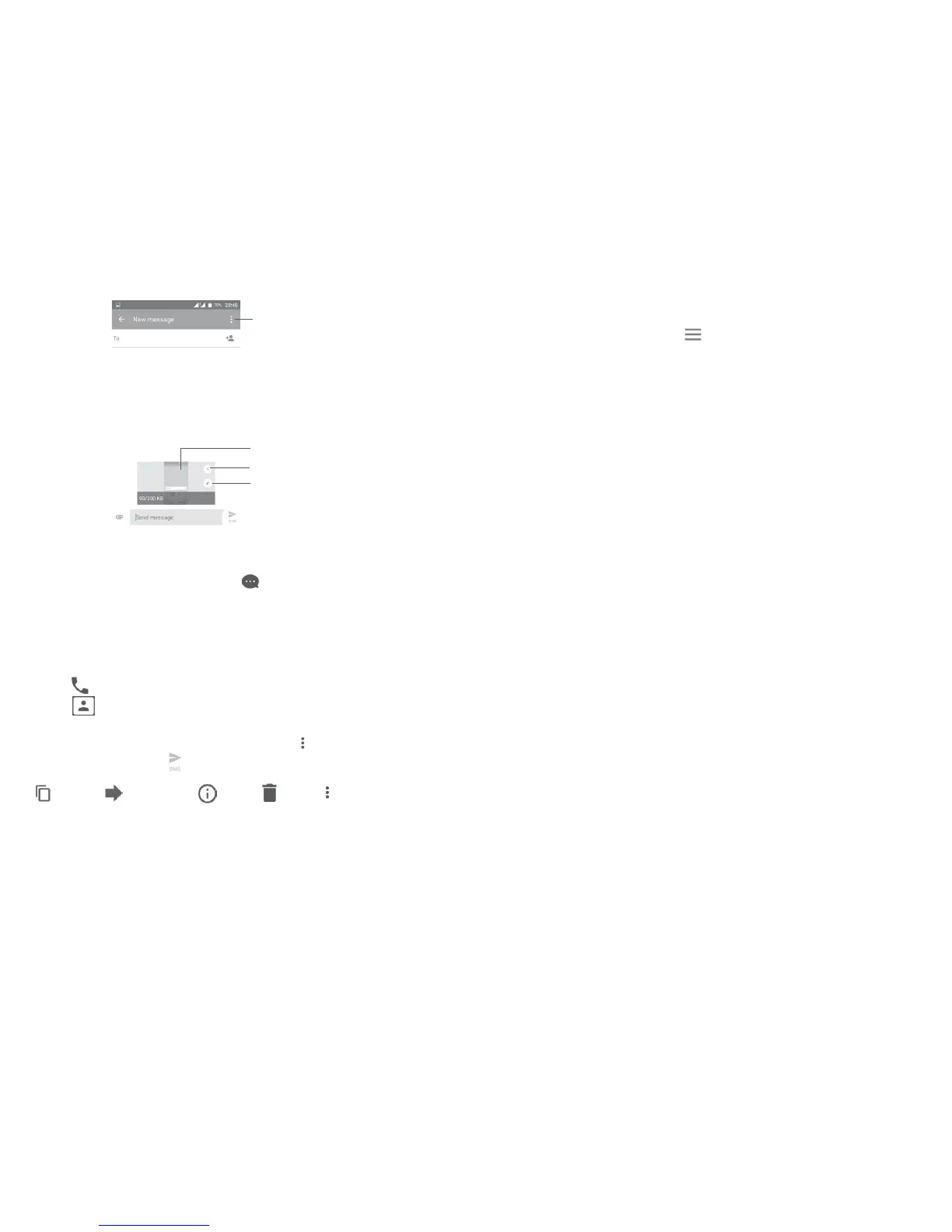
View other slides
Delete the slide
Open options menu
Edit the slide
4.2 Manage messages
When a new message comes, an icon will appear on the status bar as a
notification. Drag down the status bar to open the Notification panel, touch the
new message to open and read it. You can also open the Messaging application
and touch the message to open it.
Messages are displayed as a conversation.
Touch a message to enter the message composing screen:
•Touch
to call the number;
•Touch
to save the number to Contacts or to see contact details if the
number has been saved;
•To reply to a message, type your text, or touch
and select to insert quick
text, contact, etc. touch
•If you long press a message, the following options will be available: copy text
, forward , view details , delete , touch to save the message
to SIM card, etc.
4.3 Adjust message settings
In the message list screen, touch and select Settings.
GENERAL
•SMS enabled Open the options dialog to change your default
SMS app.
•Quick text Touch to add or edit message templates.
Storage
• Will delete old messages when maximum number of
stored messages is reached. To enable the function,
mark the checkbox.
•Text message limit Touch to set the number of text messages to be
saved per conversation.
•Multimedia message
limit
Touch to set the number of multimedia messages to
be saved per conversation.
Notifications
•Notifications Mark the checkbox to enable notification when new
message received.
•Select ringtone Touch to select a ringtone as a new message
notification tone.
•Vibrate Select to have phone vibrate as a notification when
receiving a new message.
• Touch to enable receipt of push messages from
network.
Cell broadcast settings
•Cell broadcast To enable or disable cell broadcast service or to
choose language and channel for it.
•Select CB ringtone Select a ringtone for cell broadcast.











 To Next Page