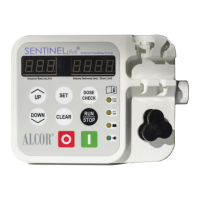
• To clear pump settings, press RUN/STOP to stop the pump.
Note If CLEAR
is pressed while the pump is operating, alarm will
sound and the pump will continue operation. Settings will remain unchanged.
CLEARING PUMP SETTINGS
Resetting Volume Delivered
Resetting Dose Limit
Resetting Total Accumulated Volume Delivered
Clearing Volume Delivered, Dose Limit, and Resetting Infusion rate to 5
• To reset Volume Delivered to 0 - Press and hold CLEAR until the
pump beeps once, pauses, beeps twice and the volume clears to 0.
• To reset Dose Limit to 0 - Press SET , then press and hold CLEAR
within 3 seconds. Pump will beep once, pause, beep twice, and display
clears to 0.
• To reset total accumulated volume delivered to 0 - Press DOSE CHECK ,
then press and hold CLEAR
within 3 seconds. Pump will beep once,
pause, beep twice, and display clears to 0.
• To clear Volume Delivered, Dose Limit and reset Infusion Rate to 5 -Press and
hold CLEAR for 7 beeps total (approx. 10 seconds).


 To Next Page