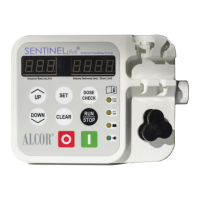
RESET VOLUME DELIVERED RESET DOSE LIMIT
RESET TOTAL ACCUMULATED
VOLUME DELIVERED
RESET VOLUME DELIVERED, DOSE LIMIT,
AND INFUSION RATE TO 5
To reset volume delivered to 0,
press and hold CLEAR until the
pump beeps once, pauses, beeps
twice, and the volume clears to 0.
1
1
To reset DOSE LIMIT to 0, press SET.
Press and hold CLEAR within 3
seconds. Pump will beep once,
pause, beep twice, and display
clears to 0.
2
1
To reset total accumulated volume
delivered to 0, press DOSE CHECK.
Press and hold CLEAR within 3
seconds. Pump will beep once,
pause, beep twice, and display clears
to 0.
2
1
Press and hold CLEAR for 7 beeps
total (approximately 10 seconds).
TURNING PUMP OFF
1
To turn the pump off at any
time, press red OFF button.


 To Previous Page