13. External start (remote connection)
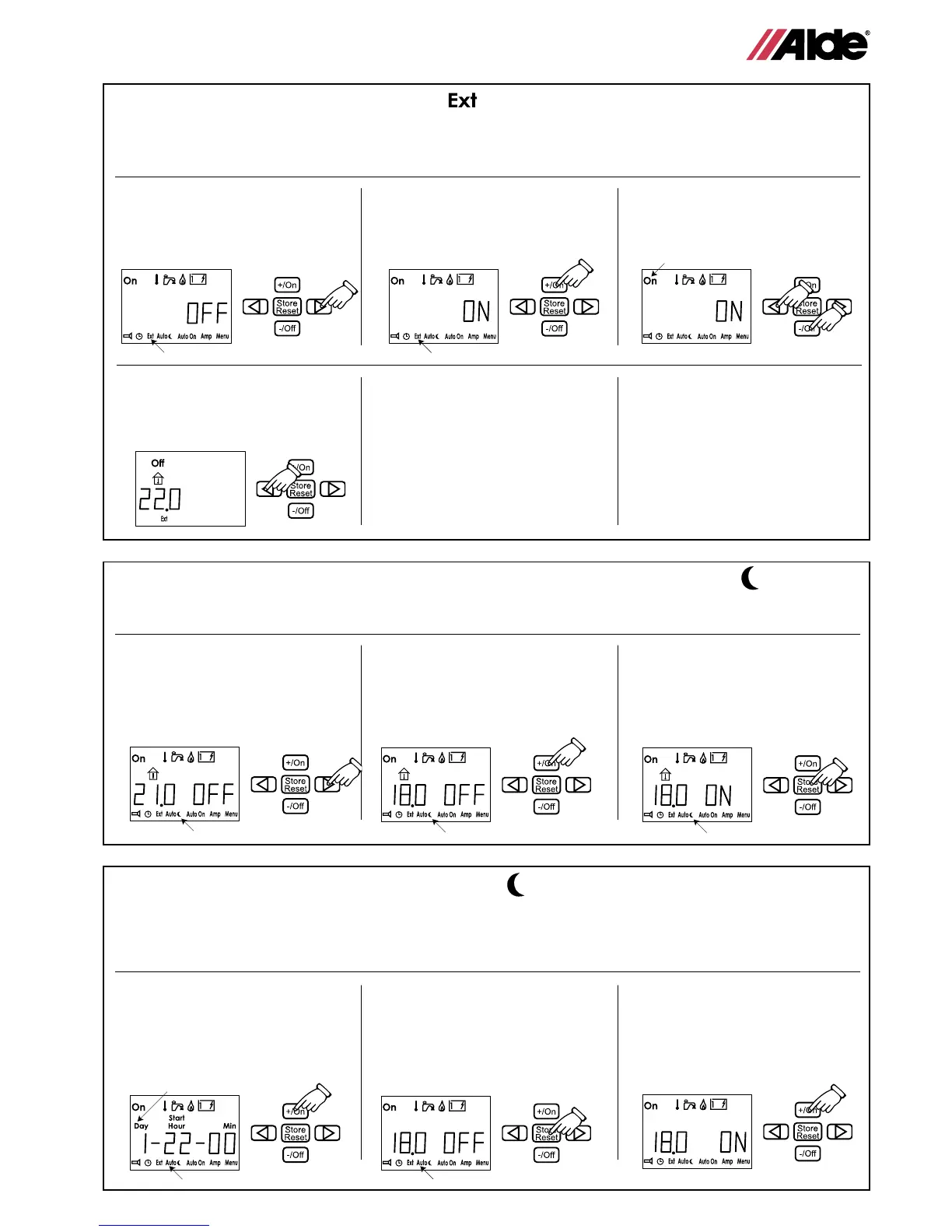
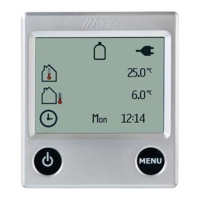
1 Press the button with the arrow
until the “Ext” symbol ashes.
The text “OFF” is shown next to
the temperature in the display.
2 Press the +/On button. The
text “ON” is shown next to the
temperature in the display.
3 Press the button with the arrow
until the “On” symbol ashes.
Press -/Off.
This function is used when you want to start the heating
in the caravan from the outside. In order to use this
function it is necessary to have external start installed
(see vehicle manual). To activate external start, you
rst have to make the bottom row of functions light up
(see item 11.)
4 Press the button with the arrow
until you reach standby. Off is
displayed continuously. External
start is activated.
When external start is activated,
the heater will start with the last
setting, “ON” lights up in the text
eld. If 12V is not connected to the
heater, the display will not be lit up
until 12V is connected. The external
start function is still activated.
To switch off external start, go to
the “Ext” symbol in the setting mode
and press the -/Off button.
14. Adjustment of programmable start and stop Temperature (see item 15)
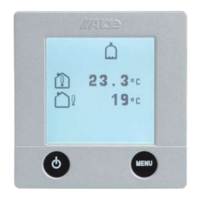
1 Press the arrow button until
the symbol for adjusting the
program temperature ashes.
The temperature and the “OFF”
text are shown on the display.
2 First press the +/On button.
Then adjust the temperature by
pressing the +/On or the -/Off
button.
3 When you have selected the
temperature, press the “Store”
button. The program temperature
symbol ashes and the ON text
is shown next to the temperature
in the display.
Use this function when you want to adjust the time
temperature manually.
To activate programmable temperature, you rst need to
make the bottom row of functions light up (see item 11.)
15. Programmable start and stop times Auto
1 Press the button with the arrow
until the symbol for program
times ashes. Press the +/On
button. Start time will be shown.
2 Adjust the start time (same
procedure as in item 12.), and
press the “Store” button. Now
adjust the stop time and press
“Store” again. The text eld now
displays “OFF”.
3
Press the +/On button to activate
the function. The ON text is dis-
played. If you would like the set
”start” and ”stop” times applied
every day set the Day to 0.
This function is used when you want the boiler to
operate between two specied times, for instance at
night or in the morning. Begin by setting the temperature
you would like the room to be maintained at between
the specied times (see item14). Select OFF in 14.3.
Note if you select 0 for day, the chosen start and stop
times will be applied to every day of the week.
GB
ashes
ashes
ashes
ashes
ashes ashes
ashes
ashes
ashes
9



 To Next Page