13
EN
If you cannot manage to eliminate the fault yourself using the following table:
- Microwatt and Microwatt+ version reset the remote control to its factory settings, see instructions remote control 11025983
- Turn off the power. Wait until the screens are unlit. Turn on the power.
- If the problem persists, read the product rating plate and contact our after-sales service.
Problem Possible cause Solution
Microwatt and Microwatt+
version
The remote control screen
does not light up
PCB power fault
• Check all wiring.
• Check the fuse on PCB
Microwatt and Microwatt+
version
A fault is displayed on the
remote control
• See instructions 11025983 (remote control)
The motor does not
start and the frequency
controller screen is unlit.
The circuit breaker on the switchboard detects an overload and
cuts the circuit.
Or power fault.
• Check the size of the circuit breaker.
• Check the system voltage and the controller wiring (inside and outside the unit)
Controller inoperative
• Identify and correct the fault that caused the controller to fail
• Change the controller
The motor does not
start and the frequency
controller screen is lit.
The controller is faulty and displays a fault code • See below: §Controller fault codes
The controller does not receive the order to start the motor
• Check the controller output voltage.
• The order to start is given by the controller terminal block (the RUN button is disabled).
- Check the MI1/DCM bridging on the controller terminal block.
- Check the position of switches above the controller terminal block: NPN (and AVI depending
on version)
- Check the wiring between PCB and controller (depending on version)
Motor wiring fault • Check the wiring between the controller and the motor terminal box
Motor is inoperative
• Identify and correct the fault that caused the motor to fail
• Change the motor
The fan does not run
nominally
The fan impeller is turning in the opposite direction • Swap two phases on the motor cable
The fan cannot generate the pressure or fl ow rate required
• Check that the pressure setpoint is adjusted correctly (see page 10 instructions Quick Start
Guide (remote control)).
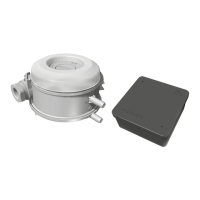
• Check out the pressure sensor: compare the adjusted setpoint with a pressure
measurement taken by you at the same time.
• Check the pressure intake tube between the pressure sensor (output P2, depending on the
version) and the inside of the unit. Unblock it.
• Inspect the motor.
• The fan is under-dimensioned. Check the air handling system for leaks or losses of
abnormal loads.
The controller is in fi re mode (max. speed) and displays “Fire”
• Inspect the thermoswitch (normally closed).
• Check that the wiring is correct between the thermoswitch and the controller terminal
block, between MI3 and DCM
Controller fault codes
- Analyse the fault code displayed on the controller and correct the problem.
- Reset the faults by pressing its STOP/RESET button.
Controller fault code Description Solution
oc
ocA, ocd, ocn
Over-current
• Check the current absorbed by the motor.
• Check the motor cable and insulation (short-circuit or earthing).
Ov
OvA, Ovd, Ovn, Ovs
Over-voltage • Check the system voltage.
Lv
LvA, Lvd, Lvn, Lvs
Under-voltage
• Check the system voltage.
• Check the motor load (friction, etc.)
• Check the power supply cable (no loss of phase).
oH1 Controller over-heating
• Check the current absorbed by the motor.
• Check the operation of the controller cooling fan.
• Check the ambient temperature of the controller.
oL
oL1, oL2, EoL1, EoL2
Overload (too much motor current) • Check the motor load (friction, etc.).
Gff Earthing (controller output) • Check the motor cable and insulation.
PHL
orP
Loss of phase (controller input) • Check the input voltages and phase balance.
oPHL
oPL1, oPL2, oPL3
Loss of phase (controller output)
• Check the output phase balance
• Change the motor


 To Next Page
 Loading...