EasyManua.ls Logo

ALDI Easy Home MS-201 - User Manual

ALDI Easy Home MS-201
42 pages
Print Icon
To Next Page IconTo Next Page
Loading...
LAUNDRY
ID: #05007
m
y
h
a
n
s
e
c
o
n
t
r
o
l
.
c
o
m
M
A
N
U
A
L
D
E
V
E
L
O
P
E
D
I
N
G
E
R
M
A
N
Y
User-friendly
Manual
User manual
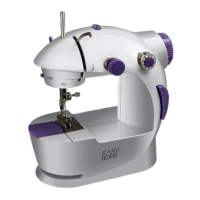
MINI-SEWING MACHINE

Questions and Answers

  • M
    mcdonaldmichaelAug 2, 2025
    Why does my ALDI Easy Home MS-201 Sewing Machine thread keep breaking?
    • T
      Tyler VargasAug 3, 2025
      The thread may break due to several reasons. Ensure the upper and bobbin threads are correctly threaded and not snagged. If the upper thread tension is too high, relax it using the upper thread tensioner. Also, check that the spool of thread and bobbin are positioned correctly, and that the needle isn't bent or blunt. The needle size/denier/fabric combination could be incorrect, or you might be using the wrong bobbin. Try re-threading, adjusting tension, repositioning the bobbin/spool, or changing the needle and/or thread. Only use the bobbins supplied.
  • A
    Alyssa SmithAug 7, 2025
    Why does the fabric pucker when I use my ALDI Sewing Machine?
    • L
      Lauren JamesAug 7, 2025
      Fabric puckering can be due to several factors. The upper thread tension might be too high, so try relaxing it. Incorrect thread guidance can also cause puckering, so re-thread the threads. Ensure you are using the correct needle for the fabric; if not, change the needle. Also, the needle size/denier/fabric combination could be incorrect, so change the needle and/or the thread.
  • J
    Justin CameronAug 11, 2025
    Why is there a loop in the seam of my ALDI Easy Home MS-201 Sewing Machine?
    • R
      Ricky ScottAug 11, 2025
      A loop in the seam can be caused by incorrect thread tension. Adjust the upper thread tension to correct this. Also, make sure that the presser foot is pressed down by pressing the presser foot lever down to lower the presser foot.
  • S
    Sherry MeyerAug 16, 2025
    Why is the fabric incorrectly transported in my ALDI Sewing Machine?
    • J
      Joshua BrooksAug 16, 2025
      Incorrect fabric transport can occur if the needle size/denier/fabric combination is incorrect, so try changing the needle and/or the thread. It may also happen if an unsuitable or defective needle is used, so change the needle. If the thread is snagged, re-thread the threads.
  • W
    William NicholsAug 19, 2025
    What to do if my ALDI Easy Home MS-201 Sewing Machine does not start?
    • D
      David KhanAug 19, 2025
      If your sewing machine isn't starting, there are a few things to check: * Make sure the foot pedal is correctly attached. * If using batteries, ensure they are correctly inserted or replace them with new ones. * Verify the mains adapter is properly connected to both the socket and the sewing machine. * Try a different socket and check the fuse of your mains connection.
  • T
    tanya59Aug 25, 2025
    Why is my ALDI Sewing Machine skipping stitches?
    • K
      Kristen PruittAug 25, 2025
      Skipped stitches can occur for several reasons. First, make sure the needle is correctly inserted and is not unsuitable or defective; try re-inserting it or using another needle. The needle size/denier/fabric combination might be incorrect, so try changing the needle and/or thread. Also, check for fibers or lint underneath the needle plate and clean it with a fine brush. Ensure the thread guidance is correct by re-threading the threads and that the presser foot is lowered using the presser foot lever.
  • D
    David RamosAug 28, 2025
    What to do if the needle breaks on my ALDI Easy Home MS-201?
    • J
      Joseph SuttonAug 28, 2025
      If the needle breaks, ensure it was inserted correctly. An inferior needle could have been used, so try another one. The needle size/denier/fabric combination might be incorrect; in this case, change the needle and/or the thread. Also, avoid pulling the fabric too tight; allow the sewing machine to move the fabric along by itself.

Summary

General Information

User Manual Guidance

Learn how to read and store the user manual for effective use and future reference.

Product Usage and Symbols

Understand the intended use of the sewing machine and its associated symbols.

Safety Information

General Safety Rules

Essential safety guidelines for operating the mini-sewing machine to prevent hazards.

Electrical and Fire Safety

Important precautions regarding electrical connections, mains voltage, and fire hazards.

Child Safety and Injury Prevention

Safety measures to protect children and prevent personal injury during operation.

Battery Handling and Risks

Safe practices for inserting, using, and storing batteries to avoid injury or damage.

Product Description

Machine Components Overview

Detailed identification of all parts and components of the mini-sewing machine.

First Use Guide

Initial Setup and Checks

Steps for unpacking, checking contents, and preparing the sewing machine for first use.

Preparing for Operation

Instructions for connecting to mains power and using the foot pedal.

Threading the Machine

Comprehensive guide on threading the upper thread and bobbin thread correctly.

Operating the Sewing Machine

Adjusting Thread Tension

How to adjust upper thread tension for optimal stitch quality and troubleshooting tips.

Basic Sewing Operations

Step-by-step guide on how to sew, change sewing direction, and end a process.

Bobbin Winding (Spooling)

Instructions for winding bobbins quickly and easily using the sewing machine.

Changing the Sewing Needle

Safe and correct procedure for replacing the sewing machine needle.

Troubleshooting

Machine Not Starting Issues

Solutions for common problems when the sewing machine fails to start.

Common Sewing Issues

Diagnosing and resolving issues like thread breakage, loops, and skipped stitches.

Cleaning and Storage

Cleaning Procedures and Safety

How to clean the sewing machine safely, avoiding short circuits and damage.

Storage Guidelines and Damage Prevention

Best practices for storing the sewing machine and accessories to prevent damage.

Technical Data and Disposal

Product Specifications

Key technical data of the sewing machine and its adapter.

Disposal Information

Guidelines for disposing of the packaging and the sewing machine responsibly.

Warranty and Service

Warranty Information

Details on the product warranty period, terms, and conditions.

Repair and Parts Service

Information on how to obtain repairs, replacement parts, and after-sales support.

ALDI Easy Home MS-201 Specifications

General IconGeneral
BrandALDI
ModelEasy Home MS-201
CategorySewing Machine
LanguageEnglish

Related product manuals