How to use the App 13
Settings
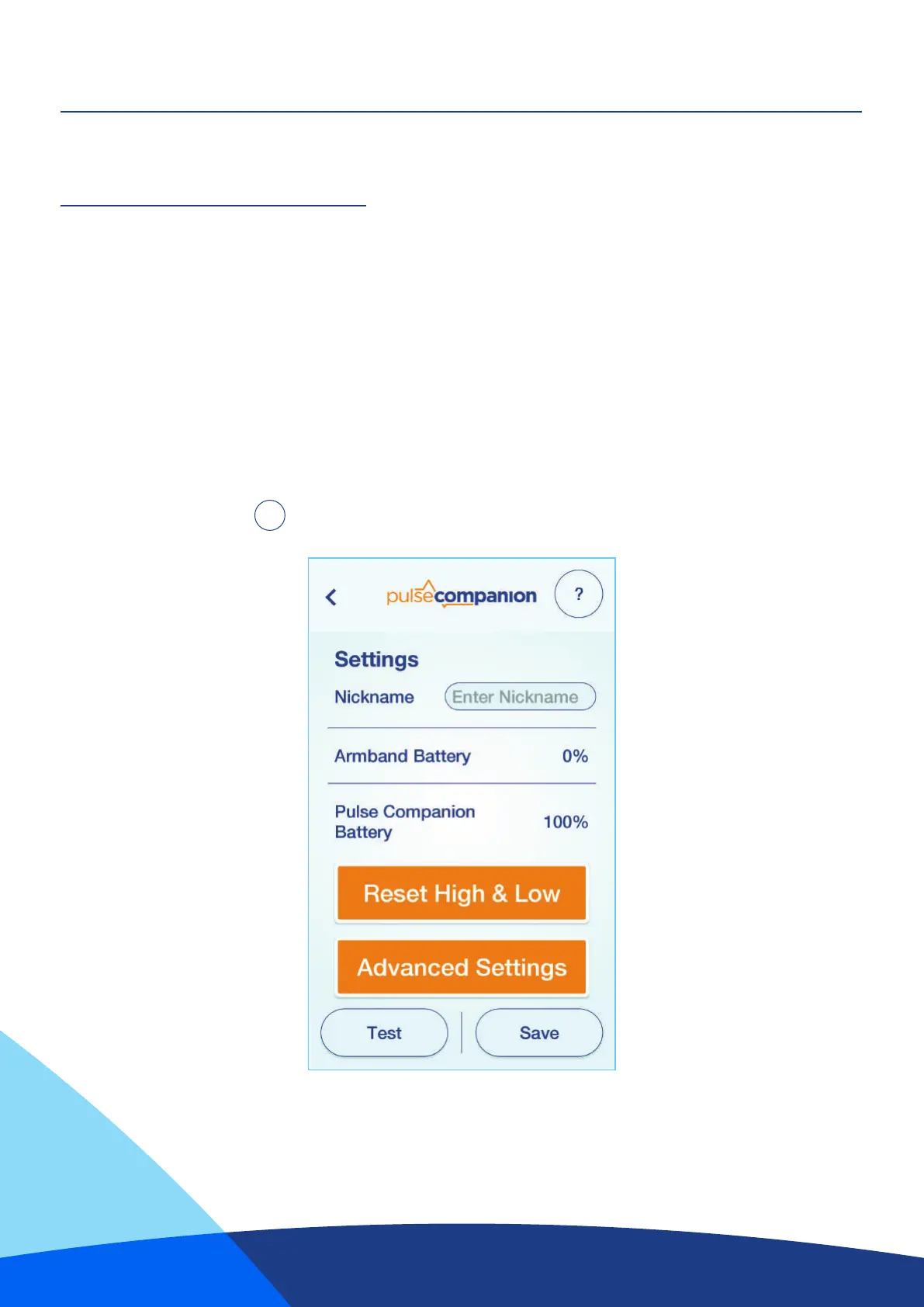
After clicking the “Settings” button you will see the following information;
“Nickname”: This changes the name that is advertised when scanning for the device.
“Armband Battery %”: Displays the current battery level in the armband.
“Pulse Companion Battery %”: Displays the current % battery level in the Pulse Companion.
“Reset High & Low”: This resets the highest and lowest BPM readings seen by the Pulse Companion.
“Advanced Settings”: Contains additional conguration settings (see page 14).
“Test”: Sends out a test alarm to the pager for 3 seconds.
For Trouble Shooting Press
?


 To Next Page