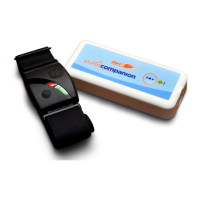
Common Fault Conditions 22
Fault 26: Pulse Companion LED = RED/GREEN/GREEN....
Fault 18: Armband Lockup Pulse Companion LED = RED/RED/GREEN....
The pager will display “Fault 26” if;
` The armband is too far away from the Pulse Companion (Range = 10m).
- Ensure the devices are within range of each other then press the •
•
• button to reconnect.
` The armband has been turned off.
- You should turn the armband back on and press the •
•
• button to reconnect.
- If the armband has been intentionally turned off, hold the •
•
• button for 3 seconds to conrm this.
After 6 minutes the “Fault 26” will clear from the pager. The pager can be silenced in the meantime by pressing
the up button.
` The armbands battery has run down.
- Charge the armband.
See page 17 for more information.
There is a safety feature in the Pulse Companion that will raise a fault condition if it thinks the armband has locked
up, but is still giving out a ‘valid’ heart rate reading.
If the Pulse Companion detects the Armband has been sending out the same BPM reading for several minutes, the
pager will display “Fault 18”.
- Turn the armband off and on again or use a different armband if the issue persists. Please contact support
for further advice


 To Next Page