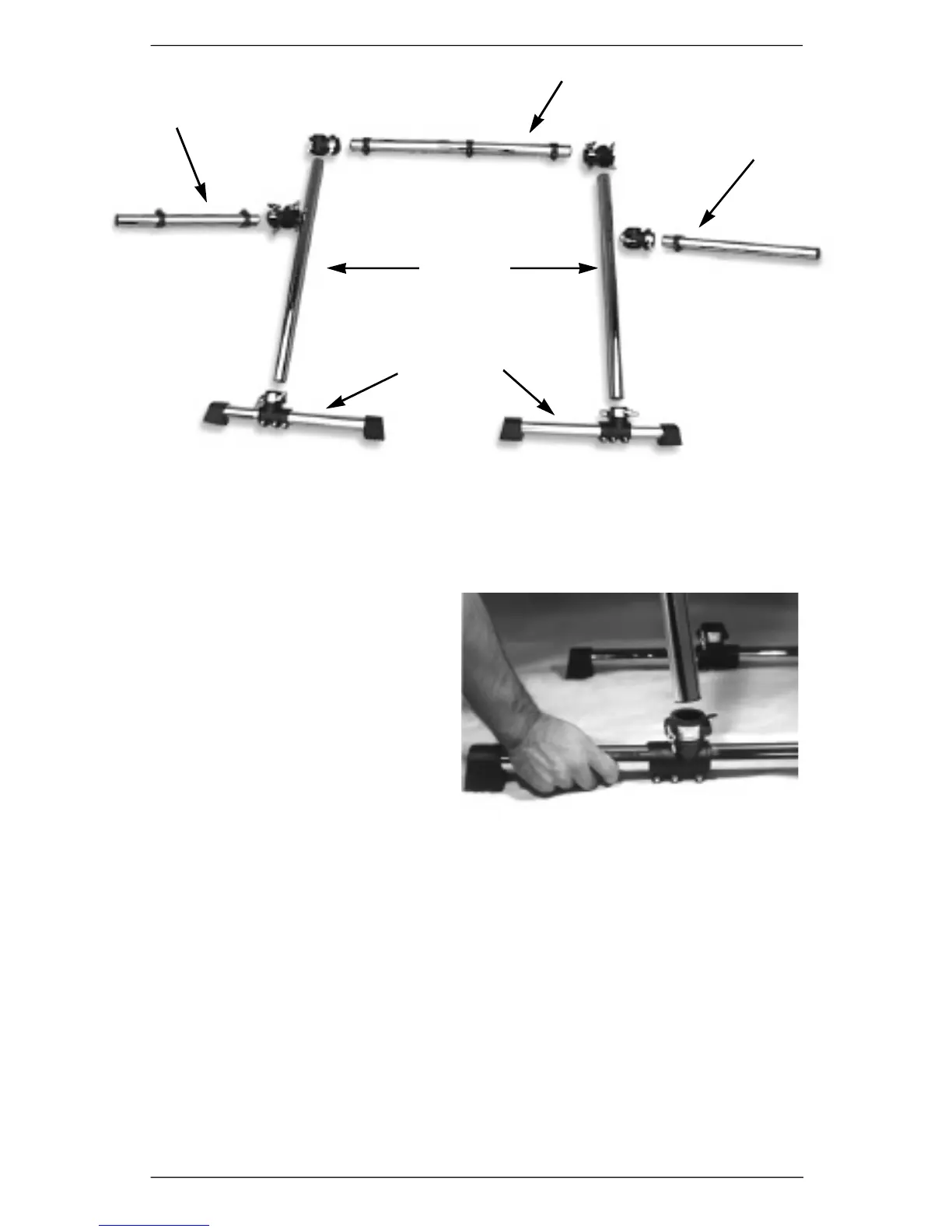
1. Attach One Upright Tube to each of the Rack Bases.
a) Loosen the wing nuts and drum key
bolts on each clamp attached to the
two Rack Bases.
b )Place rack bases side by side and
make sure clamps are aligned. If
not, slide the memory lock and
clamps until aligned.
c) Insert the Upright Tube into clamp.
Make sure the Upright Tube is
fully seated inside the clamp.
Loosely tighten wing nuts.
d) Compare the two Upright Tubes to
make sure they are the same height.
e) Firmly tighten wing nuts on each clamp. Then, firmly tighten the drum-key
bolts on each clamp.
2. Attach Right Side Tube to Upright Tube
a) Choose a T-Clamp and loosen all wing nuts.
b) Identify the Right Side Tu b e ( i t ’s the tube with one memory lock on it).
c) Attach T-Clamp to Right Side Tube by inserting tube into the clamp opening
marked “tighten first.” Make sure the tube is fully seated in the clamp, and
the opening marked “tighten first” is positioned directly next to the memory
lock. Loosely tighten the wing nuts marked “tighten first.”
d) Loosen memory lock on the Right Side Tube and slide it into the T-Clamp, making
sure you align the memory lock’s notch with the indentation in the T- C l a m p .
4 DM Pro Kit Setup Guide
Figure 2: Mounting Rack Components
Left Side Tube
Right Side Tube
Center Tube
Upright
Tubes
Rack Bases












 To Next Page