MicroVerb/MicroVerb II Service Manual 1.00 6 3/7/2003
8.0 Troubleshooting and Repair
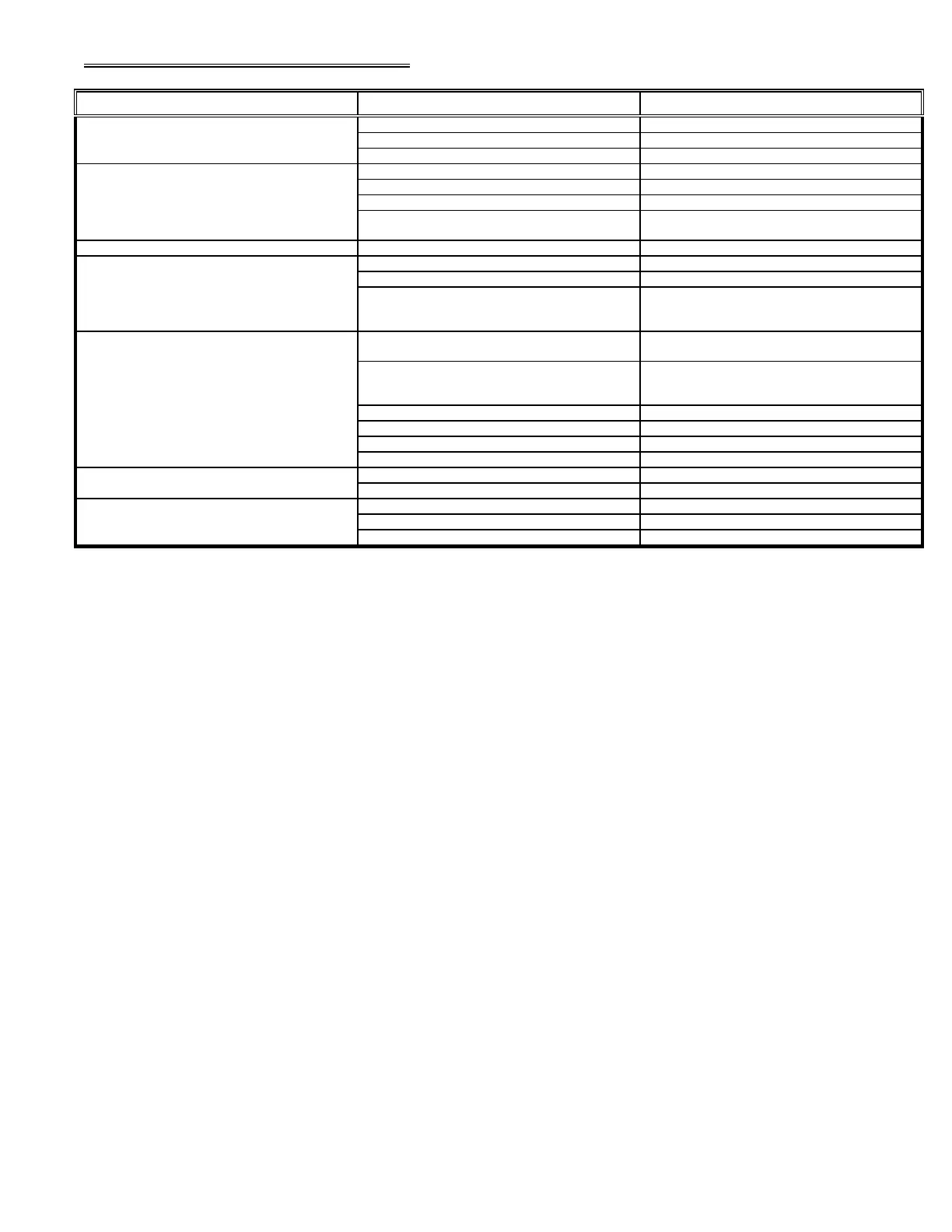
Described Symptom Possible Causes Solution
Unit is completely dead. (No lights, no effects). Faulty Power supply. Replace supply and retest.
Faulty P.S. jack. Replace and retest.
Faulty +5 volts. Troubleshoot and repair as necessary.
Unit turns on, but no effects. C23 is leaking. Replace and retest.
Faulty ASIC. Troubleshoot and repair as necessary.
Faulty DAC. Troubleshoot and repair as necessary.
Faulty 4053. Troubleshoot and repair as necessary. (See
also section 6.7).
LED stays green no matter what. C13 is leaking. Replace and retest.
LED stays red no matter what. C16 is leaking. Replace and retest.
Faulty ASIC Troubleshoot and repair as necessary.
Problem with LSTMSB line. (This will usually be
noticed as a DC offset in the signal at U14 pin
7).
Troubleshoot and repair as necessary. (See
also section 4.1).
Distorted effects. Failure in power supply section (+ or - 12V rail
is bad).
Troubleshoot and repair as necessary.
Faulty or wrong type 4053 (This can cause a
DC offset at the input to the comparator [U8 pin
3]).
Troubleshoot and repair as necessary. (See
also section 6.7).
Faulty ASIC. Troubleshoot and repair as necessary.
Faulty DRAM(s). Troubleshoot and repair as necessary.
Faulty DAC Troubleshoot and repair as necessary.
Input sample capacitor is leaky. Troubleshoot and repair as necessary.
Noise when switching effects. Goldstar 7404s. See section 6.8.
Faulty shaft encoder. Replace and retest.
Intermittent effects. C23 leaking somewhat. Replace and retest.
Faulty shaft encoder Replace and retest.
Bypass jack normaling contact is dirty. Troubleshoot and replace if necessary.
All trademarks are property of their respective companies.









 To Next Page