Chapter 7: Editing Effects
86 S4 Plus Reference Manual
Selecting Effects in Mix Mode
Each Program has its own effects that are recalled when you select a Program.
However, since a Mix can have up to 16 Programs (one on each Channel), you must
select which Channel’s Program you wish to use the effects from. To select an Effects
Patch, you must be in Mix Edit Mode, by pressing the [SELECT] button until the
correct display appears.
Use the FUNCTION [¨] and [Æ] buttons to scroll through the functions in the display
until the word EFFECT is underlined, then press Quad Button [4]. The display should
look like this:
PROG EFFECT
PRESET PRESET
EDITING: MIX
PAGE: 1
PITCH RANGE EFFECT NAME
MIDI
CHAN
MIX
PRESET
1234567891011 1213141516
PROGRAM – ASSIGN LEVEL EFFECT–LEVEL
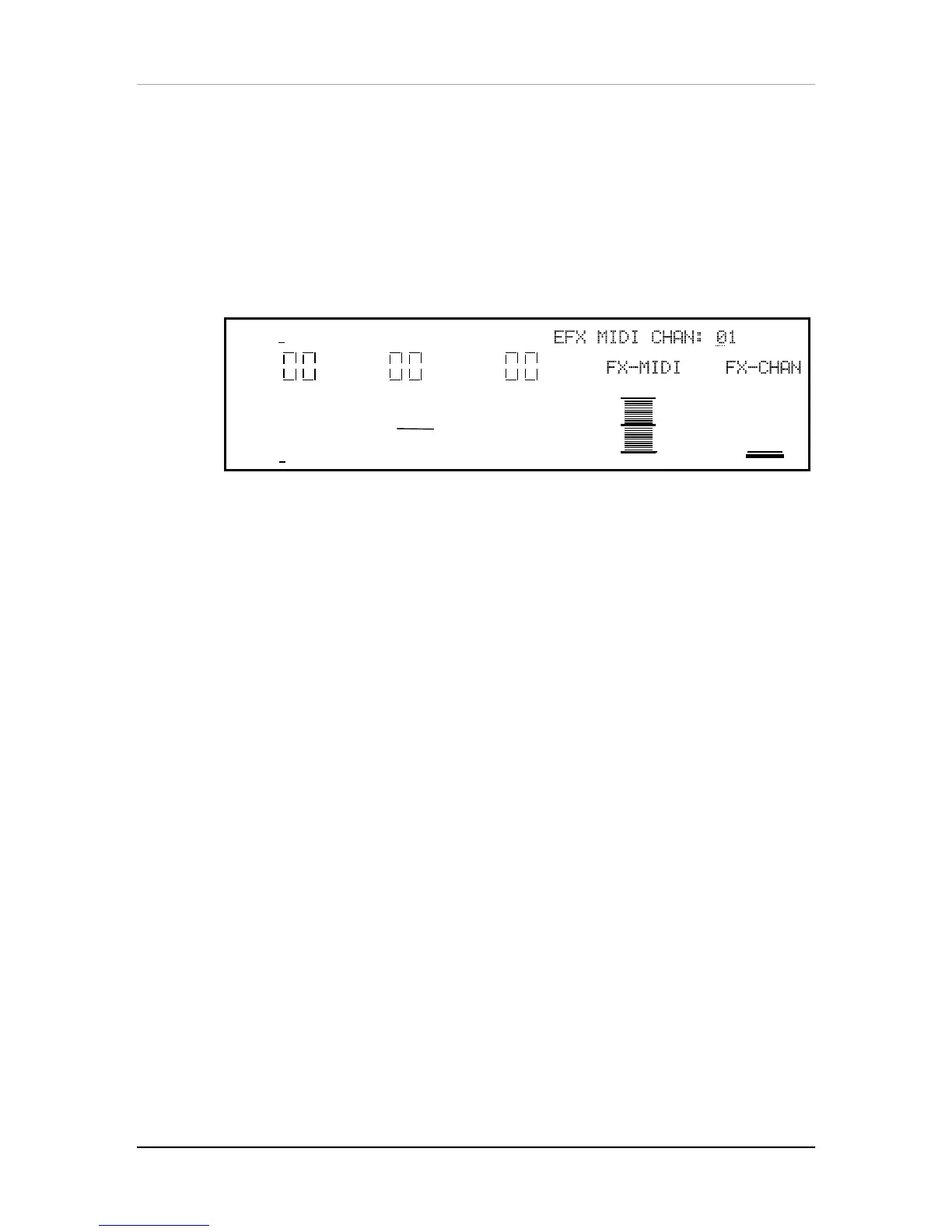
Quad Knob [4] (FX-CHAN) lets you select which Channel (1—16) of the Mix whose
Effects Patch you wish to use. If you set the Effect Channel to 1, the Mix will use the
Effects Patch used by the Program on Channel 1. The Effect Channel is also used to
determine what MIDI channel the Effects Patch will be set to for receiving MIDI
controller information for the Modulators (see the Mod section later in this chapter for
more on real-time MIDI control).
Quad Knob [2] turns on and off the FX-MIDI function. The FX-MIDI parameter
determines whether or not a program change received on the Effects Channel should
only recall a new Program (“Off”) or if the Effects of the newly selected Program
should be recalled as well (“On”). This can be set on or off. Usually you would want
this off, so that the Effects in a Mix do not change even though you may select
different Programs for the Effects Channel.
Setting Effects Send Levels
The effect send levels and effect bus assignments are saved as part of a Program
(from Program Edit Mode), or set for each Channel in a Mix (from Mix Edit Mode).
Keep in mind that these are separate from any changes that will be made to the
effects settings If you are in Mix Mode and are changing settings in both Mix Edit and
Effects Edit modes, you will have to STORE both the Program that is on the Effect
Channel (thus storing its Effects Patch), and the selected Mix, in order to have your
changes remembered and heard the same way in the future. The actual arrangement
of depth of reverb, delay time, etc., is saved as part of the Effects Edit parameters
when a Program is stored. It is possible for different Mixes to share the same Effects
Patch. So keep in mind that when you edit an Effects Patch, it may affect the sound
of any other Mixes that also use it.


 To Next Page