Editing Effects: Chapter 7
S4 Plus Reference Manual 97
Input level
Quad Knob [4] controls the overall Input Level going into the Reverb.
Chorus Input Level
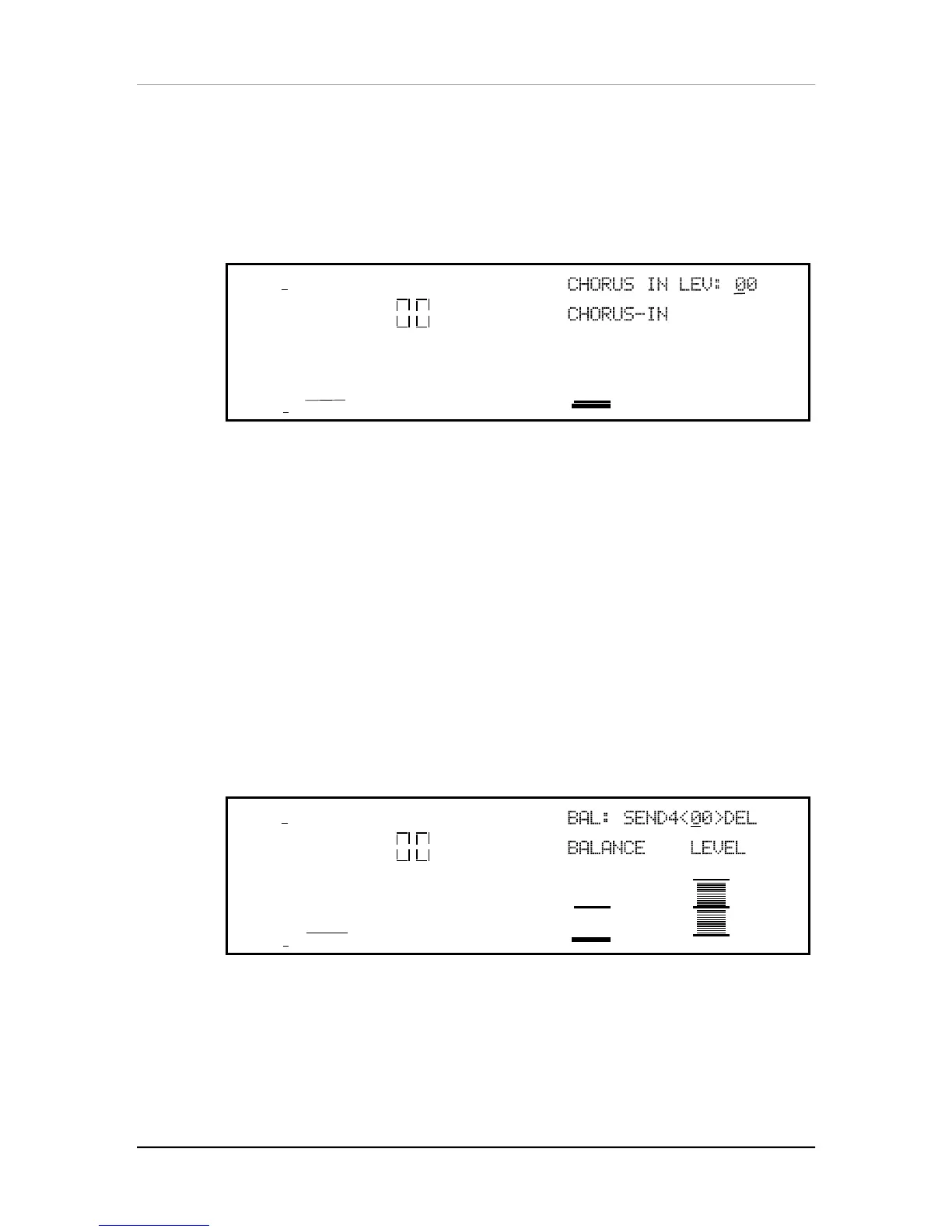
If Configuration #2 is selected (refer to block diagram of Configuration #2, earlier in
this chapter), the first page of the Reverb function will look like this:
MIDI
CHAN
PROG
1
PRESET
EDITING: 1 EFFECT
PITCH MOD
CONFIG REVERB DELAY MIX MISC.
PAGE: 1234
The Configuration has two Reverbs, one on send 1 (which send 2 can share), the
other on send 3 (which send 4 can share). There is only one parameter in this page:
Chorus Input Level. Quad Knob [1] lets you adjust the level of the signal coming from
the Pitch output going into the Reverb, otherwise the signal comes purely from the
Pitch input.
The other parameters and pages in the Reverb function are identical, regardless of
which Configuration is being used. Only page 1 is different, because of the fewer
input choices the Reverb has in this Configuration.
Send Input Levels
If Configuration #1 is selected and you press [EDIT 1] to advance to effect send 2,
the display will now show you the parameters that represent the signal levels on send
2 going into the Reverb. Note that there is now only 1 page available, since the other
reverb parameters are found back on effect send 1.
Press [EDIT 1] again to advance to send 3, and the display will still look the same,
but now the parameters adjust the signal levels on send 3 going into the Reverb. If
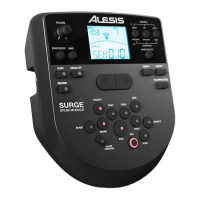
you press [EDIT 1] again and advance to send 4, the display will look like this:
MIDI
CHAN
PROG
1
PRESET
EDITING:
4
EFFECT
PITCH MOD
CONFIG REVERB DELAY MIX MISC.
PAGE: 1
There are only two parameters: Balance and Input Level. This is because in
Configuration #1, effect send 4 only has a Delay effect, and not a Pitch effect like the
other effect sends do. Quad Knob [1] controls the Balance between the Delay output
and the dry effect send signal, while Quad Knob [3] controls the overall input level to
the Reverb.


 To Next Page