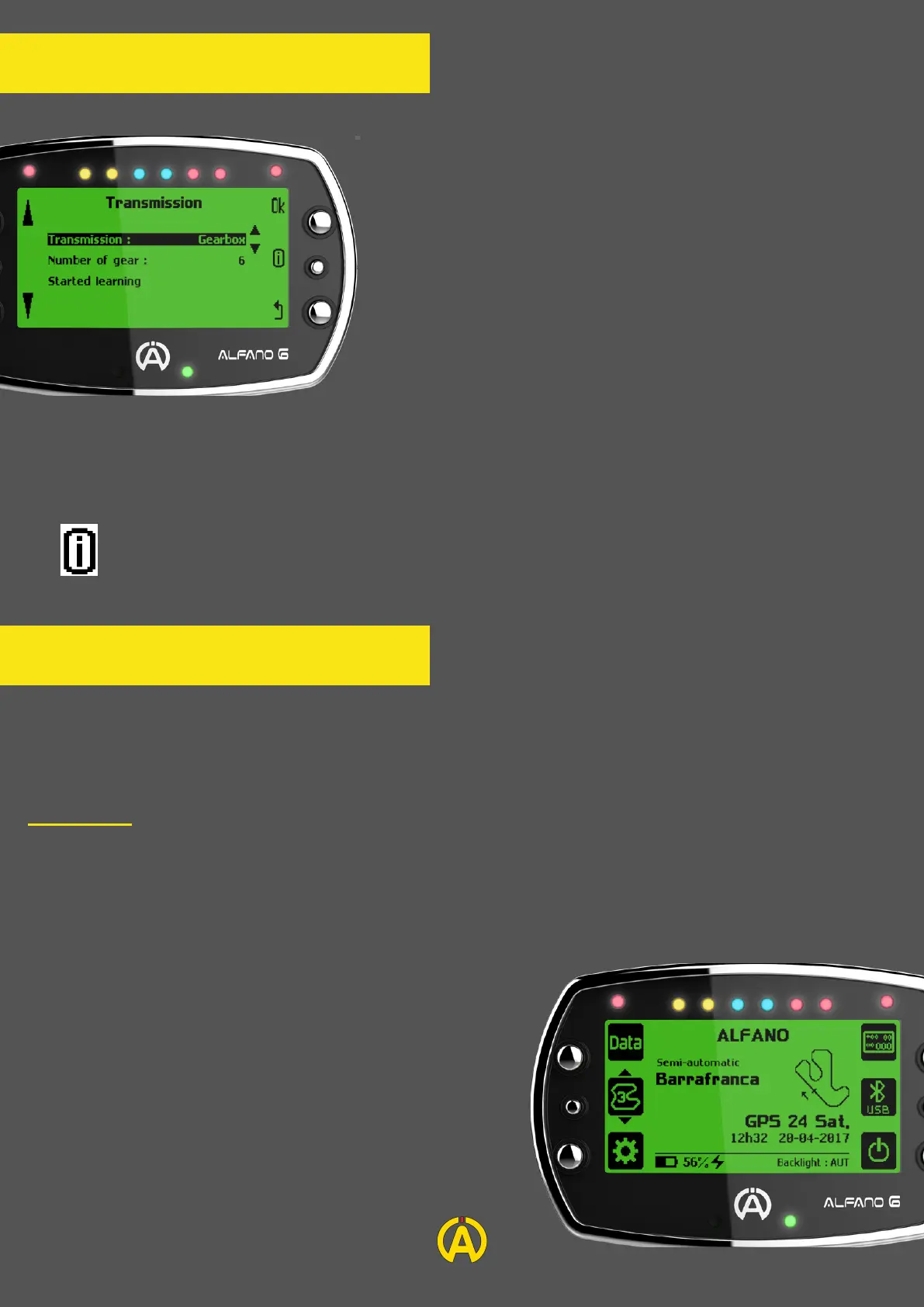
Transmission
Transmission: If you have a shifter kart and wish to display
your gear in real time, you can select the option in the settings
menu and select the "Transmission" page.
After having selected the gearbox mode in the Transmission
menu you can enter the number of gear and then start
learning. This quick and intuitive process that you can perform
on the truck will require you to switch each gear (engine
speed between 3000 and 5000RPM). The Alfano 6 will learn
from itself.
A new learning session will be required if the gearbox,
gearing or crown are replaced.
Automatic:
By default, your Alfano 6 will be in Automatic mode and will recognize by itself the track if it is in
the database.
If this is not the case, the Alfano 6 will create the track based on your GPS information during your
first lap.
In the case of several nearby tracks or a track
proposing several layout, the Alfano 6 will be
semi-automatic mode and will suggest you to choose the
configuration corresponding to your use.
Track Management
11
Info: To use this function, the use of an RPM sensor (supplied) and a speed sensor is
mandatory (see page 14)
The Alfano 6 offers you three track management options: Automatic, Professional and Magnetic Classic.
You will find below the details of each mode.


 To Next Page