The Alfano 6 App
17
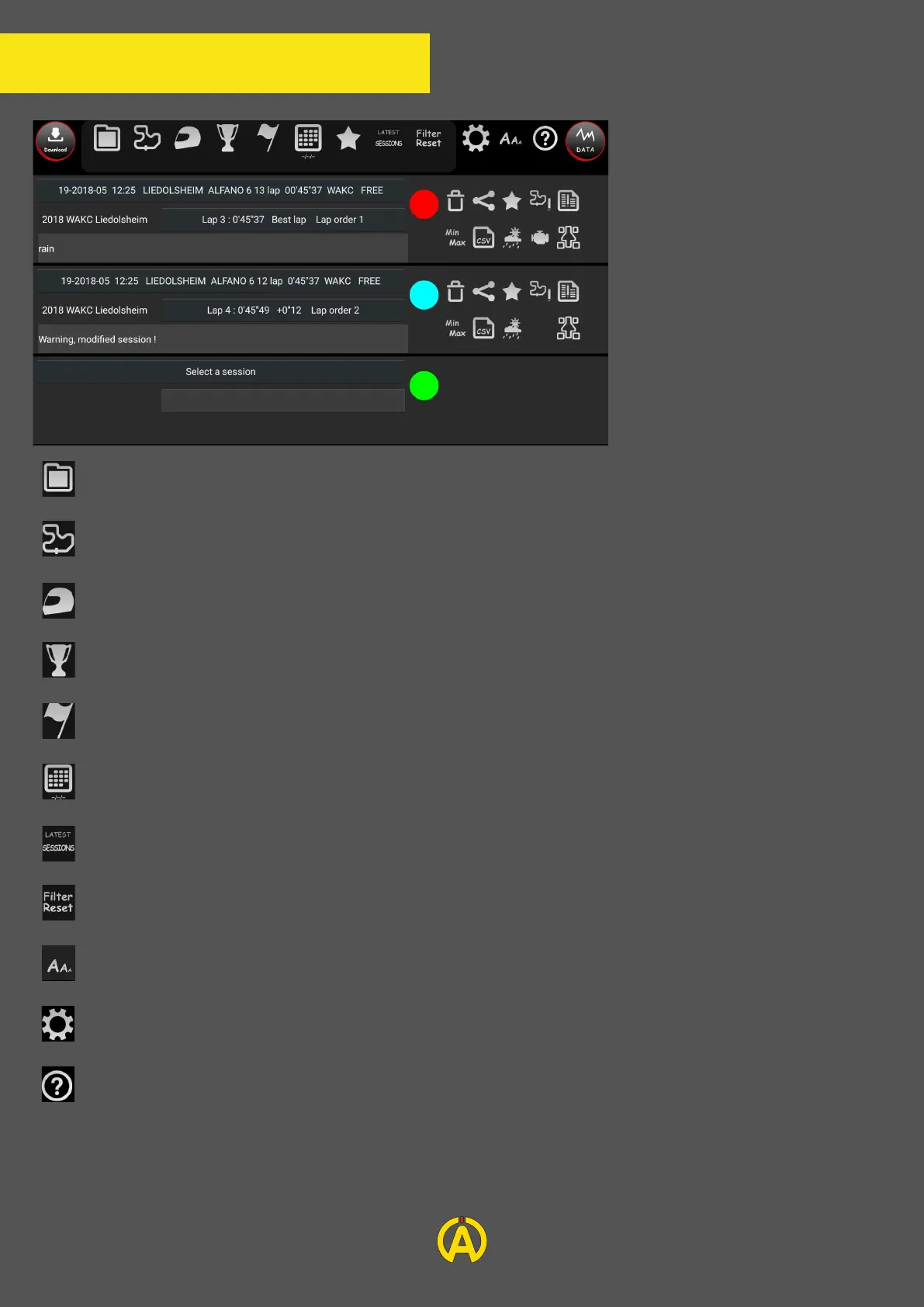
On the upper part of the
screen you will find several
filters allowing you to find the
session you want to analyze
in your database. Each icon
proposes a filter according to
different variables:
The folder where you saved your session
The circuit on which the session was recorded
The driver who recorded the session
The championship during which the session was recorded
The type of test corresponding to the session
The date of the session
Filter the number of sessions displayed
Reset your filter settings
For Android users: Allows you to change the size of the font
Parameters for Back-up
Informations for the page
Once the session is selected you can insert a comment to help you better understand the analysis
of your session later (example: register a race incident).On the colored circle you will be able to
select the color corresponding to this session.


 To Next Page