The Alfano 6 App
19
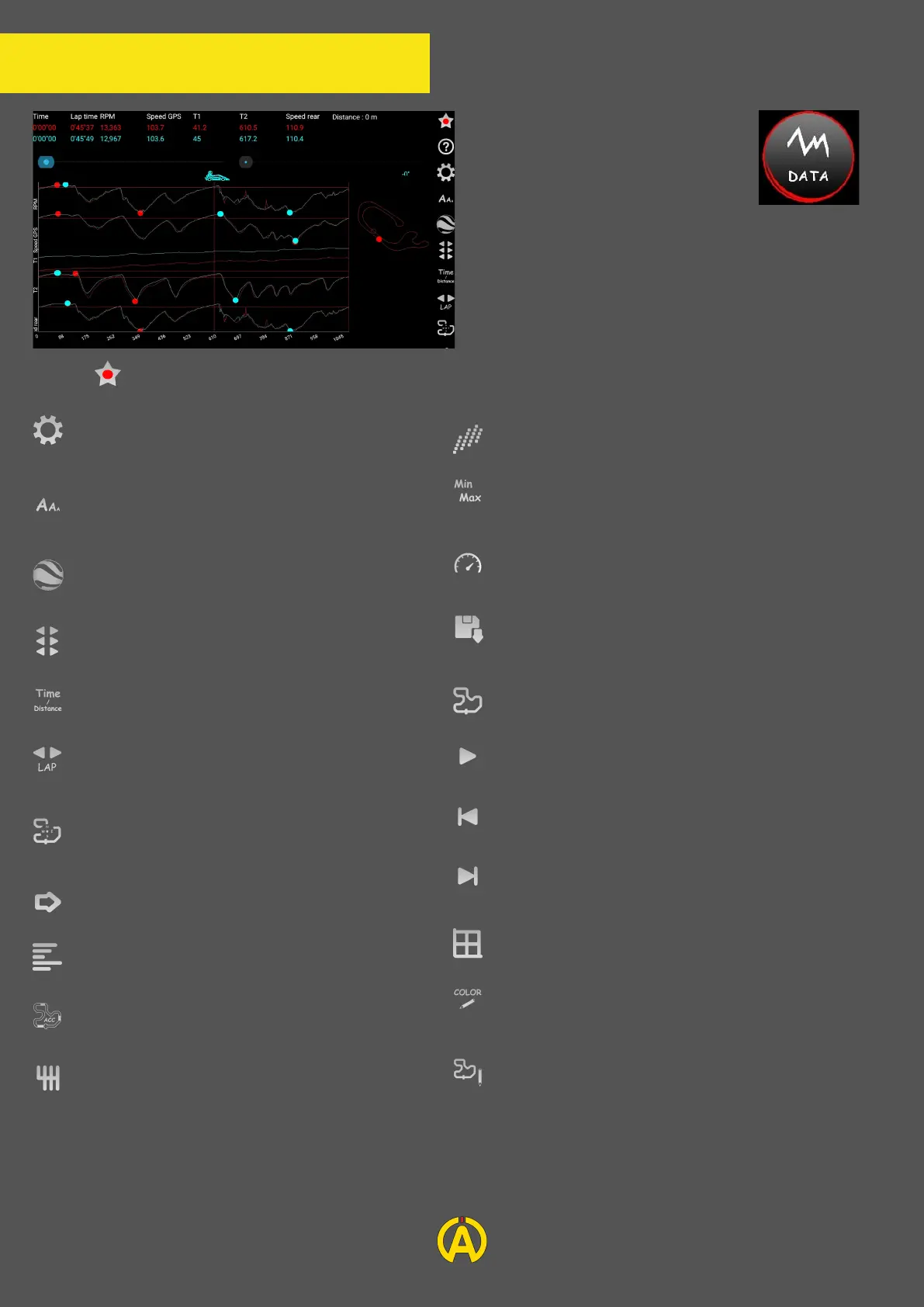
Using the "Data" button you
can view your data
graphically (and compare
them if two or more sessions
are selected).
On this page you will find
several options in the side
menu.
Using this button, you can configure the displayed analysis options:
Allows you to choose the channels to
analyze and to set the graph
Allows you to choose the size of data
display (only Android)
View your laps on Google Earth
Allows you to shift the samples of your
lap
Allows to work in time scale or distance
Allows you to select / change your lap to
analyze
Allows you to choose the display
orientation of the track layout
Hides the track
Access the engine speed analysis menu
Acceleration Analysis Menu
Adds a filter to the gearbox
Access to the analysis menu of the gearbox
Allows access to the analysis menu of Min &
Max sensors as well as partials
Access the speed analysis menu
Load or save your different analysis
configurations
Access the comparison menu
Automatically scroll the cursor
Moves back the cursor
Moves the cursor forward
Adds a background grid
Allows you to change the background
color
Provides access to the Virtual Partial
Analysis menu


 To Next Page