7 www.Observint.com
© 2018 Observint Technologies. All rights reserved.
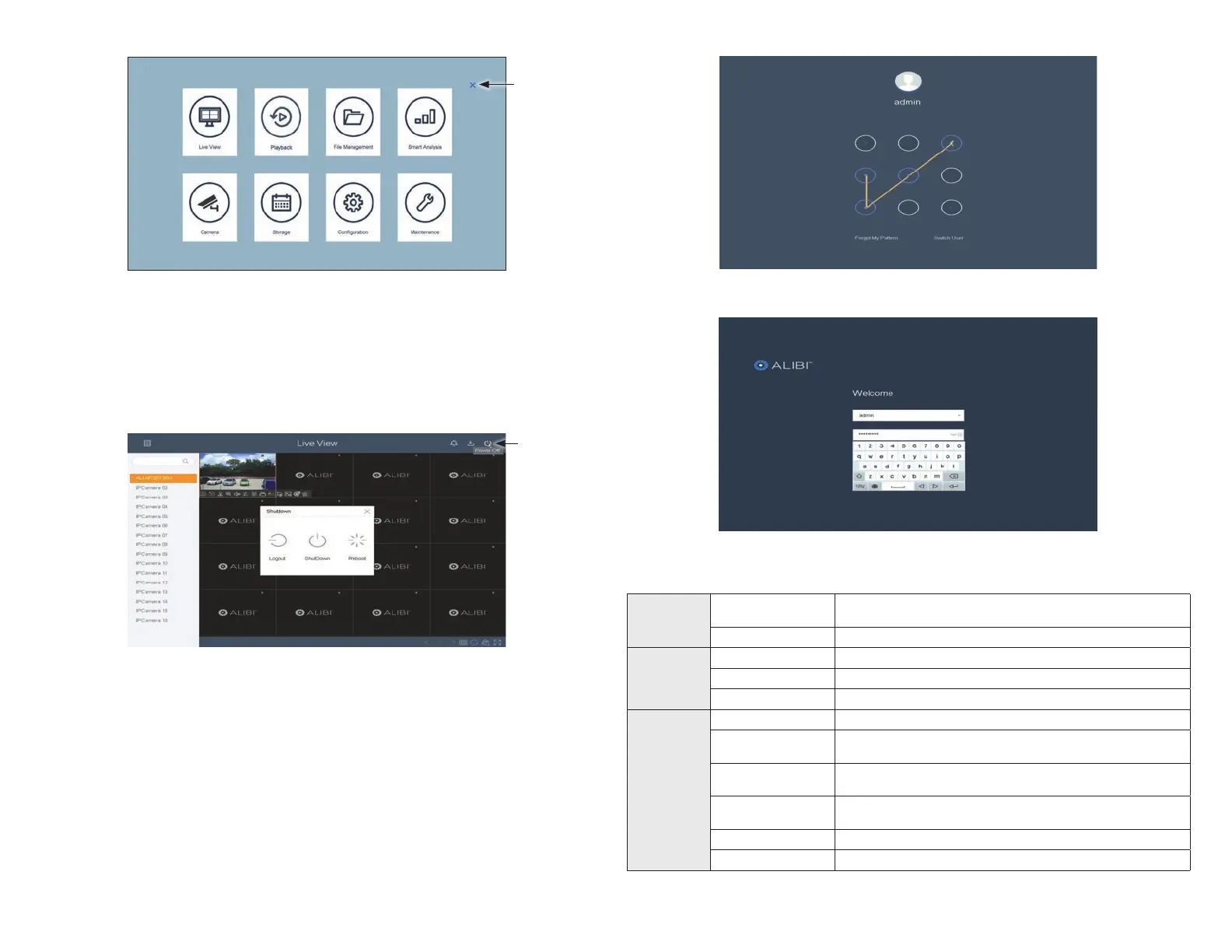
If you did not setup an unlock pattern, enter your admin password in the Welcome screen, and then click Login.
Specications
Video/Audio
input
IP video input
16 channels
Up to 12 MP resolution
Two-way audio 1 channel, RCA (2.0 Vp-p, 1 k Ω)
Network
Incoming bandwidth 160 Mbps
Outgoing bandwidth 256 Mbps
Remote connection 128 Mbps
Video / Audio
output
Recording resolution 12 MP / 8 MP / 6 MP / 5 MP / 4 MP / 3 MP / 1080p / UXGA / 720p / VGA / 4CIF / DCIF / 2CIF / CIF / QCIF
CVBS output
1 channel, BNC (1.0 Vp-p, 75 Ω)
Resolution: PAL: 704 × 576, NTSC: 704 × 480
HDMI1 output resolution
4K: (3840×2160) / 60 Hz, 4K: (3840×2160) / 30 Hz, 2K: (2560×1440) / 60 Hz 1920×1080p / 60 Hz,
1600×1200 / 60 Hz, 1280×1024 / 60 Hz, 1280×720 / 60 Hz, 1024×768 / 60 Hz
VGA output resolution
2K: (2560×1440) / 60 Hz, 1920×1080 / 60 Hz, 1280×1024 / 60 Hz, 1280×720 / 60 Hz, 1024×768 / 60 Hz,
HDMI1 / VGA Simultaneous Output
HDMI2 output resolution 1920×1080 / 60 Hz, 128 ×1024 / 60 Hz, 1280×720 / 60 Hz, 1024×768 / 60 Hz
Audio output 1 channel, RCA (linear, 1 KΩ)
Click to
close
Menu
To open an segment of the rmware to congure, click the appropriate icon in the Menu screen. Refer to the rmware user manual for
your recorder for specic instructions on how to use the Menu screen. You can download the rmware user manual from:
AlibiSecurity.com/Resources.
To shutdown the recorder
To shutdown the recorder, open the Live View screen shown above, and then click the Power O icon in the upper right corner.
Power O
icon
In the pop-up window, click ShutDown to initiate the power down sequence. When the fan noise in the recorder drops, you can
switch o the recorder.
Logging into the NVR
If you log out of the NVR and want to log in again as an administrator, and you setup an admin unlock pattern and unlock screen will open. In
this screen, just drag the mouse cursor across then unlock pattern you selected.








 To Next Page