Technical Overview
WARNING: Before working inside your computer, read the
safety information that shipped with your computer and
follow the steps in
Before Working Inside Your Computer.
After working inside your computer, follow the instructions
in After Working Inside Your Computer. For more safety best
practices, see the Regulatory Compliance home page at
dell.com/regulatory_compliance.
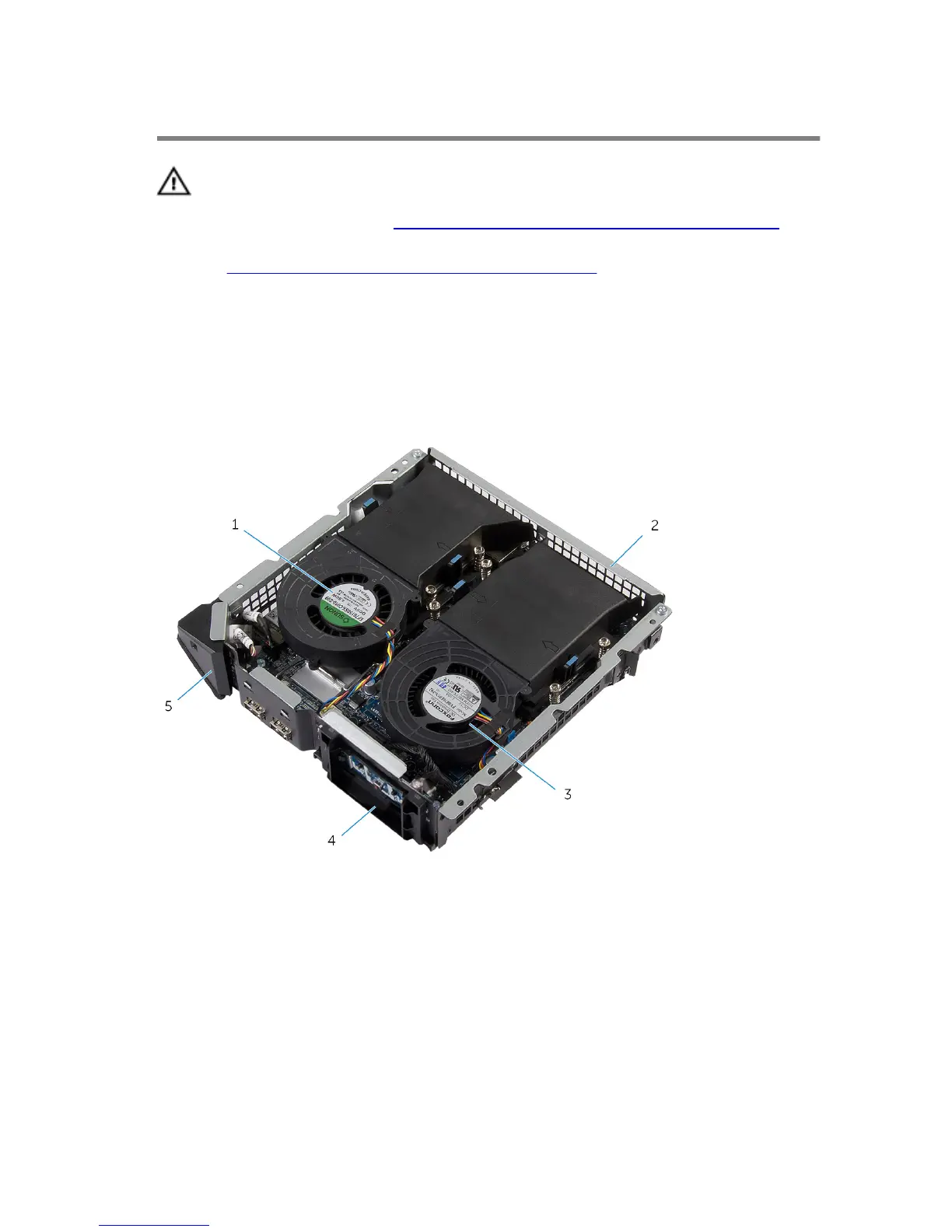
Inside View Of Your Computer
1 video-card fan 2 back panel
3 processor fan 4 power-button module
5 front-panel light module
12















 To Next Page