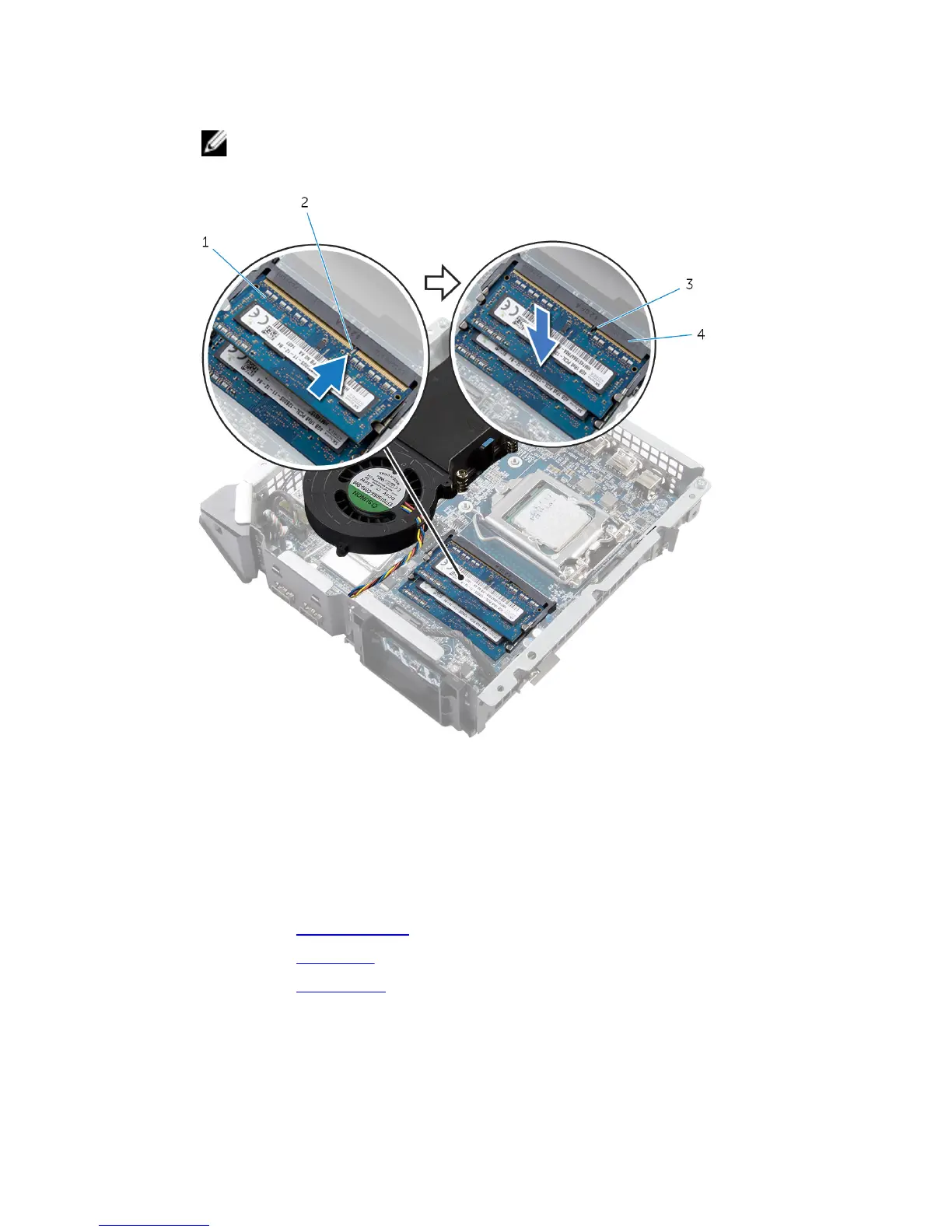
2 Slide the memory module into the memory-module slot and press the
memory module down until it clicks into place.
NOTE: If you do not hear the click, remove the memory module and
reinstall it.
1 memory module 2 notch
3 tab 4 memory-module slot
Post-requisites
1 Replace the processor fan.
2 Replace the top cover.
3 Replace the base cover.
49















 To Next Page