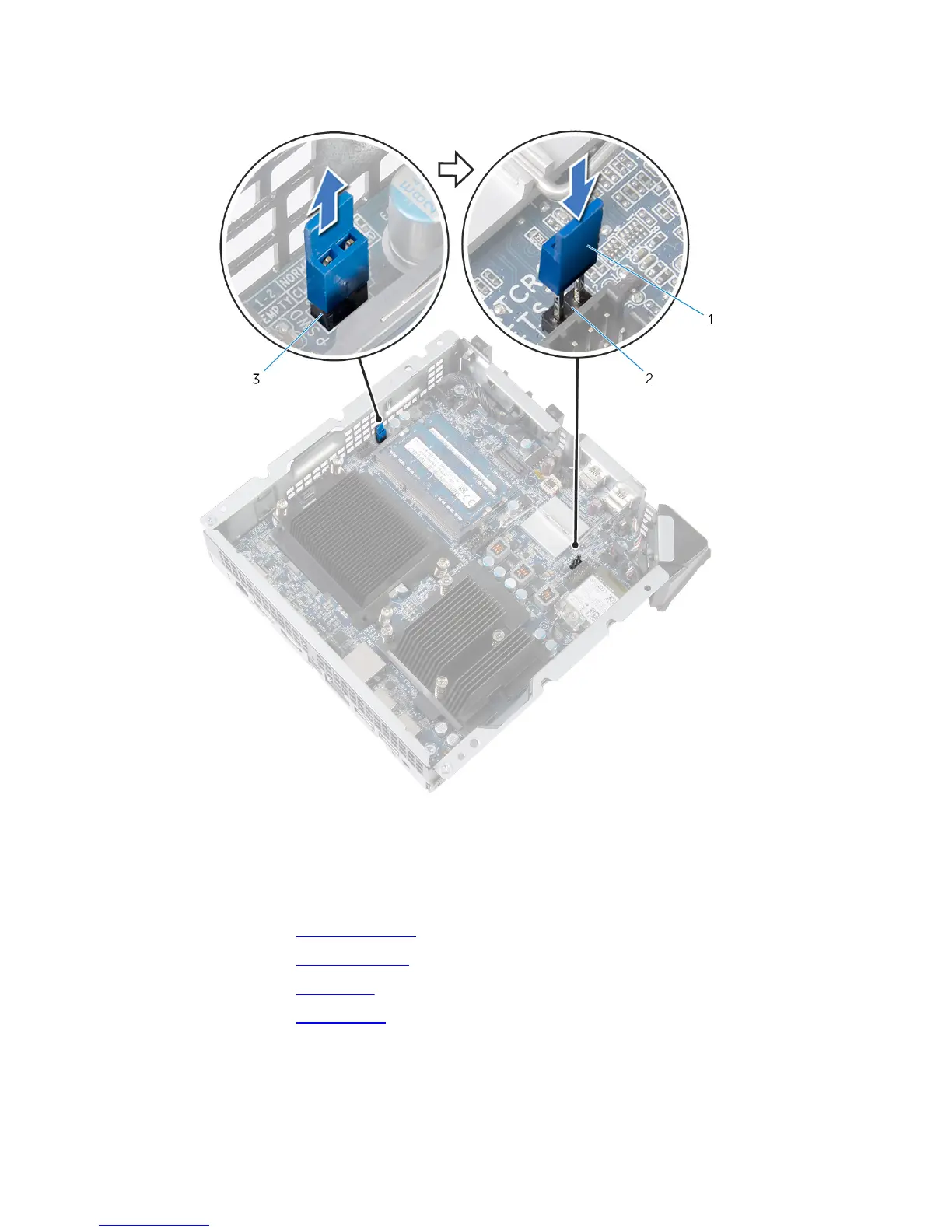
2 Remove the jumper plug from the password jumper (CLEAR_PASSWORD)
and place it on the CMOS jumper (RTCRST).
1 jumper plug 2 CMOS jumper (RTCRST)
3 password jumper
(CLEAR_PASSWORD)
3 Replace the video-card fan.
4 Replace the processor fan.
5 Replace the top cover.
6 Replace the base cover.
85















 To Next Page