Set up your computer
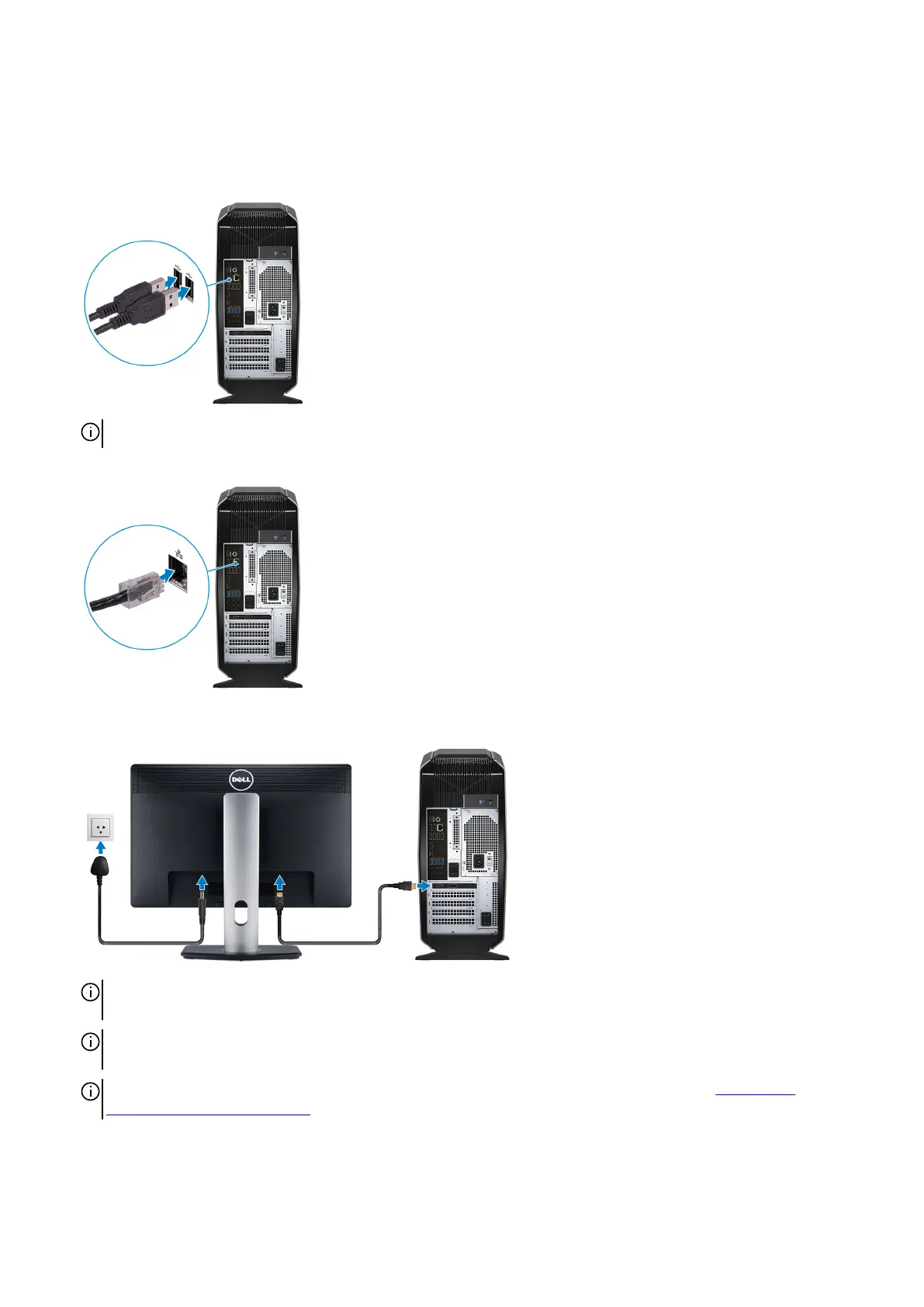
1. Connect the keyboard and mouse.
NOTE: For setup instructions, see the documentation shipped with the keyboard and mouse.
2. Connect the network cable — optional.
3. Connect the display.
NOTE: The DisplayPort on the back panel of your computer is covered. Connect the display to the discrete graphics
card of your computer.
NOTE: If you have two graphics cards, the card installed in PCI-Express X16 (graphics slot 1) is the primary graphics
card.
NOTE: For more information about setting up multiple monitors, see the knowledge base article SLN129825 at
https://www.dell.com/support.
4. Connect the power cable.
4















 To Next Page