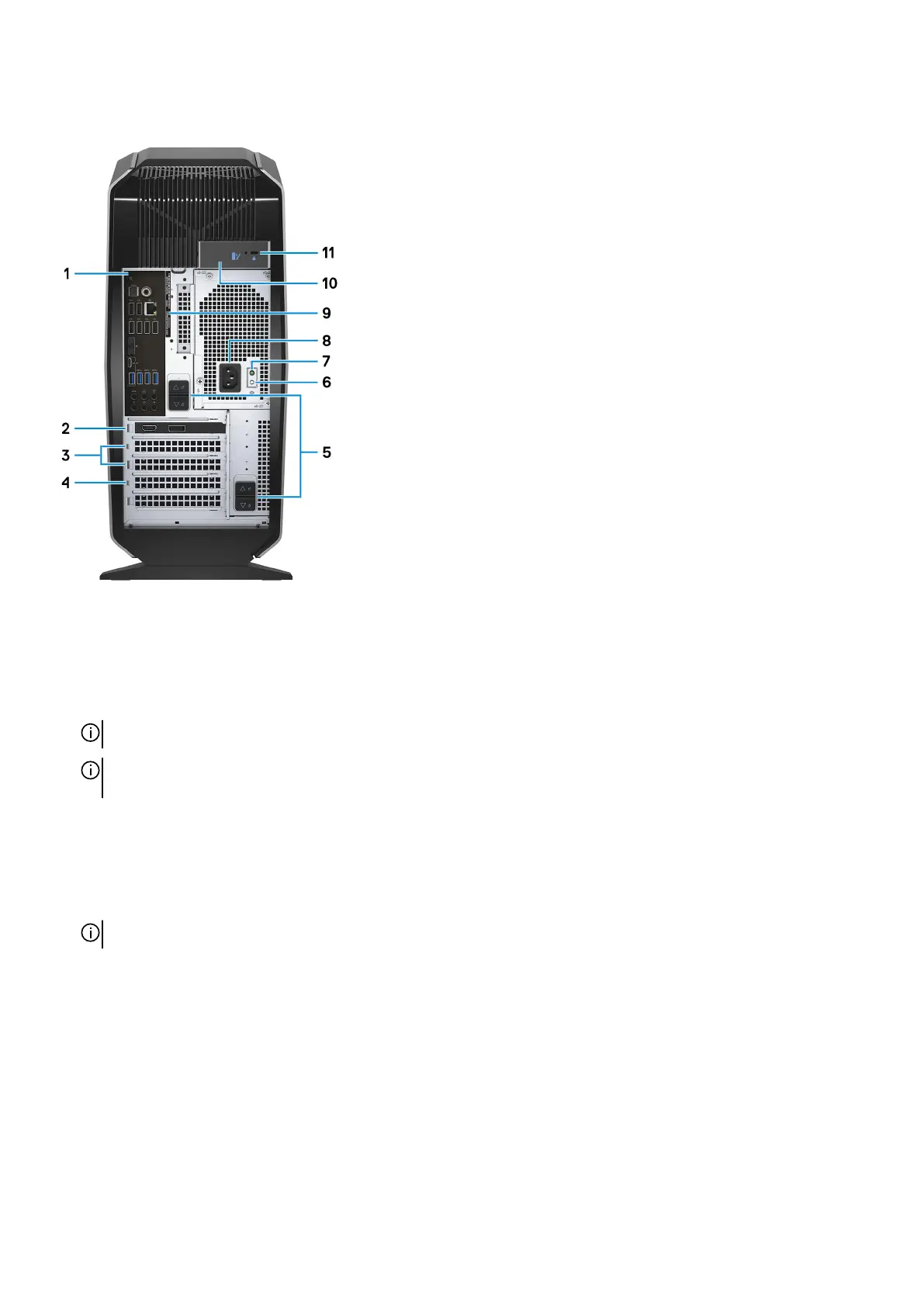
Back
1. Back panel
Connect USB, audio, video, and other devices.
2. PCI-Express X16 (graphics slot 1)
Connect a PCI-Express card such as graphics, audio, or network card to enhance the capabilities of your computer.
For optimal graphics performance, use a PCI-Express X16 slot for connecting the graphics card.
NOTE: The PCI-Express X16 slot works at X8 speed only.
NOTE: If you have two graphics cards, the card installed in PCI-Express X16 (graphics slot 1) is the primary graphics
card.
3. PCI-Express X4 slots (2)
Connect a PCI-Express card such as graphics, audio, or network card to enhance the capabilities of your computer.
4. PCI-Express X16 (graphics slot 2)
Connect a PCI-Express card such as graphics, audio, or network card to enhance the capabilities of your computer.
For optimal graphics performance, use a PCI-Express X16 slot for connecting the graphics card.
NOTE: The PCI-Express X16 slot works at X8 speed only.
5. Power-supply cage release-latches (2)
Allows you to remove the power supply unit from your computer.
6. Power-supply diagnostics button
Press to check the power‑supply state.
7. Power-supply diagnostics light
Indicates the power-supply state.
8. Power port
Connect a power cable to provide power to your computer.
9. Service Tag label
The Service Tag is a unique alphanumeric identifier that enables Dell service technicians to identify the hardware components in
your computer and access warranty information.
9















 To Next Page