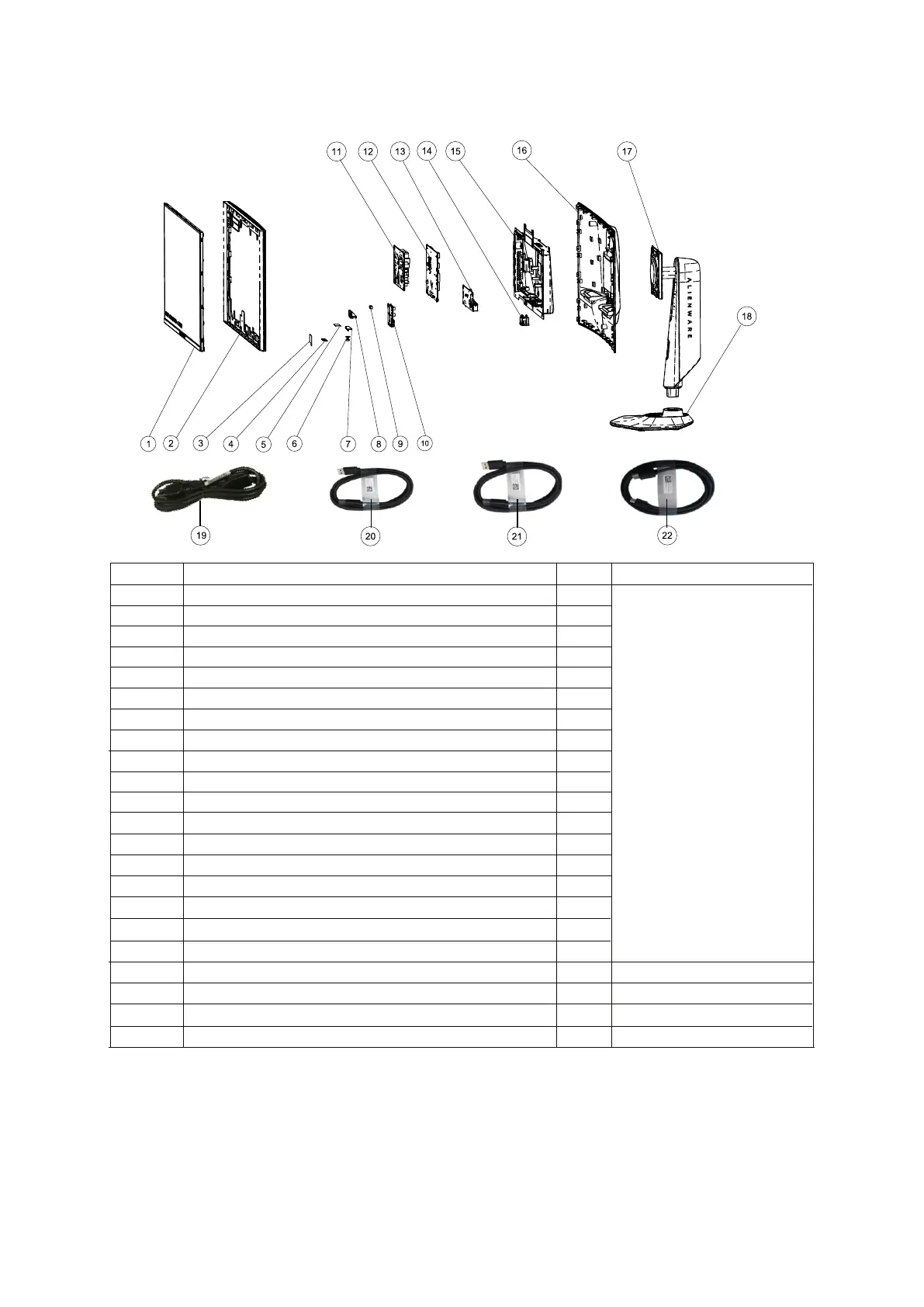
2. Exploded view diagram with list of items
For replacement of power cord, connectivity cable and external power supply (if applicable), contact Dell:
5. Choose the method of contacting Dell that is convenient for you.
NOTE:
1. Go to https://www.dell.com/support.
2. Verify your country or region in the Choose A Country/Region drop-down menu at the bottom-right corner of the page.
3. Click Contact Us next to the country dropdown.
4. Select the appropriate service or support link based on your need.
Item Description Q'ty Remark
1 1
ForEMEAOnly,notfor
otherregions
2 1
13
4 1
15
6
Key Board
1
1
7
8 1
9
10
11 2
112
Shielding tape for panel
Assy_Front Trim
Joystick Board
1
1
Joystick button
EMI Sponge
Panel
AC socket
13 1
14
Power board
1
USB Main Board
15 1
16
1
Chassis
17
1
See “NOTE”
18 1
19
1
Shielding tape for key board
Joystick holder
USB Sub Board
Interface board
Rear Cover
Stand Assy
Base Assy
See “NOTE”
DisplayPort 1.8 M cable (DisplayPort to DisplayPort)
20
1
See “NOTE”
USB 3.2 Gen 1 (5 Gbps) upstream cable (1.8 m)
21
1
See “NOTE”
DisplayPort 1.0 M cable(Mini DisplayPort to DisplayPort)
22 1
Power cable















 To Next Page