5. Disassembly and Assembly Procedures
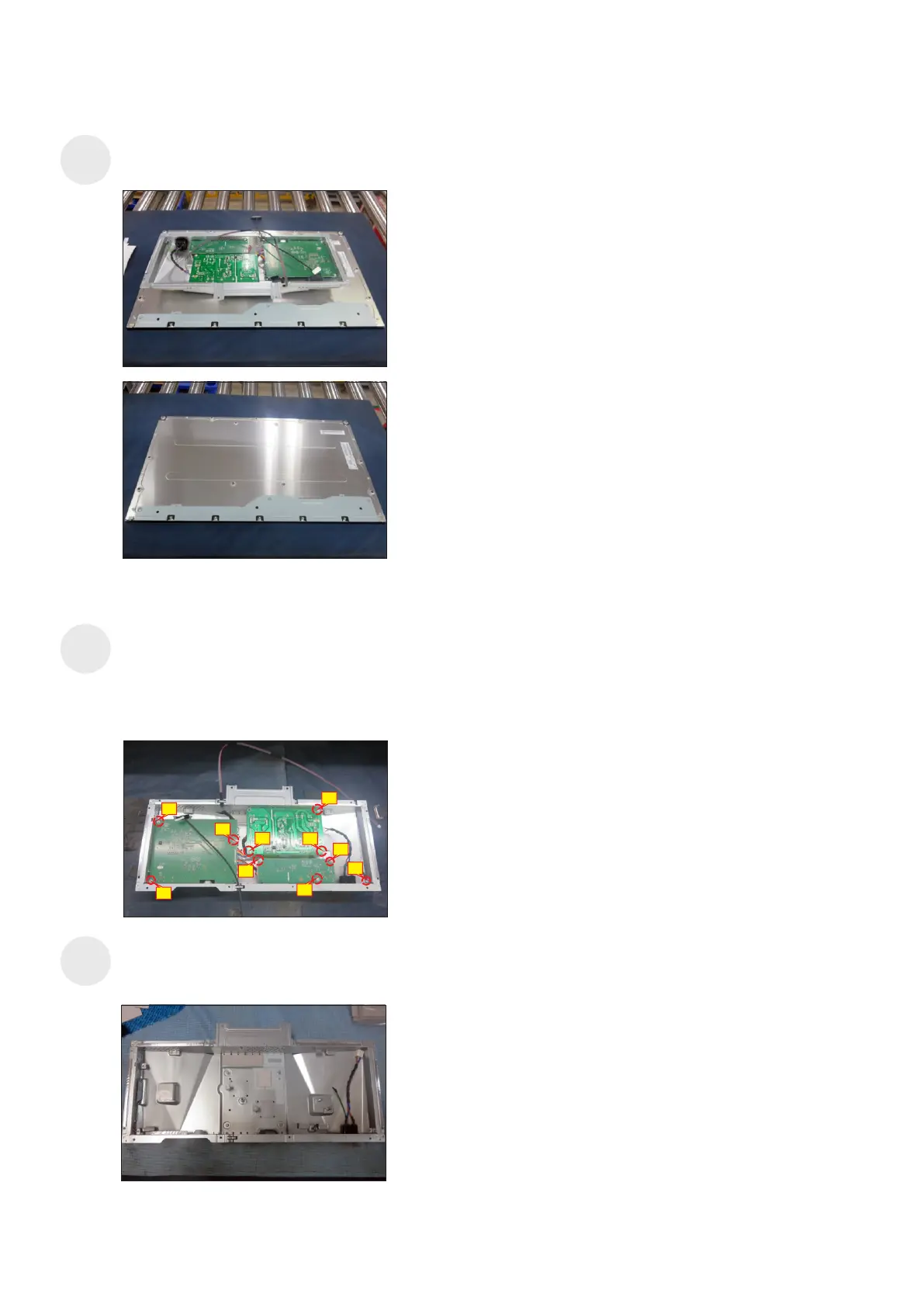
Remove the circuit boards from the bracket
chassis module carefully, and then disconnect all
of the cables.
S13
S14
Lift up the bracket chassis module and put the
bracket chassis module on a protective cushion.
9
1
5
10
Use a Philips-head screwdriver to remove 10pcs
screws for unlocking the power board, interface
board and main USB board with the bracket, then
release the EDP cable and panel lamp cable from
the hooks of the bracket chassis module.
(No.1 screw size=M4x8, Torque=6±0.5kgfxcm;
No.2~10 screw size=M3x7.5, Torque=6±0.5kgfxcm)
6
7
4
2
3
8
S12















 To Next Page