Operating the monitor | 53
NVIDIA ULMB NVIDIA ULMB (Ultra L
ow Motion Blur) helps have less
of a motion blur effect while you are watching fast-
moving images. When the graphics card supports G-
SYNC, make sure that the Enable G-SYNC function is
not selected in the NVIDIA Control Panel.
NOTE: Th
is function is available with the following
refresh rate:
- 120
Hz, 240 Hz, or 360 Hz with DP connection
- 120 Hz or 240 Hz with HDMI connection
NOTE: Ensure
that the DP/HDMI cable is directly
connected to the monitor DP/HDMI port. This function
is not available when connecting DP/HDMI through a
dongle/hub.
NVIDIA ULMB
Puls
e Width
Allows you to adjust the panel's backlight a bit, so as to
reduce motion blur. Use the joystick to adjust the level
from 10 to 100. Smaller values decrease motion blur and
brightness.
NOTE: Thi
s function is not available when NVIDIA
ULMB is Off.
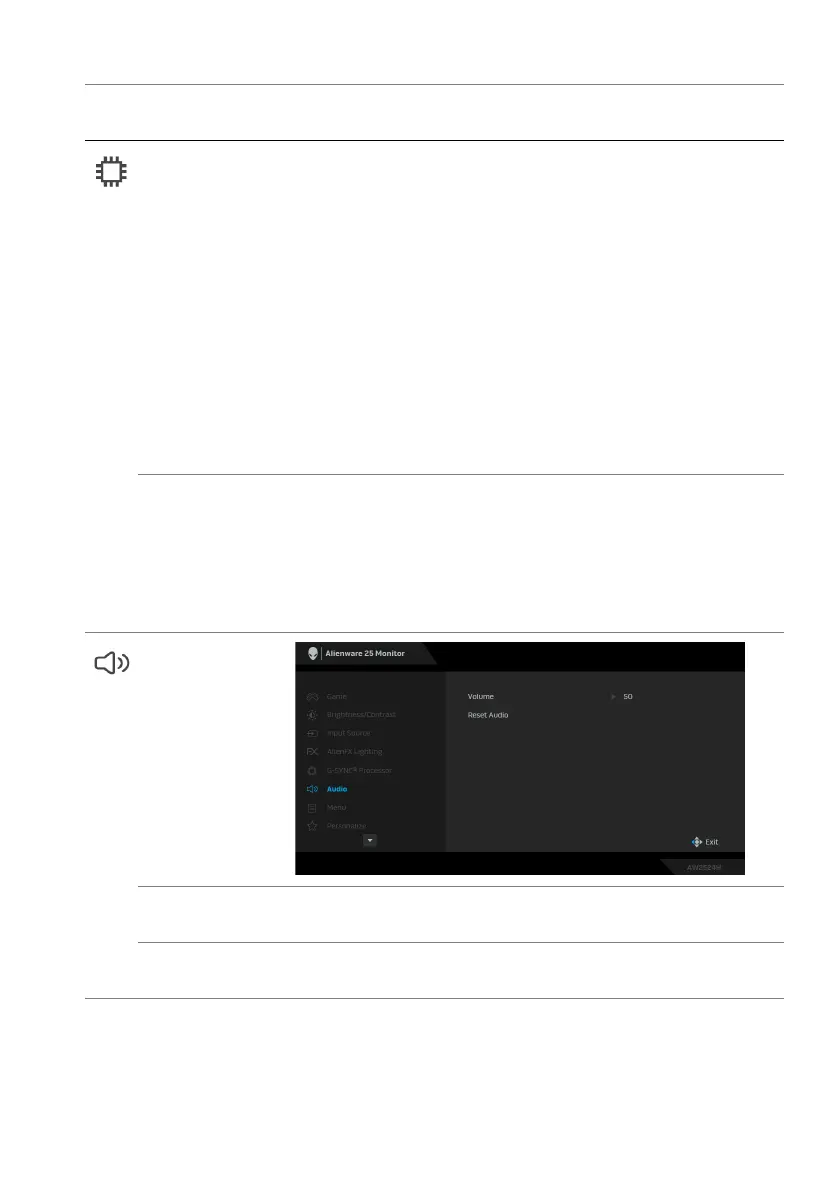
Audio
Volume Move the joystick to adjust the volume level of
headphone output (minimum 0/maximum 100).
Reset Audio Resets all settings under the Audio
menu to the factory
defaults.
Icon Menu and
submenu
Description















 To Next Page