Setting up the monitor | 39
Removing the monitor stand
NOTE: To prevent scratches on the screen when removing the stand,
ensure that the monitor is placed on a soft surface and handle it carefully.
NOTE: The following steps are specifically for removing the stand that is
shipped with your monitor. If you are removing a stand that you
purchased from any other source, follow the setup instructions that are
included with the stand.
To remove the stand:
1. Turn off the monitor.
2. D
isconnect all the cables from the computer.
3. Pl
ace the monitor on a soft cloth or cushion.
4. C
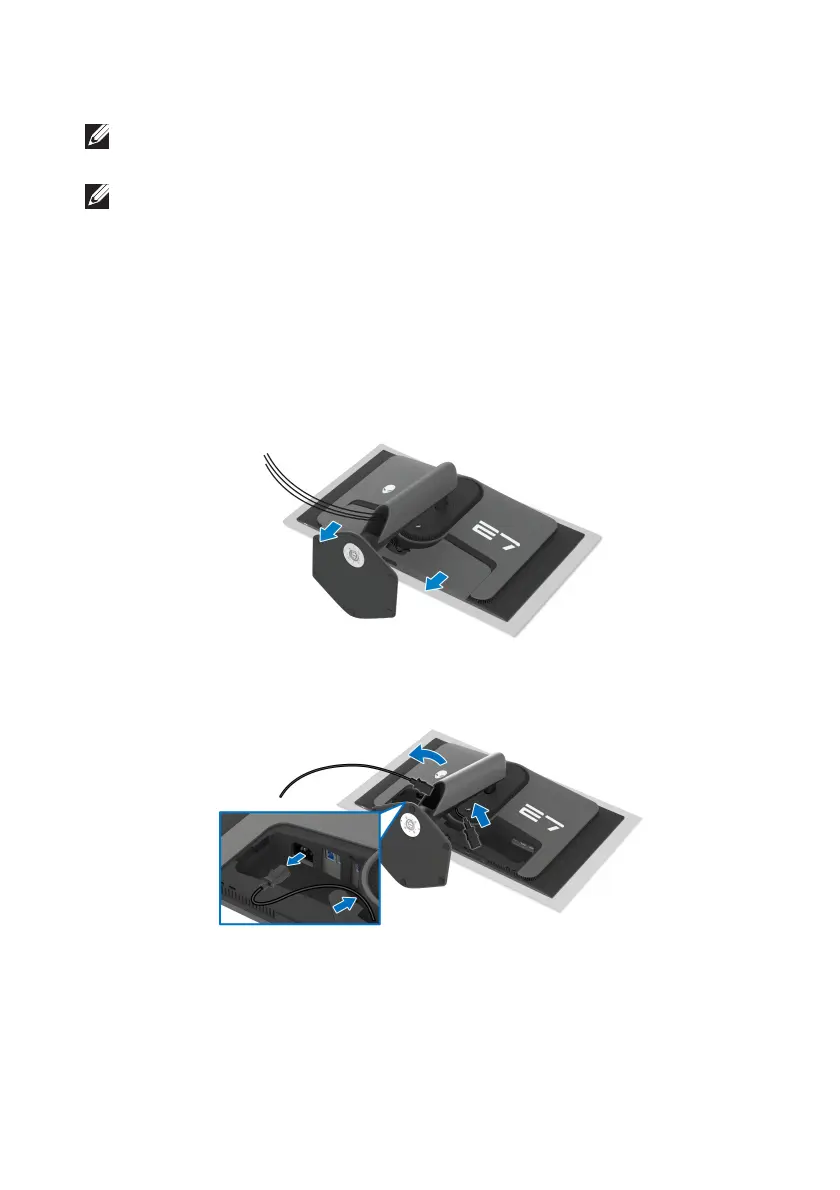
arefully slide and remove the I/O cover from the monitor.
5. Disconnect the cables from the monitor and slide them out through the
cable-management slot on the stand riser.















 To Next Page