80 | Using AlienFX™ function
Installing AWCC from the Dell Support website
1. Visit Dell support site at www.dell.com/support/drivers, enter
AW2725DF in the search box. You will be landed on the product support
pa
ge.
2. Go
to Drivers & Downloads. Download the latest version of the Alienware
Command Center Application.
3. Navig
ate to the folder in which you saved the downloaded setup files.
4. Double-c
lick the downloaded setup file and follow the on-screen
instructions to complete the installation.
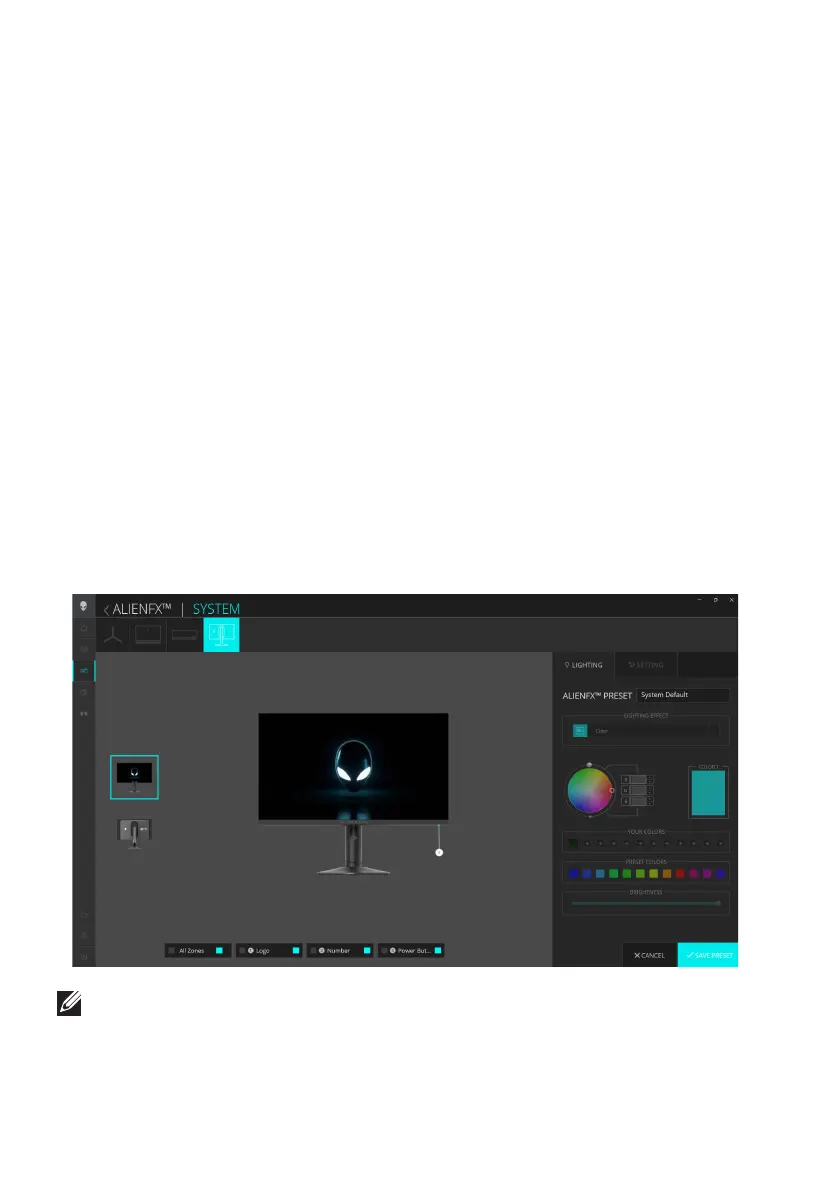
Adjusting the lighting effects
1. Launch the AWCC application from the Start menu.
2. In the window of
Dashboard view, click the monitor image of AW2725DF
to access the device view.
3. Select the LIGHTING pa
nel.
4. Spec
ify the lighting zone(s) in the preview window.
5. Select an effect from the LIGHTING EFFECT d
ropdown list and configure
the available options.
NOTE: The options displayed may vary depending on the lighting zone(s)
and LIGHTING EFFECT you specified.















 To Next Page