13
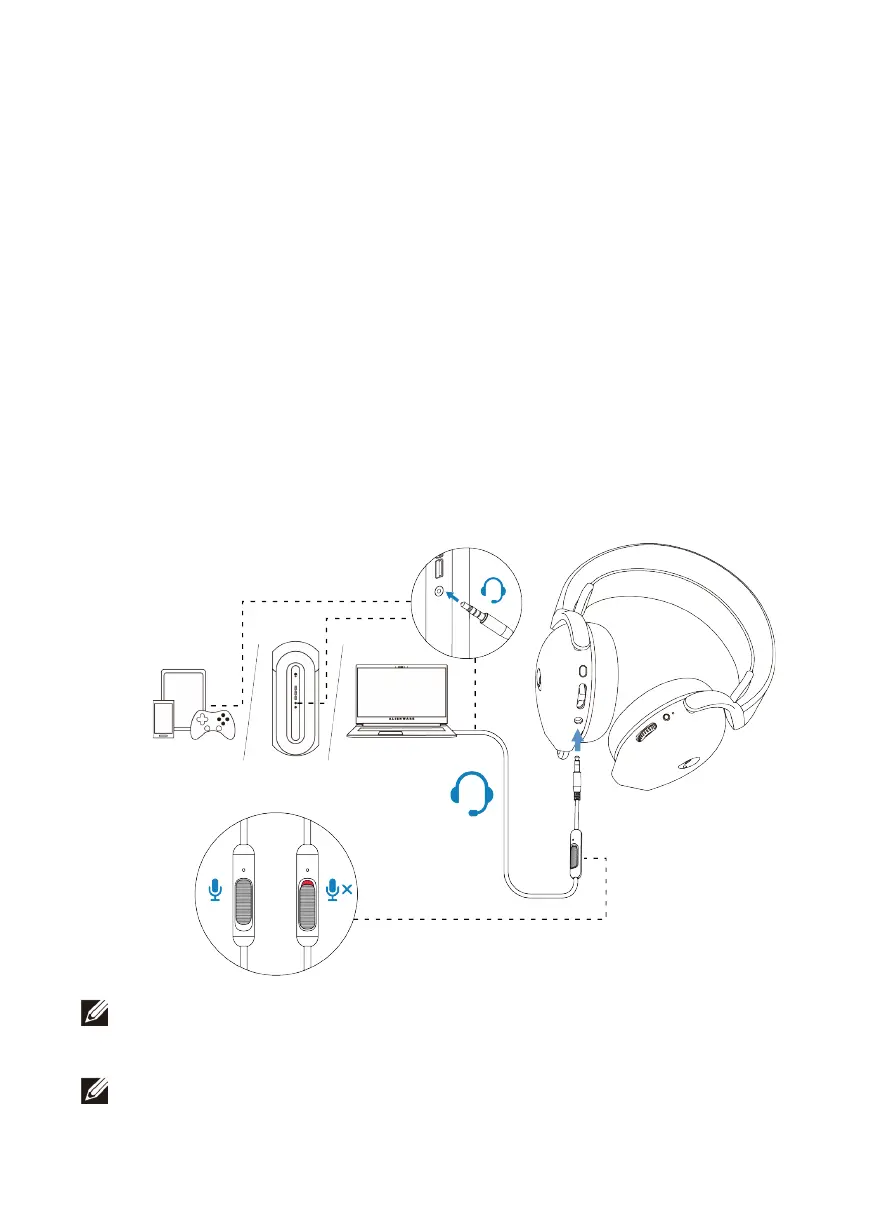
Connecting the headset to your device using the inline audio
cable
1. Connect the microphone end of the 3.5 mm inline audio cable to the port on
your headset. Connect the other end of the audio cable to the
headphone/headset port on your computer or mobile device.
2. Both audio and microphone functions will now be available via the 3.5mm
cable. Buttons and LEDs will be disabled if the headset is turned off.
3. Audio and mic functions will automatically be routed to the 3.5mm cable
regardless if the headset is powered on or off. 2.4G mode will be restored once
audio cable is removed.
4. When using the 3.5mm inline audio cable, headset will be compatible with
audio ports like PlayStation, Xbox and mobile phones.
NOTE: Audio from the 3.5 mm inline audio cable is muted when the
headset is charging.
NOTE: Make sure that the audio plug closer to the inline microphone is
inserted to the headset port.



 To Next Page