Keyboard shortcuts
NOTE: Keyboard characters may depending on the keyboard language Keys used for shortcuts
remain the same across all language
NOTE: You can the primary behavior of the function keys (F1–F12) by changing Function Key Behavior in
BIOS setup program.
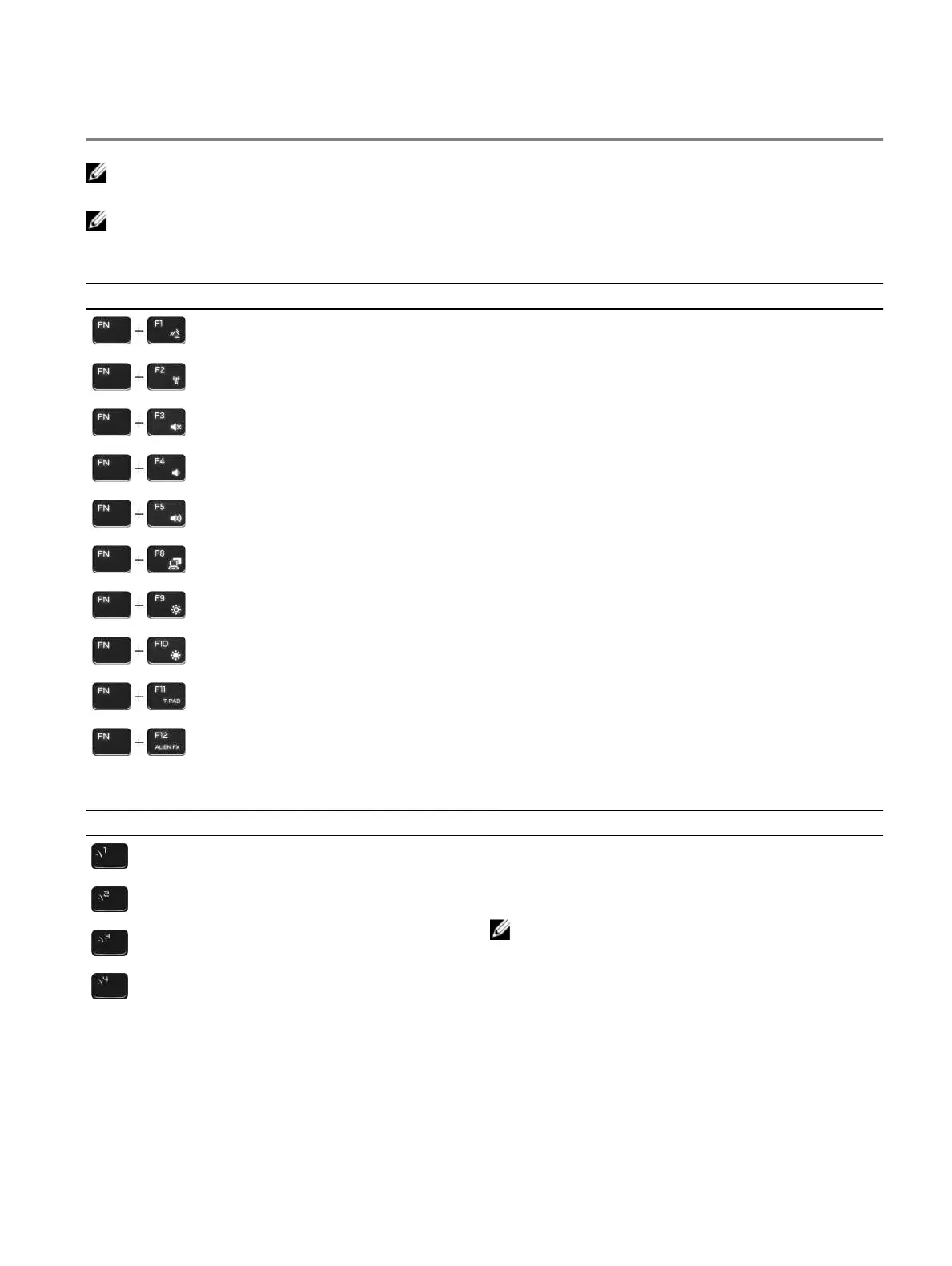
Table 22. List of keyboard shortcuts
Keys Description
Disconnect Alienware Graphics
Disable/enable wireless
Mute audio
Decrease volume
Increase volume
Switch to external display
Decrease brightness
Increase brightness
Disable/enable touch pad
Disable/enable AlienFX
Table 23. List of Macro keys
Keys Description
Macro keys
NOTE: You can modes and assign multiple
tasks for the macro keys on the keyboard.
20















 To Next Page