www.KDEDirect.com
TREX 700 NITRO ELECTRONIC CONVERSION KIT
INSTALLATION INSTRUCTIONS
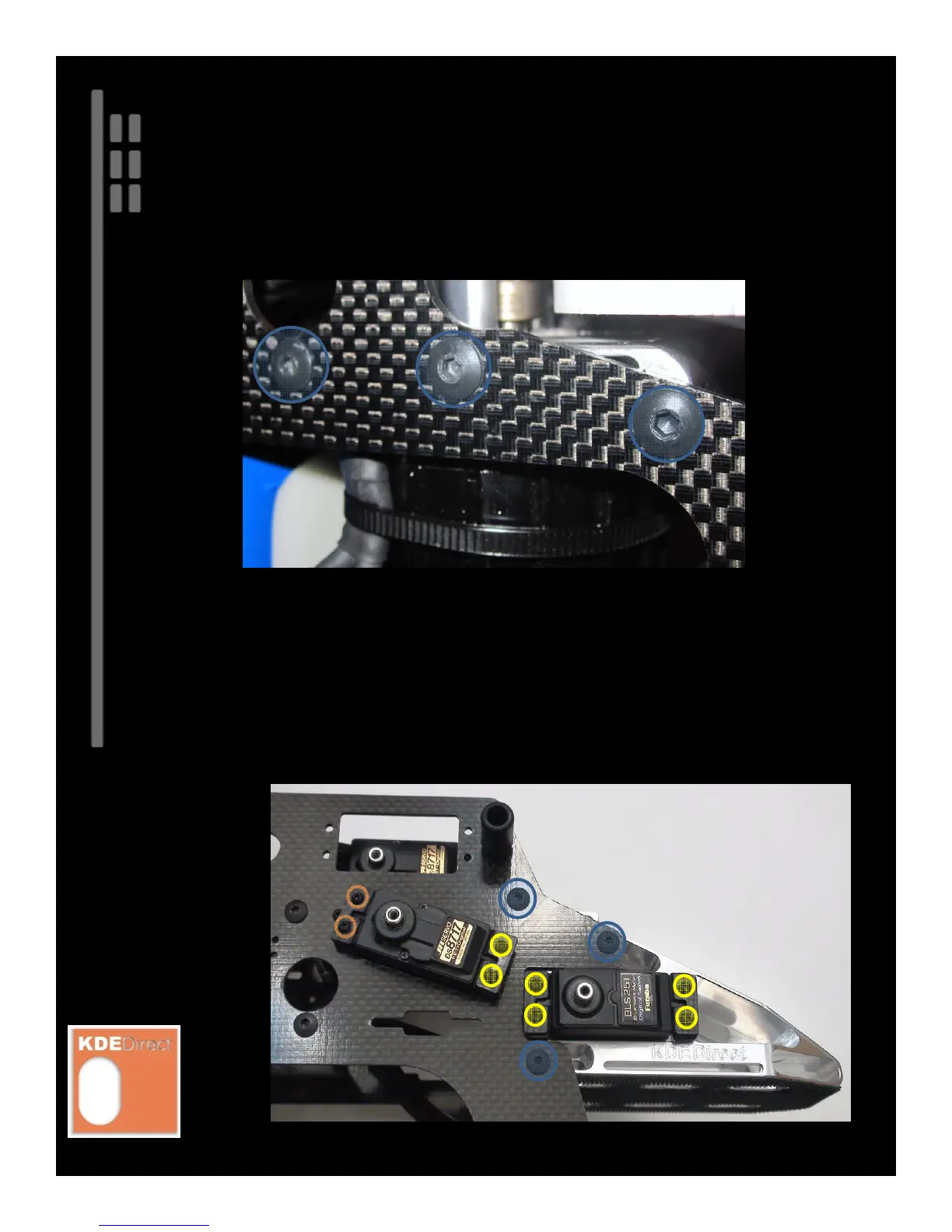
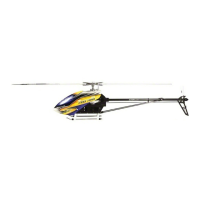
Install the M3 x 0.5 x 8 mm Socket Button Head Collar Screws to the blue-highlighted
locations (center location included in latest production M3/M4 Motor Mounts).
Install the servos to the frame components using the M2.5 x 0.45 x 14 mm Button Head
Socket Head Cap Screws to the yellow-highlighted locations. The stock, self-tapping T2.6 x
14 mm screws are used for the plastic, threaded-hole locations (example: orange-highlighted
locations shown in the figure below).
PARTS REQUIRED:
M3 x 0.5 x 8 mm Socket Button Head Collar Screws (included in original T700N kit)
M2.5 x 0.45 x 14 mm Button Head Socket Head Cap Screws (supplied with kit)
T2.6 x 14 mm Button Head Self-Tapping Screws (included in original T700N kit)






 To Next Page