EasyManua.ls Logo

Allen-Bradley C Series - User Manual

Allen-Bradley C Series
20 pages
Print Icon
To Next Page IconTo Next Page
Loading...
POINT I/O is a trademark of Rockwell Automation1
DeviceNet is a trademark of ODVA, Inc. Publication 1734-IN051D-EN-P - April 2004
Installation Instructions
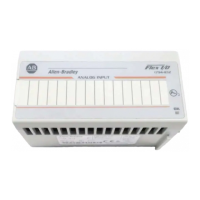
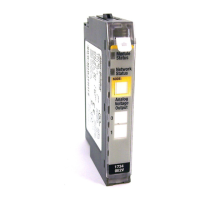
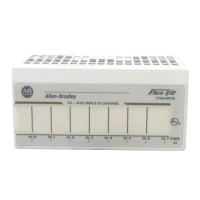
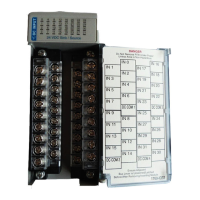
POINT I/O Input Module
(Cat. No. 1734-IB2, -IB4 and -IB8, Series C)
Description Description
1
Mounting Base
1
6 RTB Removal Handle
2 Mechanical Keying (orange) 7
Removable Terminal Block (RTB)
1
3 Module Wiring Diagram 8 DIN Rail Locking Screw (orange)
4 Module Locking Mechanism 9 Slide-in Writable Label
5 Insertable I/O Module 10 Interlocking Side Pieces
1
Wiring Base Assembly consists of item 1) mounting base, 1734-MB and item 7) removable
terminal block, 1734-RTB or -RTBS.
Module
Status
N
e
t
w
o
r
k
S
t
a
t
u
s
N
O
D
E
:
0
1
2
3
2
3
4
5
1
7
6
8
9
10
AB Parts

Questions and Answers

  • T
    Timothy HughesAug 13, 2025
    What to do if Allen-Bradley I/O Systems are off?
    • A
      Andrea FarleyAug 13, 2025
      If the Allen-Bradley I/O Systems are off, it could be due to several reasons. First, there might be no power applied to the device, in which case you should check the power supply. Alternatively, the device might not be online because it hasn't completed the duplicate MAC ID test or isn't powered. Check the module status indicator and power supply to resolve this.
  • L
    Lauren SandersAug 17, 2025
    Why is my Allen-Bradley C Series I/O Systems showing a Red light?
    • J
      Jennifer GuerreroAug 17, 2025
      A red light on your Allen-Bradley I/O Systems indicates an unrecoverable fault that may require device replacement. Consider replacing the device to resolve this issue.
  • T
    Timothy Buckley DDSAug 20, 2025
    What does flashing red mean on Allen-Bradley I/O Systems?
    • A
      Anthony BartonAug 20, 2025
      A flashing red light on Allen-Bradley I/O Systems indicates a recoverable fault. Refer to the fault recovery procedures to troubleshoot and resolve the issue.
  • V
    vgonzalesAug 25, 2025
    How to fix Allen-Bradley C Series I/O Systems flashing red/green?
    • M
      Mrs. Penny StewartAug 25, 2025
      If your Allen-Bradley I/O Systems are flashing red/green, it means the device has detected a network access error and is in a communication faulted state. To fix this, you need to address the network access error.
  • E
    Eric AdamsAug 28, 2025
    What to do if Allen-Bradley C Series are flashing red?
    • T
      Thomas GallowayAug 28, 2025
      If Allen-Bradley I/O Systems are flashing red, it means one or more I/O connections are in a timed-out state. You should investigate and resolve the I/O connection issues.
  • D
    Daniel CruzSep 1, 2025
    Why is Allen-Bradley C Series showing a solid red light?
    • S
      Samantha RhodesSep 1, 2025
      A solid red light on Allen-Bradley I/O Systems indicates a critical link failure or a failed communication device. The device has detected an error preventing it from communicating on the network. Replace the failed communication device.
  • P
    Paige GainesSep 4, 2025
    How to fix flashing green light on Allen-Bradley C Series?
    • B
      bthompsonSep 4, 2025
      A flashing green light on Allen-Bradley I/O Systems indicates that the device needs commissioning due to a configuration that is missing, incomplete, or incorrect. Commission the device to resolve this issue.
  • S
    Sarah WhiteSep 8, 2025
    Why is Allen-Bradley C Series off?
    • B
      Bradley OwensSep 9, 2025
      If Allen-Bradley I/O Systems are off, it means that no power is applied to the device. Check the power supply to the device.

Allen-Bradley C Series Specifications

General IconGeneral
BrandAllen-Bradley
ModelC Series
CategoryI/O Systems
LanguageEnglish

Related product manuals