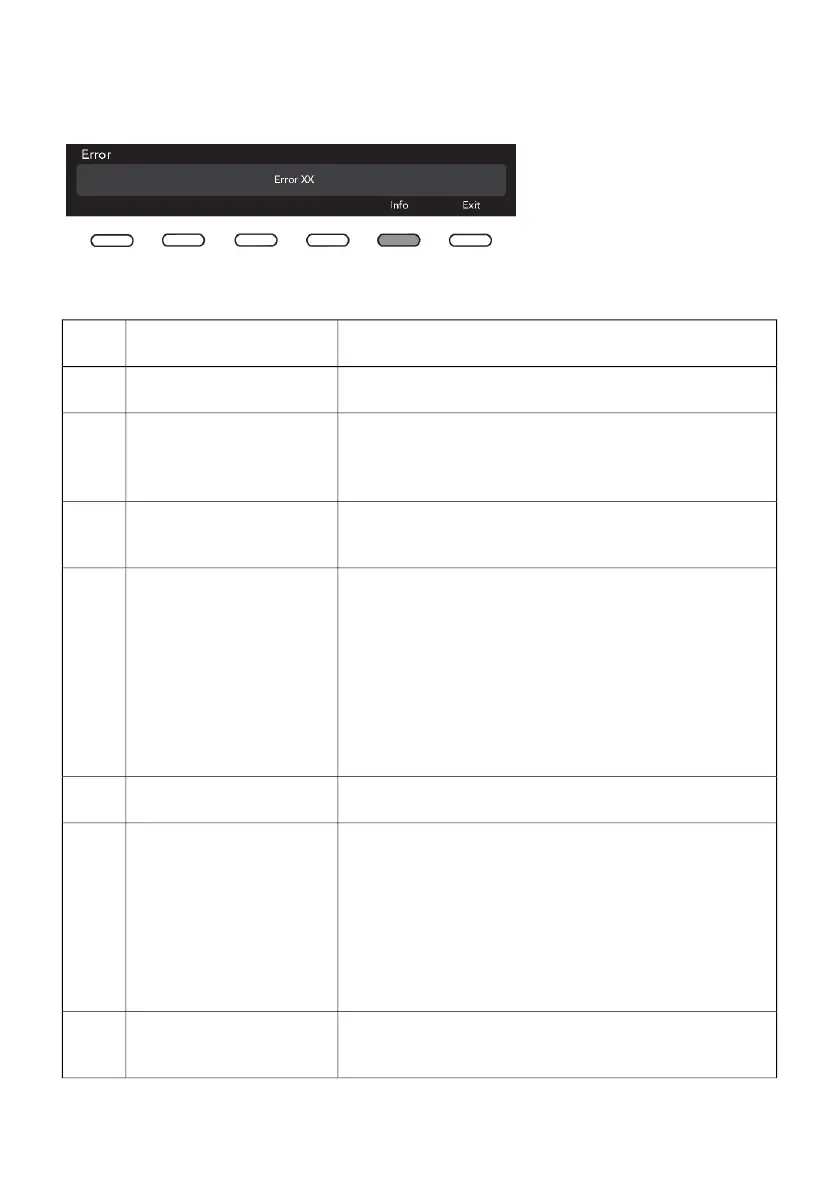
Failure display
In case of a failure while a program is in progress, the relevant Error XX is indicated on the display
unit.
Press the INFO button to display
the error description.
Switch off the appliance and turn
it back on.
Errors indicated on the display unit may include the following:
What to do?Error indication on the
display unit
Error
Restart the program. If the error reoccurs, call a service
technician.
Incorrect settingsE0
Temperature sensor failureE1
• Inlet water too cold. Repeat the washing program.
• If the appliance reports this error again, call a service
technician.
Turn the appliance OFF and then switch it again ON. Start
the program again. If the error reoccurs, call service techni-
cian.
Door lock errorE2
Check the following:Water filling errorE3
• is the water inlet valve open,
• is the filter on the water inlet hose clean,
• is the water supply hose deformed (clipped, clogged
etc.),
• is the pressure in the water mains between 0.1 and 1
MPa (1–10 bar).
Then, press the Exit button to resume the program.
If the error reoccurs, call a service technician.
Restart the program; if the error reoccurs, call a service
technician.
Water heating errorE6
Check the following:Water draining errorE7
• is the pump filter clean,
• is the drain hose clogged,
• is the drain clogged,
• is the drain hose fitted at the right height (see chapter
on drain hose installation in the instruction manual).
Then, press the Exit button again. If the error reoccurs, call
a service technician.
Turn the appliance OFF and then switch it again ON. Start
the program again. If the error reoccurs, call service techni-
cian.
Water level sensor errorE10
42


 To Next Page