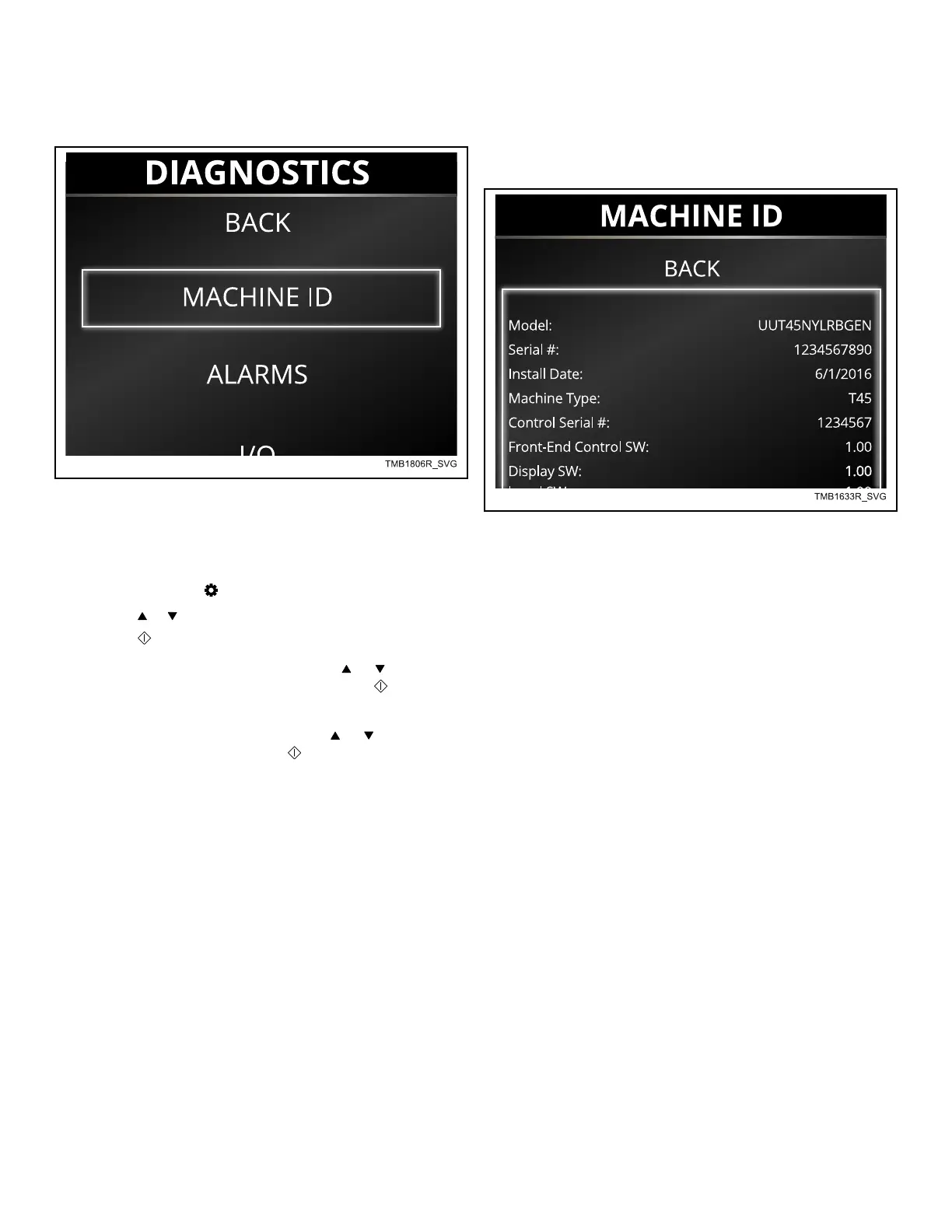
Diagnostics Menu
Figure 29
The Diagnostics Menu includes Back, Machine ID (Machine ID
Menu), Alarms (Alarms Menu), I/O (Inputs/Outputs Menu), Fac-
tory Test (Factory Test Menu) and Individual Tests.
1.
To access, press the keypad to enter the Systems Menu.
2. Press the or keypads to highlight Diagnostics.
3.
Press the
keypad to enter the Diagnostics Menu.
NOTE: To enter menu items, press the or keypads
to highlight the desired item and press the keypad to
select.
NOTE: To exit menu items, press the or keypads to
highlight "Back" and press the keypad.
Machine ID Menu
Figure 30
The Machine ID Menu displays the following information.
• Model
• Serial Number
• Install Date
• Machine Type
• Control Serial Number
• Front-end Control SW
• Display SW
• I/O Board SW
• Drive Board SW
• Fan Board SW
• Ignition Control SW
• Network Node
Diagnostics Menu
©
Copyright, Alliance Laundry Systems LLC -
DO NOT COPY or TRANSMIT
40 Part No. 70549501ENR6





 To Next Page