User Manual
Page 25
of 47
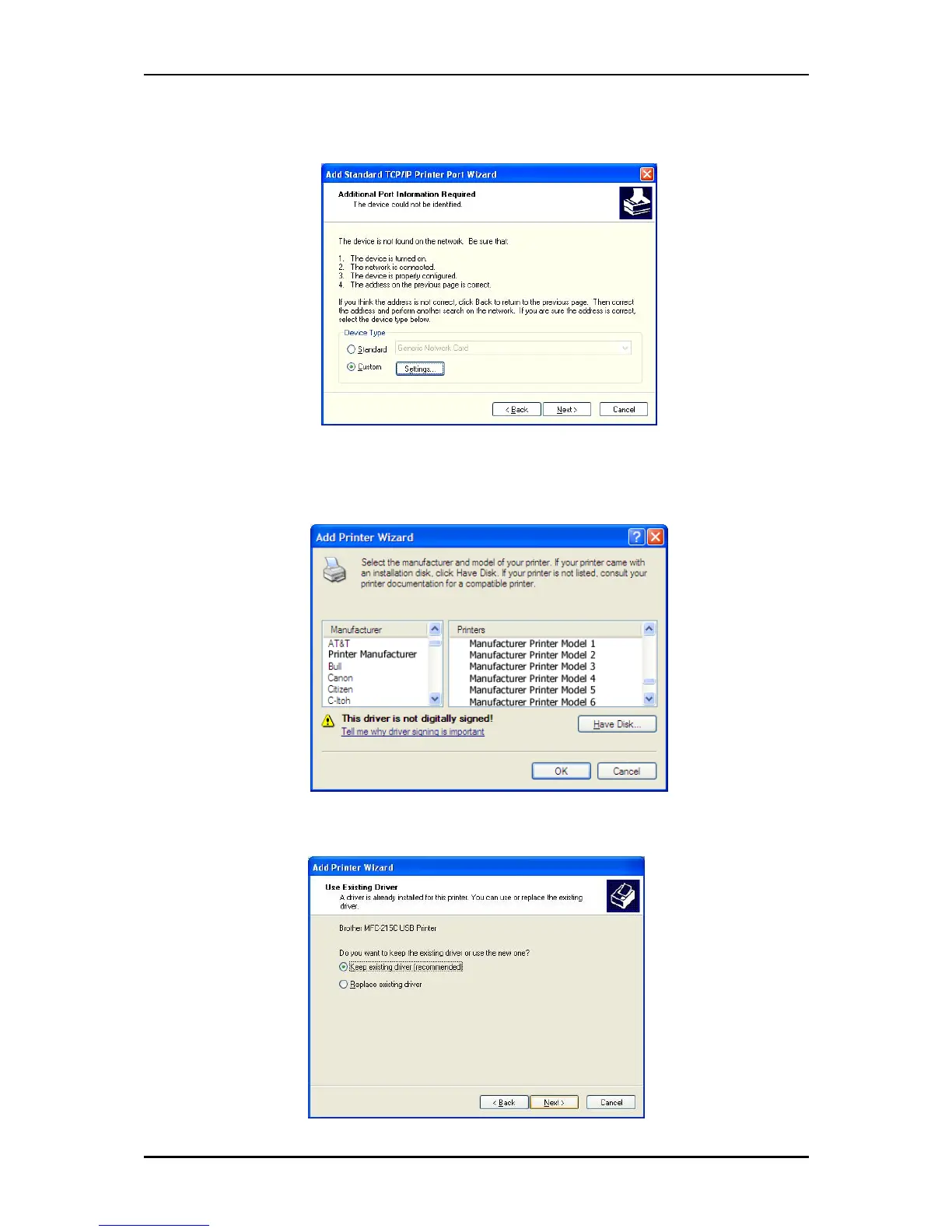
8. Under Additional Port Information Required choose Custom then click Next
9. Once the computer detects the printer on the Print Server, it will ask for the printer
manufacturer and model, a list of printers will be shown, select the your printer from the list
and click OK.
10. Choose Keep existing driver (recommended) then click Next until you reach Completing
the Add Printer Wizard.



 To Next Page