User Manual
Page 38
of 47
• MAC clone: Some ISP requires that you register the MAC address of your computer. Tick the
box to copy your PC’s MAC address.
• MAC Address: This is the computer’s MAC address that is running the router.
PPPoE
Select this Internet connection type if you’re ISP provides you a username and password to establish
a connection.
• Username: Enter the username provides by your ISP
• Password: Enter the password provides by your ISP
Wireless
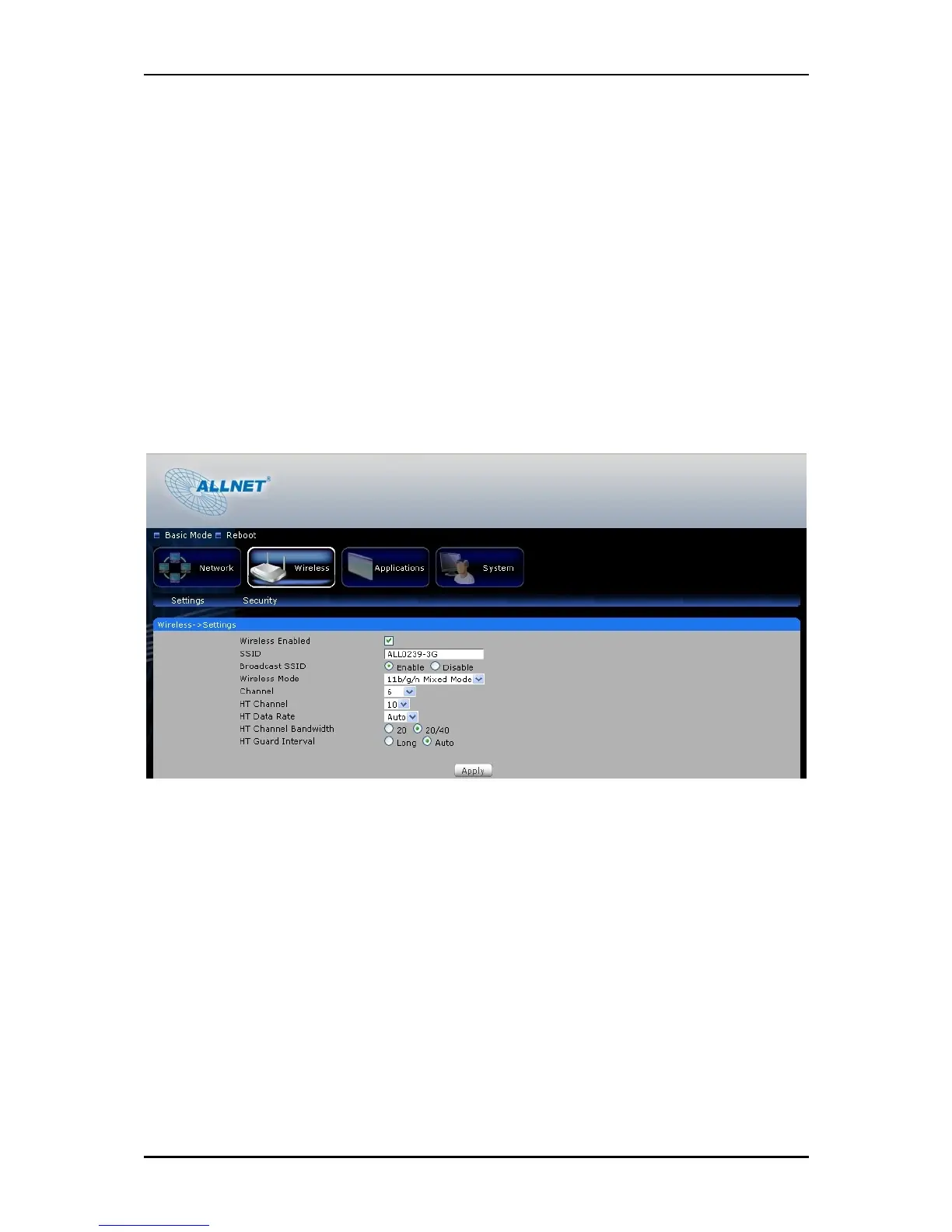
Settings
This section allows you to configure your basic wireless settings.
• Wireless Enabled- Uncheck the box to disable your wireless connection.
• SSID- this is your ALL0239-3G wireless network name.
• Broadcast SSID- Uncheck the box to hide your ALL0239-3G wireless network name.
• Wireless Mode – select the wireless connection mode on the drop down menu list. By default
it is set to mixed mode.
• Channel- On the drop down box, choose the operating frequency that you would like to use.
By default it is set to channel 6. If you notice a lot of interference it is advisable to change the
channel.



 To Next Page