User Manual
Page 7
of 47
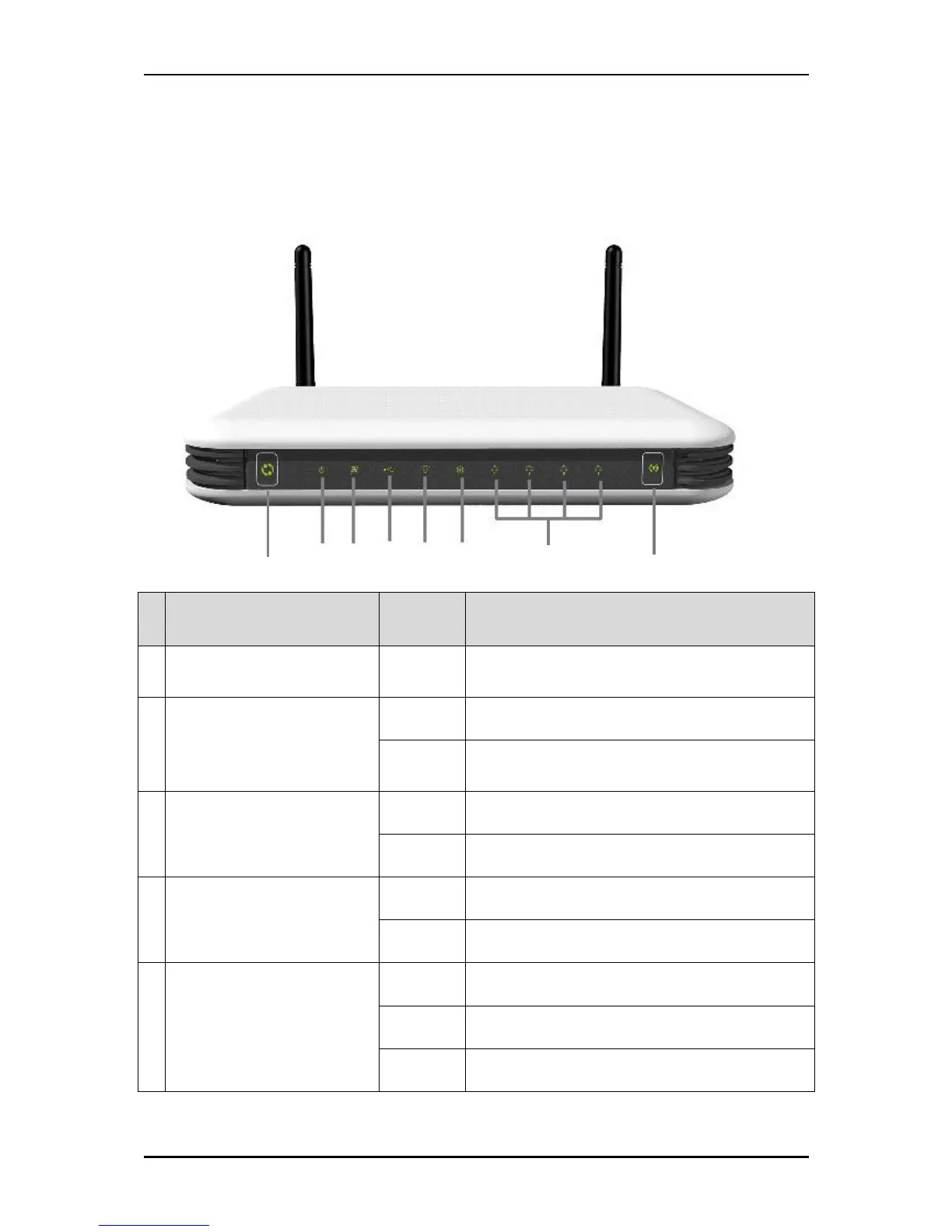
Device Design
Front Panel
LED Behavior Description
A
UMTS 3.5G
Connect/Disconnect Button
Easy Connect and Disconnect to your 3.5G
broadband.
B Power
Off No power is supplied to the device.
Steady
Light
Connected to an AC power source.
C 3G
On UMTS (3.5G) Internet connection is active
Off UMTS (3.5G) Internet connection is off
D USB
On Active USB device is connected to the router
Off No active USB device connected to the router
E Wi-Fi
On Wireless is enabled
Off Wireless is disabled
Blinking Transmitting/Receiving data wirelessly



 To Next Page