User Manual
Page 31
of 47
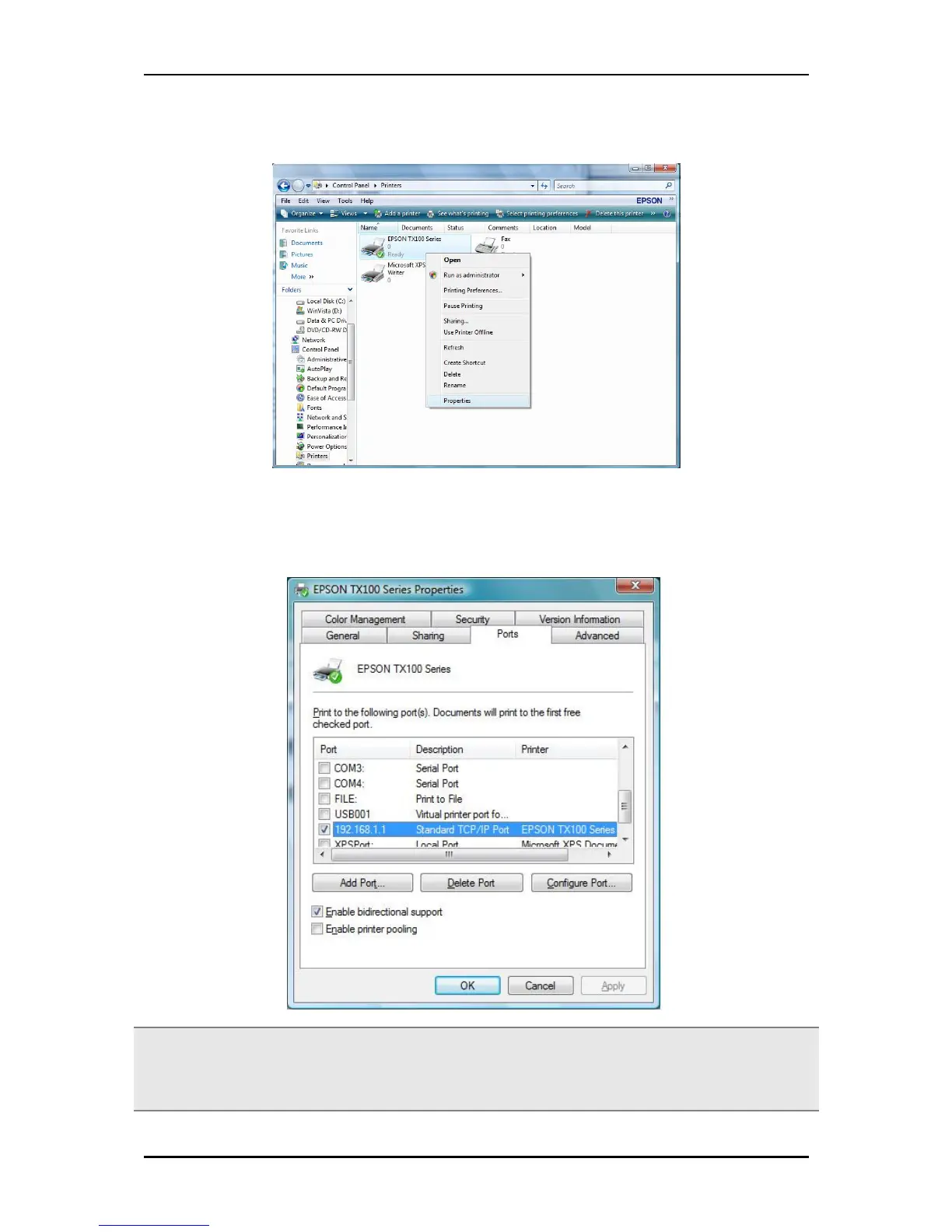
11. If Printing was unsuccessful right click on the Printer’s icon then select Properties.
12. Under printer’s Properties click Port Tab and tick the IP address (192.168.1.1) that was set on
previous settings then click Apply.
Note: Scanning, Faxing and Photocopying functions on Multifunction printers are currently not
supported on the ALL0239-3G, Print function is the only feature that will work on these printers type
when connected to the ALL0239-3G.


 To Next Page
 Loading...