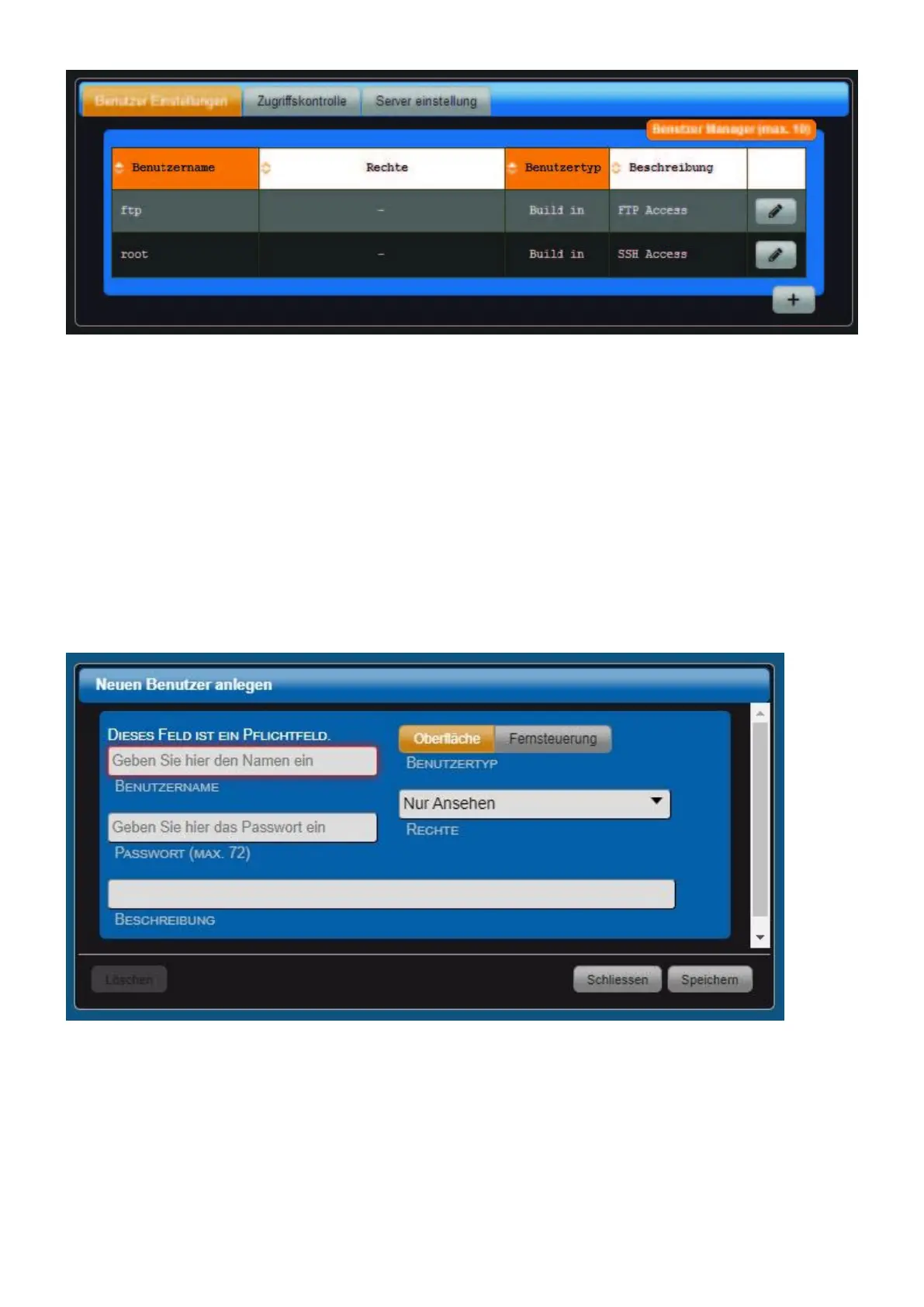
The users "ftp" and "root" are available by default and can be edited via the "Stift" button on the
right.
• username ftp This user can access all files of the device via FTP protocol. When first login, write
user name "ftp" small. The password is transferred unencrypted.
• Username root Advanced users can access the console of the Linux operating system directly. In
the case of first login, write user name "root" small.
! These passwords should be changed absolutely!
More users are added via the "+" button (bottom right). Depending on the user type "Surface" or
"Remote Control", different rights are available.
• Username Enter a username here.
• Password Here you have to assign a password.
• Description Description is for information only.
• User type The user types "surface" and "remote control" are available.
• Rights Depending on the user type, you can set the rights here differently finely. Rights for user



 To Next Page