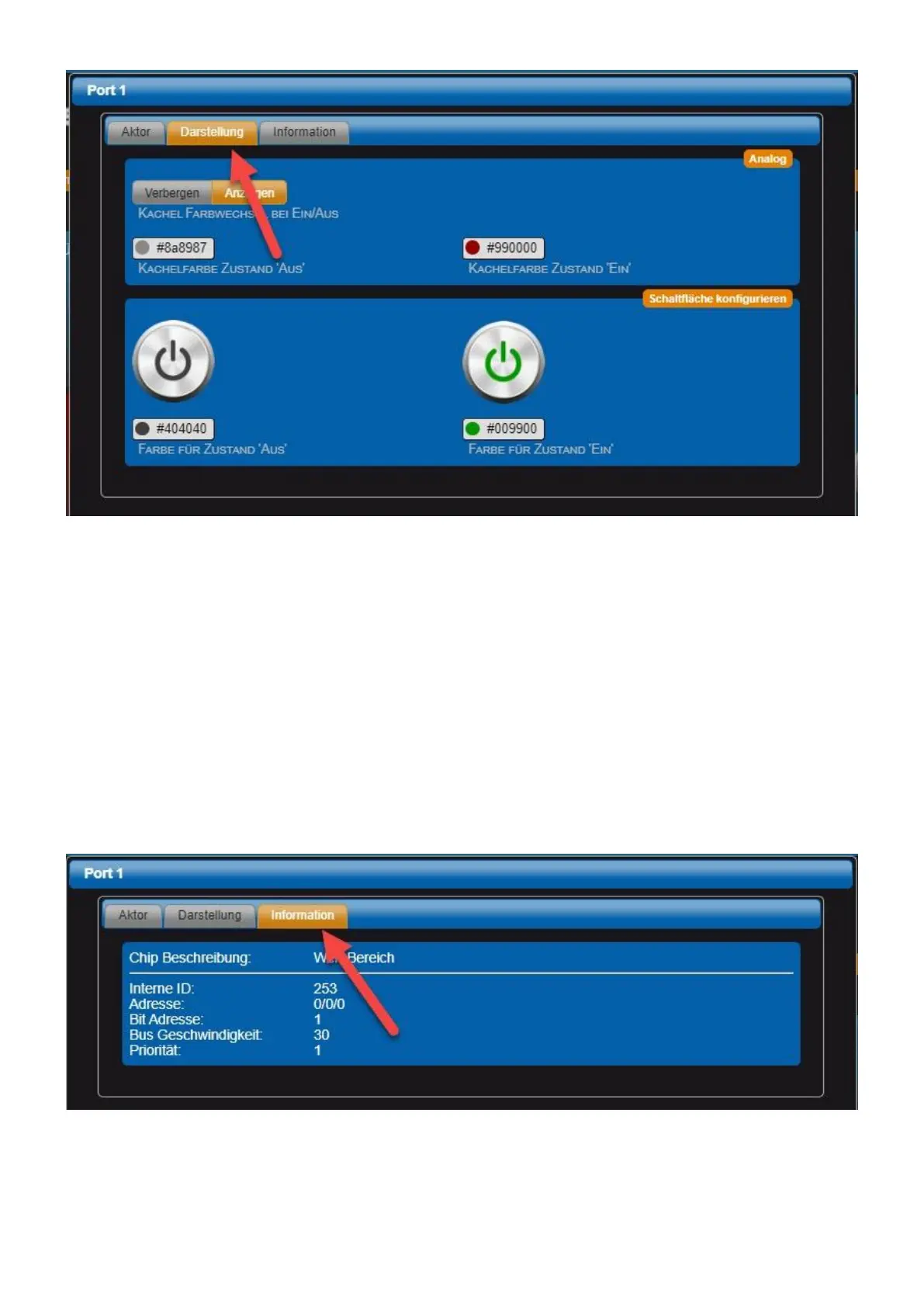
Tile color change on/off The background color of the tile changes the color depending on the two
following parameters.
• Tile color Condition 'From' Set the desired tile color with the color selector.
• Tile color Condition 'One' Set the desired tile color with the color selector.
• Color for condition 'off' Set the desired color for the button with the color selector.
• Color for condition 'on' Set the desired color for the button with the color selector.
"Information" tab
! Note: This tab is only active in expert view. ! Output of system information about the actuator.
Configure sensor



 To Next Page