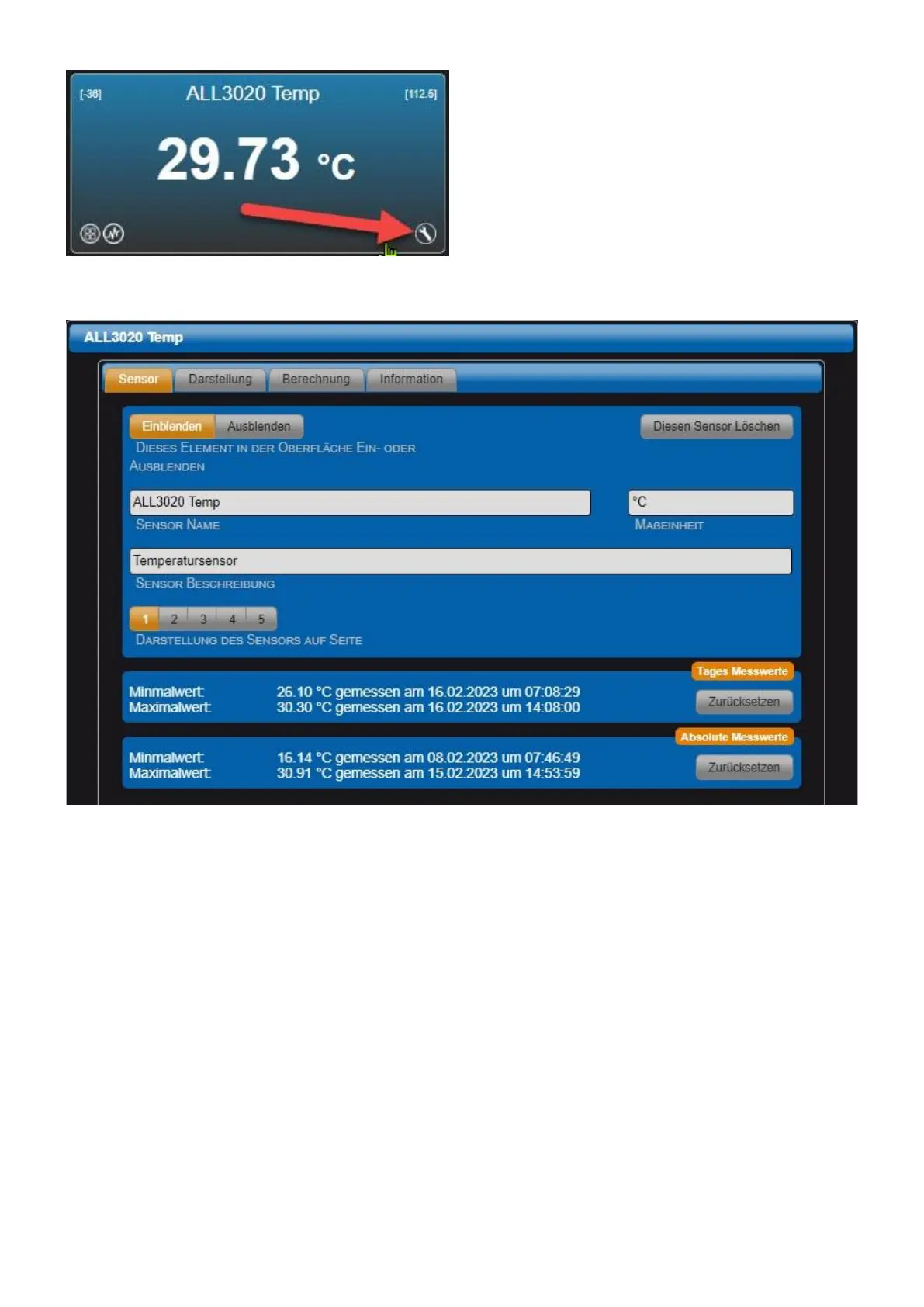
Sensor tab
• This element in the surface of the panel on or off Default = Show. If "Hide" is selected, the sensor
no longer appears on the web interface. However, a logical evaluation of the signal is still possible.
Hidden sensors can be displayed again via the menu "Main page" > "Hided sensors".
• Sensor displays Default = Enabled. If "Disabled" is selected, the sensor will no longer appear on
the display page. A logical evaluation of the signal is still possible.
• Sensor name This name is displayed on the web interface. The length of the text field is limited to
20 characters.
• Unit of measurement Physical unit to be displayed for this sensor.
• Sensor friction The text is for information only.
• Display of the sensor on page Select the display page for the sensor.
• Daily readings Minimum value and maximum value today.
• Absolute readings Minimum value and maximum value over the entire recording period of the



 To Next Page