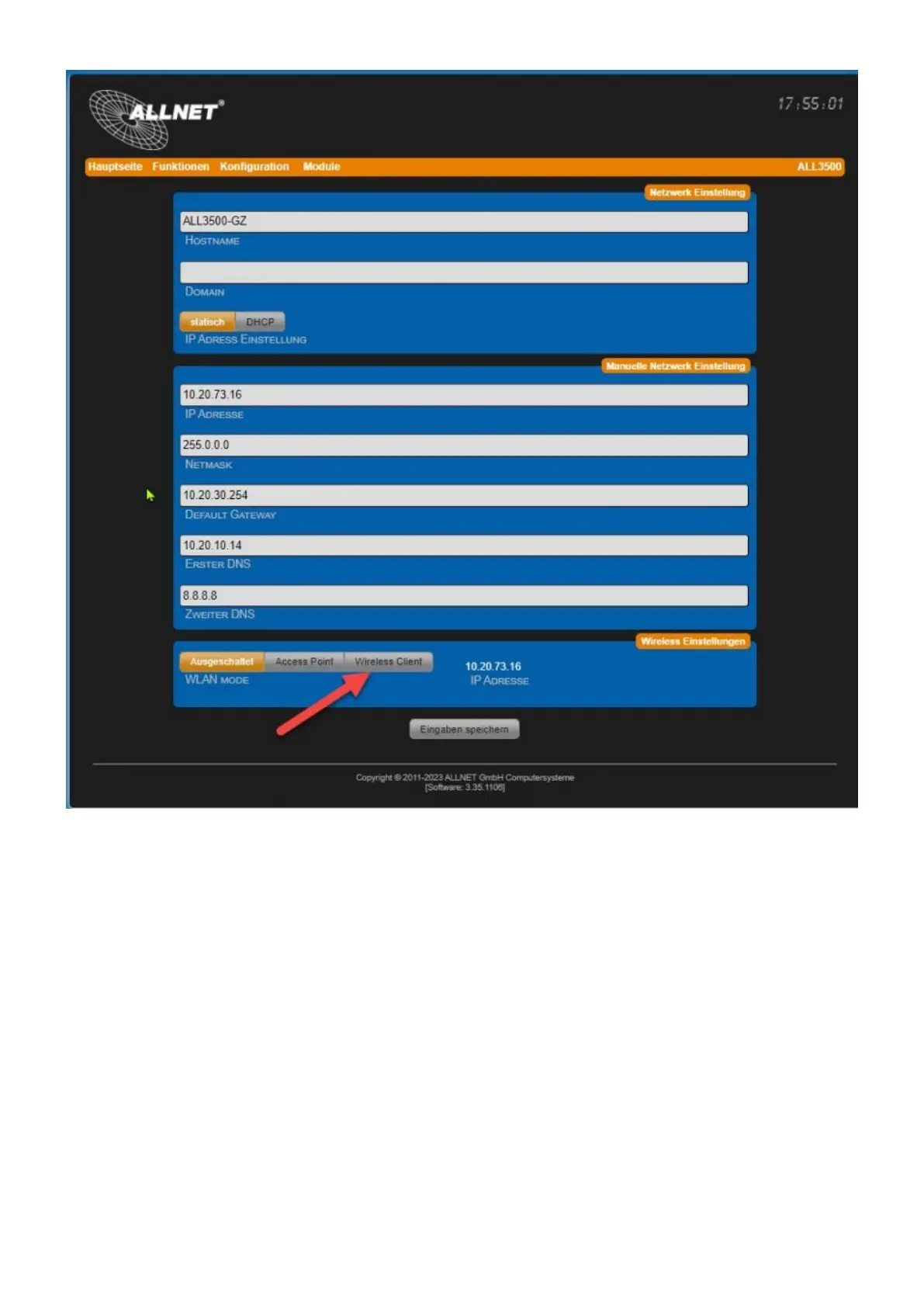
Select Wi-Fi mode. There are 3 options available:
Access Point Settings
• Access Point: The device itself works as a Wi-Fi access point. All devices that are located in your
LAN network are thus accessible via Wi-Fi.
• Wireless Client: The device can be connected to an existing WLAN.
Set the access data for your private wireless network.
• SSID
Give the wireless network your own name, so-called SSID. The following characters are valid: a-z, A-
Z, 1-9, _-@. No spaces may be used. Maximum 32 characters are possible.
• Channel
Select a channel from the drop-down menu. Try to find the largest possible channel distance to



 To Next Page