foreign access points with high transmission power (signal % - display).
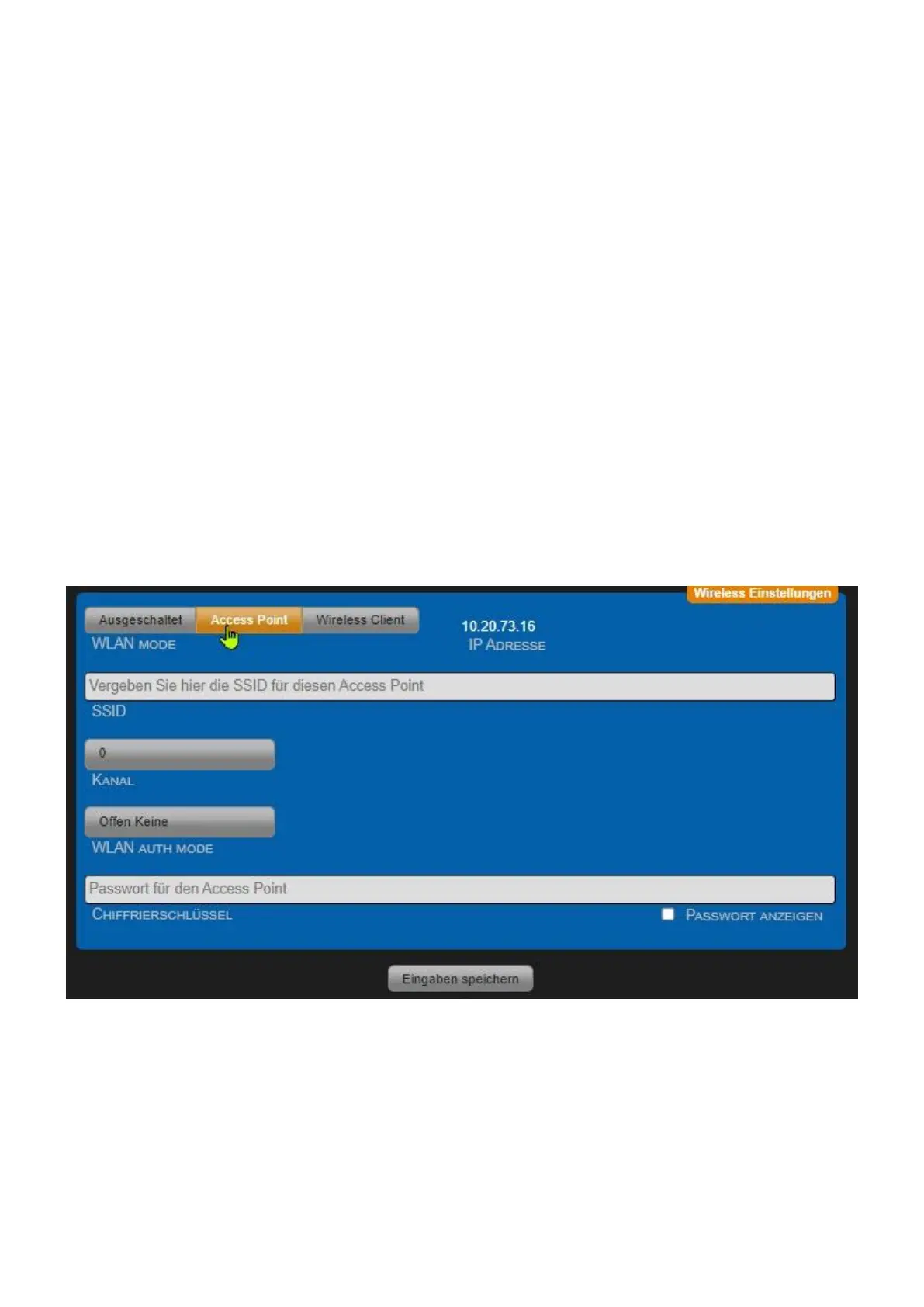
• WLAN AUTH MODE Choose an encryption method (OPEN NONE, Shared WEB, WPAPSK-
TKIP,WPAPSK-AES, WPA2PSK-TKIP, WPA2PSK-AES). We recommend using WPA2PSK-AES for high
security.
• cipher key
Choose a key that ideally consists of letters, numbers and special characters. "Show PASSWORD"
can be used to visually control whether a typing error has crept in. After changing parameters
"Enter Save" press. The device automatically restarts.
• SSID
Give the wireless network your own name, so-called SSID. The following characters are valid: a-z, A-
Z, 1-9, _-@. No spaces may be used. Maximum 32 characters are possible.
If you use this mode of operation in conjunction with a LAN, the device serves as a WLAN access
point. This allows additional WLAN devices to be connected to your LAN.
This mode of operation can also be used to control the device on its own without a LAN connection.
For example, from your mobile phone via Wi-Fi. For this mode of operation, activation of the DHCP
server makes sense.
Set the access data for your private wireless network. • SSID Give the wireless network your own
name, so-called SSID. The following characters are valid: a-z, A-Z, 1-9, _-@. No spaces may be used.
Maximum 32 characters are possible.
Wireless Client Settings
! Important! If you use this mode, the LAN connection must be separated after securing the settings.
When operating as a wireless client, you can use the "Search Accesspoints" button to search the



 To Next Page