EasyManua.ls Logo

Alloy SmartHome AH-HUB3 - User Manual

Alloy SmartHome AH-HUB3
20 pages
Print Icon
To Next Page IconTo Next Page
Loading...
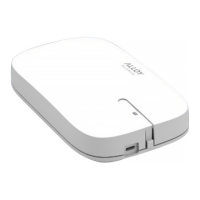
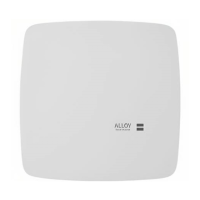
Alloy SmartHome Hub
User Guide
Last revised: December 4, 2020
About the Alloy SmartHome Hub
The Alloy SmartHome Hub is a Security Enabled Z-Wave Plus™ central static controller.
It is responsible for managing a network of Z-Wave-compliant devices from a fixed location.
The Alloy SmartHome Hub provides extensive support for the following Z-Wave-compliant
devices:
Thermostats
Secure door locks
Notification sensors
Binary and multilevel power switches
Sirens
Scene controllers
All Z-Wave-compliant devices from different manufacturers and product categories can be a part
of the Z-Wave network controlled by the Alloy SmartHome Hub. At a minimum, the Alloy
SmartHome Hub will control them via basic on/off commands.
Note that non-battery powered nodes can act as repeaters regardless of manufacturers.
© 2020 Alloy SmartHome LLC All Rights Reserved 1

Other manuals for Alloy SmartHome AH-HUB3

Question and Answer IconNeed help?

Do you have a question about the Alloy SmartHome AH-HUB3 and is the answer not in the manual?

Alloy SmartHome AH-HUB3 Specifications

General IconGeneral
ModelAH-HUB3
CategorySmart Home Hub
ConnectivityWi-Fi 802.11 b/g/n, Bluetooth
Power Supply5V
Operating Temperature0°C to 40°C
Compatible ProtocolsZigbee, Z-Wave

Summary

About the Alloy SmartHome Hub

Connecting and Accessing the Hub

Initial Web Access Setup

Connect to the Hub's WiFi, access the web interface, and configure initial settings.

Creating a Secure Password

Guide to setting a secure password for the Alloy SmartHome Hub web interface.

Using the Web Application

Managing Z-Wave Devices

Adding Devices to the Network

Procedure for adding Z-Wave devices to the network.

Secure Device Inclusion (S2)

Securely adding S2 authenticated devices using PIN or DSK.

Removing Z-Wave Devices

Updating Device Firmware

Z-Wave Network Maintenance

Healing the Z-Wave Network

Resolve issues caused by incorrect routing data by healing the Z-Wave network.

Learn Mode and Controller Functions

Putting the Hub in Learn Mode

Enable Learn Mode to add the Hub as a secondary controller or for testing.

Controller Replication

Understand how routing tables are replicated between primary and secondary controllers.

Factory Reset and Associations

Performing a Factory Reset

Steps to reset the Alloy SmartHome Hub to its default factory settings.

Supported Associations

Overview of supported association groups and notification types like alarms.

Managing Network Connections

Configuring WiFi Connection

Connect the Hub to your WiFi network for internet access and remote applications.

Understanding Hub Indicators

Interpreting the Hub's LED status for identification and connection status.

SmartStart Device Provisioning

Related product manuals